
Best AI Transcription Services 2026: Upload Audio, Get Text, Captions and Speaker Labels
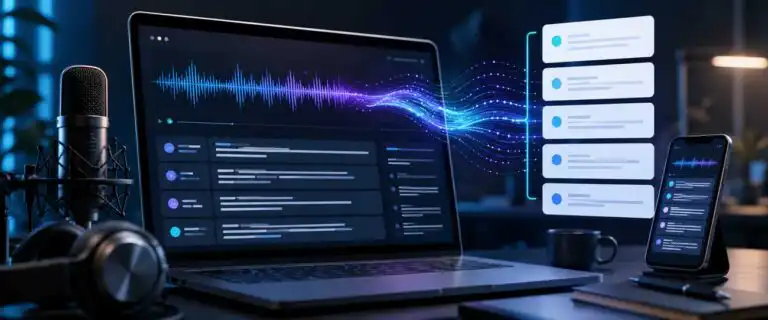
The best AI transcription services in 2026 do more than turn speech into plain text. A good service should let you upload audio or video, generate an editable transcript, add speaker labels, export captions, search the recording and clean up the output without forcing you into a developer workflow.
This guide is deliberately narrower than our broader ranking of the best AI speech-to-text tools. That page compares speech engines, APIs and model-level performance. This page focuses on transcription services: the tools you would actually use to upload a podcast, interview, webinar, meeting, lecture, voice note or customer call and get usable text back.
Our comparison uses the DIY AI 2026 speech-to-text scoring framework, where a provider appears in the dataset. That means accuracy, speed, speaker detection, punctuation, diarisation, noise handling, export formats, cost efficiency and real-time performance. For app-first transcription services that are not yet scored in the dataset, we assess them separately on workflow fit, caption handling, collaboration, editing control and practical output quality.
Quick verdict: the best AI transcription services in 2026
For most users who want a simple upload-and-export workflow, Otter.ai, Descript and Trint are the most natural starting points. They feel like services, not infrastructure. Otter is strongest for meetings, Descript is better for creators who need captions and text-based editing, and Trint is better for editorial teams that need collaboration around transcripts.
For developers, high-volume workflows and teams that need speech processing inside a product, the shortlist changes. OpenAI Whisper remains the strongest accuracy-led benchmark in our dataset; Deepgram is the strongest real-time infrastructure choice; and AssemblyAI is the best fit when you want transcript intelligence, summaries, topics, and structured analysis on top of transcription.
| Use case | Best pick | Why it fits | Dataset score where available |
|---|---|---|---|
| Best overall transcription engine | OpenAI Whisper | Highest accuracy score in the DIY AI speech-to-text dataset, with strong noise handling and flexible deployment options. | 9.2/10 |
| Best simple meeting transcription service | Otter.ai | Good meeting notes, speaker identification, summaries and collaboration without technical setup. | 8.1/10 |
| Best creator workflow for captions | Descript | Excellent transcript-based audio and video editing, caption styling and export control for podcasts, clips and courses. | Service shortlist |
| Best newsroom and research workflow | Trint | Strong collaborative transcript editing, quote finding, translation and team review features. | Service shortlist |
| Best meeting recap and CRM workflow | Fireflies | Useful for meetings, summaries, action items and integrations with sales and productivity tools. | Service shortlist |
| Best real-time transcription infrastructure | Deepgram | Outstanding speed and streaming scores, especially for voice agents, live captions and product features. | 9.1/10 |
| Best transcript intelligence API | AssemblyAI | Strong choice when you need summaries, chapters, topics, speaker labels and downstream audio analysis. | 9.0/10 |
| Best for accents and global speech | Speechmatics | High accuracy and strong handling of non-native English, regional accents and multilingual audio. | 8.8/10 |
| Best hybrid AI and human pathway | Rev AI | Best fit when AI speed is useful but human-reviewed transcription remains part of the workflow. | 7.9/10 |
How AI transcription services differ from speech-to-text tools
The phrase “AI transcription service” is often used loosely. Some tools are polished upload platforms. Some are meeting assistants. Some are APIs. Some are speech models that require another app to be wrapped around them before a non-technical user can do anything useful.
That distinction matters for search intent and buying decisions. A journalist with a 70-minute interview does not want to think about endpoints, JSON payloads or model versions. They want accurate text, named speakers, timestamps and a clean export. A developer building live captions into a SaaS product has the opposite problem. They need latency, streaming stability, error handling and predictable usage costs.
This page sits in the middle. It covers transcription services people can use to produce transcripts, captions and speaker-labelled outputs. For model-level comparisons, API pricing and developer trade-offs, use our speech-to-text AI guide as the cluster hub.
Our scoring framework for transcription services
For scored providers, the underlying dataset uses nine speech-to-text metrics. The most important ones for a transcription service are not always the same as the most important ones for a live voice product.
| Metric | Why it matters for transcription services |
|---|---|
| Accuracy | Determines how much correction you need before publishing, quoting or sharing the transcript. |
| Speed | Matters for high-volume teams, but a slightly slower transcript is acceptable if the output needs less editing. |
| Speaker detection | Shows how well the tool separates different voices before names are manually assigned. |
| Diarisation | Critical for interviews, podcasts, calls, panels and research sessions where “who said what” matters. |
| Punctuation | Makes long transcripts readable. Bad punctuation can make an accurate transcript feel messy. |
| Noise robustness | Important for remote calls, lecture halls, phone audio, field recordings and compressed MP3 files. |
| Export formats | TXT and DOCX suit editing. SRT and VTT suit captions. JSON and CSV are well-suited for workflows and archives. |
| Cost efficiency | Subscription plans can be cheap for frequent users but poor value for occasional long uploads. |
| Real-time streaming | Less important for one-off uploads, but vital for live captions, voice agents, and call products. |
We also judge app-first services on three practical factors that do not show up cleanly in model benchmarks: control over transcript structure, handling of long-form recordings, and reliability when the user gives complex post-transcription instructions such as “turn this into SRT captions”, “separate host and guest quotes”, or “summarise objections by speaker”.
Best AI transcription services compared
| Service | Best for | Strength | Main trade-off | Rating |
|---|---|---|---|---|
| Otter.ai | Meetings, internal calls and collaborative notes | Fast meeting transcription with speaker names, summaries and team sharing | Less ideal for polished video captions or developer-controlled workflows | 4.1/5 |
| Descript | Podcasts, videos, captions and transcript-based editing | Turns transcription into an editing workspace, not just a text file | Can feel too broad if all you need is a quick transcript export | Service shortlist |
| Trint | Journalists, researchers and editorial teams | Strong transcript review, collaboration, translation and quote workflows | A subscription-first structure may not suit occasional transcription | Service shortlist |
| Fireflies | Sales calls, team meetings and searchable call libraries | Good meeting summaries, action items and integrations | Not the first pick for creators who need caption design and video editing | Service shortlist |
| Rev AI | Hybrid AI and human transcription workflows | Useful when AI speed and human review need to sit in the same buying path | Lower overall score than the strongest API-first speech providers | 4.0/5 |
| OpenAI Whisper | High-accuracy batch transcription and flexible pipelines | Top dataset score for accuracy-led transcription | Not a polished transcription service by itself unless wrapped in another tool | 4.6/5 |
| Deepgram | Real-time captions, voice products and scalable speech workflows | Excellent speed, streaming and production speech infrastructure | Overkill for occasional users who only upload one file now and again | 4.6/5 |
| AssemblyAI | Speech intelligence, summaries and audio analysis | Strong built-in structure on top of transcription | More technical than simple meeting transcription apps | 4.5/5 |
| Speechmatics | International teams and accent-heavy audio | Strong global accent and multilingual performance | Not as simple as a creator-first upload editor | 4.4/5 |
Dataset scores for the strongest speech-to-text providers
The table below preserves the dataset values. It is useful for buyers who care about the model layer behind transcription quality, especially when choosing between a polished upload app and a more controllable speech provider.
| Provider | Accuracy | Speed | Speaker detection | Diarisation | Export formats | Real-time | Overall |
|---|---|---|---|---|---|---|---|
| OpenAI Whisper | 9.6/10 | 8.8/10 | 9.4/10 | 9.2/10 | 9.0/10 | 8.8/10 | 9.2/10 |
| Deepgram | 9.3/10 | 9.9/10 | 9.0/10 | 8.9/10 | 9.2/10 | 9.9/10 | 9.1/10 |
| AssemblyAI | 9.2/10 | 8.9/10 | 9.6/10 | 9.1/10 | 9.0/10 | 8.9/10 | 9.0/10 |
| Speechmatics | 9.4/10 | 8.5/10 | 8.8/10 | 9.3/10 | 8.8/10 | 8.5/10 | 8.8/10 |
| Azure AI Speech | 8.9/10 | 8.7/10 | 9.0/10 | 8.8/10 | 8.8/10 | 8.7/10 | 8.7/10 |
| Google Gemini Flash STT | 8.8/10 | 9.0/10 | 9.2/10 | 8.5/10 | 8.6/10 | 9.0/10 | 8.6/10 |
| Suno/Bark (STT) | 8.5/10 | 8.2/10 | 8.5/10 | 8.0/10 | 8.0/10 | 8.2/10 | 8.2/10 |
| Otter.ai | 8.4/10 | 8.5/10 | 8.8/10 | 8.7/10 | 8.2/10 | 8.5/10 | 8.1/10 |
| AWS Transcribe | 8.4/10 | 8.4/10 | 8.0/10 | 8.3/10 | 8.4/10 | 8.4/10 | 8.0/10 |
| Rev AI | 8.2/10 | 8.3/10 | 7.9/10 | 8.2/10 | 8.6/10 | 8.3/10 | 7.9/10 |
Otter.ai: best simple AI transcription service for meetings
Otter.ai is the easiest recommendation for people who mostly transcribe meetings, interviews, internal calls and voice notes. It handles the common workflow well: record or upload audio, get a transcript, assign speaker names, create summaries, search the conversation and share notes with a team.
Its dataset score of 8.1/10 does not make it the strongest speech engine overall, but that is not really the point. Otter wins when the buyer values ease of use more than raw model control. For meeting-heavy teams, the difference between “technically more accurate” and “actually gets adopted by the team” matters.
Where Otter is weaker is in polished media output. If your main deliverable is styled captions for YouTube, a podcast edit, a training video or a client-ready transcript, Descript or Trint will usually feel more appropriate. Otter is a meeting workspace first.
| Pros | Cons |
|---|---|
| Simple upload, meeting and collaboration workflow | Not the strongest dataset performer for raw transcription quality |
| Useful speaker identification and shared speaker features | Less suitable for creator-grade caption design |
| Good summaries, action items and searchable meeting history | Import and export limits vary by plan |
Descript: best transcription service for creators and captions
Descript is the best fit when the transcript is not the final asset. A podcast editor, course creator or YouTube producer usually needs to cut sections, generate captions, remove filler, adjust timing, export SRT or VTT files, and maybe turn one long recording into short clips. Descript is built around that workflow.
The important difference is that Descript treats text as the editing surface. You can edit audio and video by editing the transcript, then turn that transcript into captions, subtitles or supporting content. That makes it much more useful than a basic upload box for content teams.
It is not the cleanest option for legal, compliance or archive transcription. It is also broader than some users need. If you only want to upload one MP3 and get a DOCX file, a simpler transcription service may be faster to understand. For creators, though, Descript is one of the strongest practical choices.
| Pros | Cons |
|---|---|
| Excellent transcript-based editing for audio and video | More products than some users need for simple transcription |
| Good fit for captions, subtitles and social clips | Not part of the current DIY AI speech-to-text dataset |
| Useful export options for transcripts and caption files | Requires editorial review before publishing captions |
Trint: best AI transcription service for editorial teams
Trint is a strong choice for journalists, researchers, agencies and content teams that need to collaborate around transcripts. Its value is not just transcription accuracy. It is the workspace around the transcript: highlighting, searching, translation, quote extraction, speaker recognition and team review.
This is where many cheaper transcription services become annoying. A transcript is rarely finished when the text appears. Someone needs to check names, mark quotes, pull time-coded sections, export a clean version and sometimes share a clip or article draft with another person. Trint is designed for that kind of editorial handling.
The trade-off is cost structure. Teams that transcribe frequently may like a subscription, while occasional users may prefer pay-as-you-go services. If you only need to transcribe a few short recordings per month, check the plan carefully before committing.
| Pros | Cons |
|---|---|
| Strong transcript collaboration and review workflow | Subscription-led pricing may not suit occasional users |
| Good fit for research, interviews and newsroom workflows | Not the most direct choice for developer API use |
| Useful search, translation and quote-handling features | Not part of the current DIY AI speech-to-text dataset |
Fireflies: best for meeting notes and searchable call libraries
Fireflies is best understood as a meeting intelligence tool rather than a plain transcription service. It records or imports conversations, creates transcripts, produces summaries, identifies action items and connects with the tools sales and support teams already use.
That makes it useful for recurring calls. A one-off interview transcript is easy to manage manually. Hundreds of sales calls, support calls, or team meetings become knowledge management problems. Fireflies is built for that second scenario.
The limitation is media production. Fireflies is not where most creators will go to style captions, edit video or prepare a polished subtitle file. It is stronger as a searchable conversation system.
| Pros | Cons |
|---|---|
| Good meeting summaries, action items and searchable history | Less suitable for creator caption workflows |
| Useful for sales, customer success and internal meetings | Not part of the current DIY AI speech-to-text dataset |
| Integrates well with wider productivity workflows | Needs governance if used across sensitive calls |
OpenAI Whisper: best accuracy-led transcription engine
OpenAI Whisper remains the highest-scoring provider in the DIY AI 2026 speech-to-text dataset, with an overall score of 9.2/10 and an accuracy score of 9.6/10. It is a strong choice for podcasts, interviews, archive conversion, research recordings and privacy-sensitive workflows where deployment control matters.
The caveat is simple: Whisper is not always a finished transcription service. Many users encounter it through another app, script, platform or API wrapper. That can be an advantage for technical teams, but it is a source of friction for someone who just wants a clean upload page.
For the deeper model-level breakdown, our OpenAI Whisper review covers accuracy, deployment, pricing and alternatives in more detail. This service guide only ranks it where its transcription quality affects real upload workflows.
| Pros | Cons |
|---|---|
| Top accuracy score in the DIY AI speech-to-text dataset | Not always packaged as a simple upload service |
| Strong noise robustness and multilingual capability | Speaker labels and workflow features depend on implementation |
| Flexible for developers and privacy-conscious teams | Less suitable for non-technical teams without a wrapper tool |
Deepgram: best for real-time transcription and live captions
Deepgram is the strongest choice in this list when transcription needs to occur within a product, live workflow, or automated pipeline. It scores 9.1/10 overall in the DIY AI dataset and stands out for speed and real-time streaming, both rated 9.9/10.
That makes Deepgram different from a normal upload service. It is overpowered for someone transcribing a single lecture, but it is exactly the kind of platform a team should test for voice agents, live captions, contact centre products, call monitoring, customer support workflows, and high-volume processing.
Before buying on price alone, read our Deepgram pricing guide. The value case depends heavily on whether you need batch transcription, streaming, voice-agent infrastructure or a wider speech platform.
| Pros | Cons |
|---|---|
| Excellent speed and real-time streaming scores | Too technical for simple one-off transcription buyers |
| Strong fit for live captions and voice products | Requires careful model and feature selection |
| Good export, diarisation and production workflow options | Not a creator editing suite like Descript |
AssemblyAI: best for summaries and speech intelligence
AssemblyAI is a strong option when transcription is only the first step. Its 9.0/10 overall dataset score is backed by particularly strong speaker detection, plus useful speech intelligence features such as summarisation, chapters, topics and structured outputs.
This matters when the transcript needs to feed another workflow. A content team may need episode summaries. A product team may need topic detection. A research team may need speaker-separated insights. A call analytics tool may need extracted actions, sentiment or classification.
AssemblyAI is not the simplest upload-and-download tool in this guide, but it is one of the better choices when you need the transcript to become data rather than just a document.
| Pros | Cons |
|---|---|
| Strong overall dataset score and excellent speaker detection | More technical than simple transcription apps |
| Good for summaries, topics, chapters and transcript intelligence | May be unnecessary for plain transcript exports |
| Useful for products that process audio at scale | Requires workflow planning to get full value |
Speechmatics: best for accents, regions and global teams
Speechmatics deserves a place on the shortlist when audio contains regional accents, non-native English or multilingual speech. It scores 8.8/10 overall in the DIY AI dataset, with particularly strong accuracy and diarisation scores.
Accent handling is often where transcription demos mislead buyers. A tool can look excellent on clean US English and then struggle with mixed accents, fast speech, local names, background noise or code-switching. For international teams, global speech performance is not a minor feature. It is the product.
Speechmatics is less appealing for users who want an all-in-one creator interface. Its strength is speech recognition quality across a wide range of real-world voices.
| Pros | Cons |
|---|---|
| Strong accuracy and diarisation scores | Not the simplest creator-first transcription app |
| Good shortlist option for regional accents and global teams | Workflow fit depends on how it is implemented |
| Useful for multilingual and enterprise transcription needs | Less meeting-app focused than Otter or Fireflies |
Rev AI: best when human review is still part of the process
Rev AI scores 7.9/10 in the DIY AI speech-to-text dataset, so it is not the top model-level performer in this comparison. Its appeal is different: Rev is one of the better-known names for teams that may need AI transcription at times and human transcription or caption review at others.
That hybrid path is still useful. AI transcription is usually enough for internal notes, rough edits, searchable archives and content planning. Human review still makes sense for legal, medical, compliance-heavy, broadcast or quote-sensitive work where errors carry a higher cost.
The trade-off is value. If you only need automated transcription at scale, stronger dataset performers may be more compelling. If you need a route from AI speed to human-verified output, Rev remains worth comparing.
| Pros | Cons |
|---|---|
| Useful hybrid path from AI transcription to human review | Lower overall dataset score than the leaders |
| Good fit for teams with mixed accuracy requirements | Human-reviewed workflows can get expensive |
| Recognisable transcription brand with captioning relevance | Not the strongest real-time or developer-first platform |
Captions, subtitles and transcripts are not the same thing
A transcript is a readable text version of spoken content. Captions and subtitles are timed text tracks that sit alongside audio or video. That sounds like a small distinction until you try to publish a webinar, YouTube video, course lesson or social clip.
Good captions need accurate timing, sensible line breaks, readable segment lengths and sometimes non-speech cues. A transcript can survive a long paragraph. Captions cannot. A transcript may label speakers at the paragraph level. Captions often need tighter timing so the viewer knows who is speaking as the video moves.
For accessibility planning, the W3C guidance on making audio and video accessible is worth reading because it separates captions, transcripts, audio descriptions and media player support. That distinction helps prevent a common mistake: assuming an AI-generated transcript automatically solves accessibility.
What to check before uploading sensitive audio
Transcription services handle voice data, names, business discussions, customer calls and sometimes legal or health-related material. Treat that as sensitive by default.
Before uploading private recordings, check where the audio is processed, whether files are retained, whether training use is optional, what admin controls are available, and whether your plan meets the compliance requirements you actually need. Do not assume enterprise privacy controls apply to a free plan.
For personal interviews, consent matters too. AI transcription does not remove the need to tell people how recordings will be used, stored and shared. This is especially important for research interviews, customer calls, employee meetings and any situation involving vulnerable people or confidential information.
How to choose the right AI transcription service
The fastest way to choose badly is to ask only “which tool is most accurate?” Accuracy matters, but the right service depends on what happens after the words appear.
| Question | The transcript needs to be converted into searchable data. | Likely best fit |
|---|---|---|
| Do you mainly transcribe meetings? | You need summaries, speakers, search and team sharing. | Otter.ai or Fireflies |
| Do you create videos or podcasts? | You need captions, text-based edits and media exports. | Descript |
| Do you handle interviews and editorial review? | You need quotes, collaboration, search and clean transcript review. | Trint |
| Do you need the highest transcript quality? | You may accept more setup in exchange for accuracy and control. | OpenAI Whisper |
| Do you need live captions or product integration? | Latency and streaming matter more than a polished upload UI. | Deepgram |
| Do you need summaries and structured audio insights? | The transcript needs to become searchable data. | AssemblyAI |
| Do you have difficult accents or multilingual audio? | Clean demo accuracy will not tell you enough. | Speechmatics |
| Do you need possible human review? | AI may be the first pass, not the final output. | Rev AI |
Common AI transcription mistakes to avoid
The first mistake is uploading a perfect demo audio and assuming the result will hold up in real work. Test with your worst normal recording: a remote call with interruptions, a cheap microphone, overlapping speakers, local names and background noise. That file will tell you more than a polished sample.
The second mistake is blindly trusting speaker labels. Diarisation can separate speakers, but it still struggles with interruptions, similar voices, room echo, laughter and people speaking over each other. For a deeper explanation, see our guide to speaker diarisation.
The third mistake is choosing a service before checking the exports. If you need captions, confirm whether SRT or VTT is needed. If you need editing, check DOCX, TXT or RTF. If you need automation, check JSON, CSV, API access or webhook support. A transcript trapped inside a dashboard is not a workflow.
The fourth mistake is ignoring file limits. Free and low-cost plans often restrict upload duration, file count, transcription minutes, export options or speaker labelling. If you need to transcribe MP3 to text in bulk, plan limits matter as much as the headline accuracy claim.
AI transcription pricing: subscription, per-minute or pay-as-you-go?
AI transcription services usually fall into three pricing models: subscription plans, usage-based API pricing and pay-as-you-go transcription. None is universally best.
Subscription tools suit people who transcribe regularly and want a predictable monthly workflow. They can be poor value if your usage is spiky, because unused minutes may not roll over, and imported file limits can be lower than live recording limits.
Usage-based APIs suit developers and high-volume teams. They can be cheap per hour, but only if someone is responsible for building the upload, storage, privacy, review and export workflow around them. That hidden labour cost is why an API is not always cheaper in practice.
Pay-as-you-go transcription suits occasional users, journalists, researchers and small teams that do not want another monthly subscription. The trade-off is that collaboration, media editing and automation are often weaker.
When AI transcription is enough and when to use human review
AI transcription is usually enough for internal meeting notes, draft show notes, searchable archives, content planning, research triage, rough captions and personal reference. It is fast, affordable and often surprisingly good when the recording is clear.
Human review is still sensible when the transcript will be used as evidence, published verbatim, submitted for legal or medical purposes, broadcast at scale, or used in a context where a small error can change meaning. AI can mishear names, numbers, technical terms, medication names, legal phrases and overlapping speech.
A practical middle ground works well: use AI for the first pass, then review only the sections that matter. For example, a podcast producer may fully review the intro, sponsor mentions and quoted sections, while treating the rest of the transcript as supporting copy. A researcher may check participant names, key quotes and timestamps rather than manually retyping the whole interview.
Best workflow for accurate AI transcription
Use this process before relying on any transcription service for regular work:
- Upload a realistic file. Use a normal recording, not a perfect sample.
- Check the first five minutes. Look for punctuation, names, speaker turns and obvious hallucinations.
- Jump to the hardest section. Review the part with crosstalk, noise, laughter or a strong accent.
- Test speaker labels. Confirm whether the tool separates speakers, remembers names or only assigns Speaker 1 and Speaker 2.
- Export every format you need. Test TXT, DOCX, SRT, VTT, CSV or JSON before committing.
- Check privacy settings. Confirm retention, training use, sharing permissions and admin controls.
- Calculate the real monthly cost. Include imported file limits, team seats, caption exports and overage charges.
- Create an editing rule. Decide which transcripts require human review before publication or sharing.
DIY AI verdict: Which AI transcription service should you choose?
Choose Otter.ai for the simplest meeting transcription service. Choose Descript if your transcript needs to be converted into captions, clips, or edited media. Choose Trint if you work with interviews, research or editorial collaboration.
Choose OpenAI Whisper if accuracy and control matter more than a polished app. Choose Deepgram if transcription needs to happen live inside a product or workflow. Choose AssemblyAI if you want structured insight from audio, not just a text transcript.
The strongest answer is not a one-size-fits-all tool. It is the service that matches your output: meeting notes, captions, interview transcripts, searchable archives, live captions or audio intelligence. Start there, then compare accuracy.
FAQs about AI transcription services
What is the best AI transcription service in 2026?
For simple meetings, Otter.ai is one of the easiest AI transcription services to recommend. For creators, Descript is stronger because it combines transcription, video editing, and captions. For model-level accuracy, OpenAI Whisper ranks highest in the DIY AI 2026 speech-to-text dataset with an overall score of 9.2/10.
What is the most accurate AI transcription service?
OpenAI Whisper has the highest accuracy score in our dataset at 9.6/10. That does not mean it is always the easiest service to use, because Whisper is often accessed through another app, an API, or a workflow. For non-technical upload use, test Whisper-powered tools against Otter, Descript, Trint and other finished services.
Can AI transcription services identify different speakers?
Yes, many AI transcription services can separate speakers and apply labels such as Speaker 1 and Speaker 2. Some tools can also remember the names of speakers after training or manual correction. Treat speaker labels as a strong draft, not a guaranteed final output, especially when speech overlaps.
Can AI transcription create captions and subtitles?
Yes, many services can export SRT or VTT caption files. The quality of captions depends on timing, line breaks, punctuation and speaker changes, not just word accuracy. For video publishing, always preview the captions before uploading them to YouTube, a course platform or a client site.
What file formats do AI transcription services accept?
Most services accept common audio and video formats such as MP3, WAV, M4A, MP4 and MOV. Limits vary by tool and plan. Check maximum file size, maximum duration, monthly import minutes and whether video uploads count differently from audio uploads.
Is free AI transcription good enough?
Free AI transcription can be good enough for short, low-risk files, personal notes and testing. It is less reliable for long uploads, team workflows, private audio, caption exports or anything that needs speaker labels and proper review controls. Free plans often limit minutes, imports, duration or exports.
Is AI transcription safe for confidential recordings?
It depends on the service, plan and settings. Before uploading confidential recordings, check retention policies, training use, admin controls, sharing settings, encryption claims and compliance options. For regulated or sensitive work, avoid assuming that a consumer plan gives you enterprise-grade controls.
Should I use AI or human transcription?
Use AI transcription for speed, searchability, rough drafts, content planning and internal notes. Use human review when the transcript is legal, medical, compliance-sensitive, quote-sensitive or client-facing. A hybrid workflow is often best: AI first, human review where precision matters.
Can AI transcription handle long recordings?
Yes, but long recordings expose weaknesses in punctuation, speaker memory, timestamps and editing workflow. For recordings over an hour, check mid-file accuracy, export quality, and whether the service consistently preserves speaker labels from start to finish.
What is the difference between transcription and diarisation?
Transcription converts speech into text. Diarisation separates the recording by speaker, answering the question “who spoke when”. A transcript without diarisation may be accurate but hard to follow in interviews, meetings, panels and podcasts.
You Might Also Like:

Best AI Speech To Text Tools 2026
OpenAI Whisper API Pricing
OpenAI Whisper Review 2026
