ComfyUI API: queue workflows and retrieve finished images
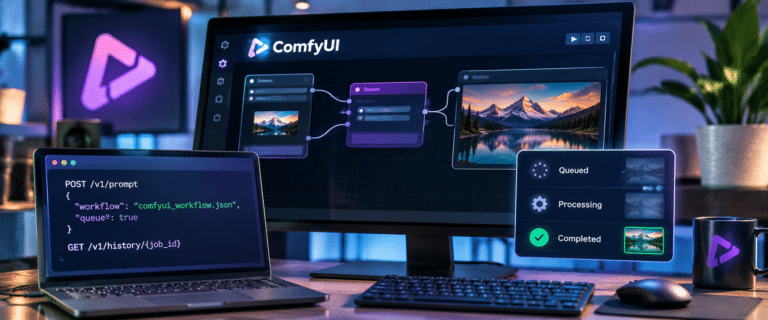
The ComfyUI API lets a script submit a node workflow to a running ComfyUI server, track its execution and fetch the resulting image files. The sequence is POST /prompt, retain the returned prompt_id, monitor progress through /ws or /queue, then read /history/{prompt_id} and download outputs through /view. A successful submission means the job was queued, not that generation finished.
This guide builds that complete sequence in JavaScript and Windows PowerShell, including validation errors, lost connections and safe recovery. It deliberately separates transport testing from model testing, so a missing checkpoint isn’t mistaken for an API fault.
If you need a generated image without maintaining a local GPU or execution queue, use the DIY AI image generator. The implementation below is for developers who want to own and automate a ComfyUI workflow.
Start with a model-free API check, then run a generation workflow
- Start ComfyUI and confirm the server address shown in its console or Desktop interface. A common manual-install address is
http://127.0.0.1:8188; some Desktop or custom installations use a different port. - Check that
GET /object_info/EmptyImageresponds and that theEmptyImageandSaveImagenodes are available. - Save the two-node API workflow below as
workflow_smoke_api.json. It draws a solid-colour square without downloading a checkpoint. - Save the JavaScript client later in this article as
comfy-client.mjs, then run it with Node.js 22 or newer. - After the resulting image downloads, switch to the included Stable Diffusion 1.5 workflow, using the exact filename of a compatible checkpoint installed on your server.
{
  "1": {
    "class_type": "EmptyImage",
    "inputs": {
      "width": 256,
      "height": 256,
      "batch_size": 1,
      "color": 3368601
    }
  },
  "2": {
    "class_type": "SaveImage",
    "inputs": {
      "filename_prefix": "DIYAI_API_smoke",
      "images": ["1", 0]
    }
  }
}
This is a valid API-format graph: node 1 creates an image, node 2 receives output slot 0 from node 1 and saves it. The small, deterministic image proves that queueing, history and file download work. It does not test model quality or GPU inference, and it should not be presented as an AI-generated image.
Local ComfyUI API, Partner Nodes and hosted APIs are different services.
| What you are calling | Execution and billing | How this article applies |
|---|---|---|
| Self-hosted ComfyUI server API | Your ComfyUI process runs local nodes on your own hardware or a rented GPU. The HTTP API has no separate per-call ComfyUI fee. | The /prompt, /history and /view sequence below targets this interface. |
| ComfyUI Partner Nodes | A workflow may send inputs to external models and consume paid credits, even though it was queued using the local server API. | Inspect nodes before running. A local URL does not prove all processing stays local. |
| Comfy Cloud or third-party provider API | Hosted services can require API keys, different base URLs, job endpoints, limits and charges. | Do not assume a provider accepts this local-server JSON contract unchanged. |
The important boundary is the node graph, not just the address. A self-hosted /prompt request containing a Partner Node can still invoke a paid remote service. Check model and node choices before claiming a workflow runs offline. For hardware and installation choices, see our local AI image generator configurations.
Understand the endpoints before writing the client
| Route | What the client should do | Typical mistake |
|---|---|---|
POST /prompt | Submit {"prompt": graph, "client_id": id, "prompt_id": id} and persist the accepted ID. | Treating HTTP 200 as a finished image. |
GET /queue | Distinguish queue_pending and queue_running. | Polling only while the job is visibly running and missing its completed history. |
GET /history/{prompt_id} | Read terminal status, output-node IDs and file descriptors. | Assuming an empty outputs object always means success. |
GET /view | Pass filename, subfolder and type from history; save the response bytes. | Guessing a filesystem path from a filename prefix. |
WS /ws?clientId=... | Listen for node execution, progress and error events when the socket is available. | Treating an end-of-execution event alone as proof of success. |
GET /models/checkpoints and /object_info | Check server model names and installed node definitions before submission. | Using a checkpoint or custom node that exists only on the developer machine. |
ComfyUI documents these server operations in its official HTTP and WebSocket routes reference. The API can return a prompt_id and queue position after validation or an error with per-node details when the graph is invalid. There is no reason to build a synchronous image request around POST /prompt.
Why editor-layout JSON fails at the API boundary
The JSON saved for the visual editor describes a canvas: node positions, link records, widget values and interface metadata. The server execution API instead expects an object indexed by node IDs, each with a class_type and executable inputs. Links appear as pairs such as ["1", 0], meaning output zero of node one. Renaming or reordering nodes can change these IDs, so hard-coded script overrides must be reviewed after re-exporting.
In ComfyUI, use the workflow export or save option labelled API Format (the location or name varies by interface version; older versions expose it after enabling developer options). Export from a graph you have successfully executed in the same environment. A plain editor-layout workflow is not interchangeable with the API prompt object.
For a real text-to-image example, the companion workflow_sd15_api.json uses CheckpointLoaderSimple (node 4), CLIPTextEncode (node 6), KSampler (node 3), VAEDecode (node 8) and SaveImage (node 9). The exact checkpoint must be present in models/checkpoints and must be compatible with the SD1.5 pipeline. Newer models have different loaders and graph requirements; changing only the checkpoint filename is not sufficient.
{
  "3": {
    "class_type": "KSampler",
    "inputs": {
      "cfg": 7,
      "denoise": 1,
      "latent_image": ["5", 0],
      "model": ["4", 0],
      "negative": ["7", 0],
      "positive": ["6", 0],
      "sampler_name": "euler",
      "scheduler": "normal",
      "seed": 42,
      "steps": 20
    }
  },
  "4": {
    "class_type": "CheckpointLoaderSimple",
    "inputs": {
      "ckpt_name": "REPLACE_WITH_INSTALLED_SD15_CHECKPOINT.safetensors"
    }
  },
  "5": {
    "class_type": "EmptyLatentImage",
    "inputs": {
      "batch_size": 1,
      "height": 512,
      "width": 512
    }
  },
  "6": {
    "class_type": "CLIPTextEncode",
    "inputs": {
      "clip": ["4", 1],
      "text": "a red fox in a misty woodland, natural light"
    }
  },
  "7": {
    "class_type": "CLIPTextEncode",
    "inputs": {
      "clip": ["4", 1],
      "text": "blurry, distorted, low detail"
    }
  },
  "8": {
    "class_type": "VAEDecode",
    "inputs": {
      "samples": ["3", 0],
      "vae": ["4", 2]
    }
  },
  "9": {
    "class_type": "SaveImage",
    "inputs": {
      "filename_prefix": "DIYAI_API_generated",
      "images": ["8", 0]
    }
  }
}
Runnable JavaScript: persist the job ID and trust history for completion
Save the following as comfy-client.mjs. It uses Node.js 22+ built-in fetch and WebSocket, without npm dependencies. The program writes its receipt before submitting, checks the queue and history, logs sampler progress if available, rejects execution errors and downloads each image listed by a saving node. It deliberately does not retry an uncertain POST /prompt.
// DIY AI ComfyUI local API example. Node.js 22+, no packages required.
import { randomUUID } from 'node:crypto';
import { mkdir, readFile, writeFile } from 'node:fs/promises';
import path from 'node:path';

const DEFAULT_BASE = 'http://127.0.0.1:8188';
const RECEIPT = '.comfy-last-job.json';
const sleep = ms => new Promise(resolve => setTimeout(resolve, ms));
const [action, workflowFile, ...flags] = process.argv.slice(2);

function option(name) {
  const index = flags.indexOf(name);
  return index === -1 ? undefined : flags[index + 1];
}

async function httpJson(base, endpoint, init = {}) {
  const response = await fetch(`${base}${endpoint}`, {
    ...init,
    signal: AbortSignal.timeout(15000)
  });
  const raw = await response.text();
  let data;
  try { data = raw ? JSON.parse(raw) : {}; }
  catch { data = { raw }; }
  if (!response.ok) {
    const error = new Error(`HTTP ${response.status}: ${JSON.stringify(data)}`);
    error.httpStatus = response.status;
    throw error;
  }
  return data;
}

async function saveReceipt(job) {
  await writeFile(RECEIPT, JSON.stringify(job, null, 2) + '\n');
}

function progressSocket(base, clientId, promptId) {
  // WebSocket messages are useful for live steps, never the source of truth.
  const address = `${base.replace(/^http/, 'ws')}/ws?clientId=${encodeURIComponent(clientId)}`;
  const socket = new WebSocket(address);
  socket.addEventListener('message', event => {
    if (typeof event.data !== 'string') return; // Ignore binary previews.
    try {
      const message = JSON.parse(event.data);
      const details = message.data || {};
      if (details.prompt_id !== promptId) return;
      if (message.type === 'progress' && details.max) {
        console.log(`Sampling ${details.value}/${details.max} (node ${details.node})`);
      } else if (message.type === 'execution_error') {
        console.error(`Execution error event: ${details.exception_message || 'see history'}`);
      }
    } catch { /* Ignore unrelated extension messages. */ }
  });
  socket.addEventListener('error', () => {
    console.warn('WebSocket unavailable. HTTP polling remains active.');
  });
  return socket;
}

function queueContains(items, promptId) {
  return (items || []).some(item => Array.isArray(item) && item[1] === promptId);
}

function historyFailure(entry) {
  const message = (entry.status?.messages || []).find(item => item[0] === 'execution_error');
  const detail = message?.[1]?.exception_message || entry.status?.status_str || 'unknown error';
  return new Error(`Execution failed: ${detail}`);
}

async function waitForHistory(base, promptId, timeoutMs = 900000) {
  const deadline = Date.now() + timeoutMs;
  let previous = '';
  while (Date.now() < deadline) {
    // Repeating GETs after a disconnect is safe. Do not repeat POST /prompt.
    try {
      const data = await httpJson(base, `/history/${encodeURIComponent(promptId)}`);
      const entry = data[promptId];
      if (entry) {
        if (entry.status?.status_str === 'error' || entry.status?.completed === false) {
          throw historyFailure(entry);
        }
        if (entry.status?.completed === true || entry.status?.status_str === 'success') {
          return entry;
        }
      }
      const queue = await httpJson(base, '/queue');
      const current = queueContains(queue.queue_running, promptId) ? 'running' :
        queueContains(queue.queue_pending, promptId) ? 'queued' : 'not in queue; checking history';
      if (current !== previous) console.log(`Job ${promptId}: ${current}`);
      previous = current;
    } catch (error) {
      if (error.message.startsWith('Execution failed:')) throw error;
      console.warn(`Status check interrupted: ${error.message}`);
    }
    await sleep(2000);
  }
  throw new Error(`Status unknown after timeout for ${promptId}. Resume later; do not blind-retry.`);
}

async function retrieveImages(base, promptId, entry) {
  await mkdir('comfy-outputs', { recursive: true });
  let count = 0;
  for (const [nodeId, output] of Object.entries(entry.outputs || {})) {
    for (const image of output.images || []) {
      const query = new URLSearchParams({
        filename: image.filename,
        subfolder: image.subfolder || '',
        type: image.type || 'output'
      });
      const response = await fetch(`${base}/view?${query}`, {
        signal: AbortSignal.timeout(30000)
      });
      if (!response.ok) throw new Error(`Image download failed (HTTP ${response.status})`);
      const safeName = path.basename(image.filename.replaceAll('\\', '/'))
        .replace(/[^a-zA-Z0-9._-]/g, '_');
      const dest = path.join('comfy-outputs', `${promptId.slice(0, 8)}-${nodeId}-${count}-${safeName}`);
      await writeFile(dest, Buffer.from(await response.arrayBuffer()));
      console.log(`Saved ${dest}`);
      count++;
    }
  }
  if (!count) throw new Error('Workflow finished but history contains no image outputs. Add a SaveImage node.');
}

async function main() {
  let job;
  if (action === 'run') {
    if (!workflowFile) throw new Error('Usage: node comfy-client.mjs run workflow_smoke_api.json');
    const base = (process.env.COMFY_URL || DEFAULT_BASE).replace(/\/+$/, '');
    const workflow = JSON.parse(await readFile(workflowFile, 'utf8'));
    if (workflow['4']?.class_type === 'CheckpointLoaderSimple') {
      const checkpoint = option('--checkpoint');
      if (!checkpoint) throw new Error('SD1.5 workflow requires --checkpoint <exact installed filename>');
      workflow['4'].inputs.ckpt_name = checkpoint;
    }
    if (option('--text') && workflow['6']?.class_type === 'CLIPTextEncode') {
      workflow['6'].inputs.text = option('--text');
    }
    job = {
      base,
      client_id: randomUUID(),
      prompt_id: randomUUID(),
      state: 'submitting',
      workflow: workflowFile,
      created_at: new Date().toISOString()
    };
    // Save BEFORE submitting so recovery is possible when the HTTP reply is lost.
    await saveReceipt(job);
    try {
      const reply = await httpJson(base, '/prompt', {
        method: 'POST',
        headers: { 'Content-Type': 'application/json' },
        body: JSON.stringify({ prompt: workflow, client_id: job.client_id, prompt_id: job.prompt_id })
      });
      if (!reply.prompt_id) throw new Error(`No prompt_id in response: ${JSON.stringify(reply)}`);
      job.prompt_id = reply.prompt_id;
      job.state = 'accepted';
      await saveReceipt(job);
      console.log(`Accepted prompt_id=${job.prompt_id}; queue position=${reply.number}`);
    } catch (error) {
      job.state = error.httpStatus === 400 ? 'rejected' : 'submission-uncertain';
      await saveReceipt(job);
      if (job.state === 'submission-uncertain') {
        console.error('Submission status is uncertain. Run `node comfy-client.mjs resume` before considering a new job.');
      }
      throw error;
    }
  } else if (action === 'resume') {
    job = JSON.parse(await readFile(RECEIPT, 'utf8'));
    if (job.state === 'rejected') throw new Error('Last request was rejected. Fix the workflow and use run.');
    console.log(`Checking existing prompt_id=${job.prompt_id} (no POST)`);
  } else {
    throw new Error('Usage: node comfy-client.mjs run <workflow.json> [--checkpoint filename] [--text prompt] | resume');
  }

  const socket = progressSocket(job.base, job.client_id, job.prompt_id);
  try {
    const entry = await waitForHistory(job.base, job.prompt_id);
    await retrieveImages(job.base, job.prompt_id, entry);
    job.state = 'downloaded';
    await saveReceipt(job);
  } finally {
    if (socket.readyState === WebSocket.OPEN) socket.close();
  }
}

main().catch(error => {
  console.error(error.message);
  process.exitCode = 1;
});
Run the model-free check first, then the actual SD1.5 graph. Replace the example checkpoint argument with the exact name returned by /models/checkpoints. The downloaded files are written to comfy-outputs/, and .comfy-last-job.json holds the most recent job ID.
node .\comfy-client.mjs run .\workflow_smoke_api.json

node .\comfy-client.mjs run .\workflow_sd15_api.json --checkpoint "your-sd15-model.safetensors" --text "a red fox in misty woodland"

node .\comfy-client.mjs resume
The example intentionally stores one last-job receipt, so running another job can overwrite the recovery reference. For parallel users or batch queues, persist one record per job in a database, with server address, workflow version, prompt_id, submit state, final state and output metadata. Keep an explicit boundary between the application job ID and ComfyUI’s prompt ID.
PowerShell: inspect and run the same queue without a Python wrapper
Windows PowerShell 5.1 and PowerShell 7 can call the local server directly. This shorter manual example submits the smoke graph, polls history until the job has a terminal entry, checks the final status and downloads the first image. The accompanying comfy-powershell.ps1 adds multiple-output handling and saves an attempted prompt ID before submission.
$base = 'http://127.0.0.1:8188'
$graph = Get-Content .\workflow_smoke_api.json -Raw | ConvertFrom-Json
$id = [guid]::NewGuid().ToString()
$body = @{ prompt = $graph; prompt_id = $id; client_id = ([guid]::NewGuid().ToString()) } | ConvertTo-Json -Depth 100
$accepted = Invoke-RestMethod "$base/prompt" -Method Post -ContentType 'application/json' -Body $body
$id = $accepted.prompt_id

# Read-only polling is safe to repeat.
$deadline = (Get-Date).AddMinutes(15)
do {
    Start-Sleep -Seconds 2
    try {
        $history = Invoke-RestMethod "$base/history/$id"
        $entry = $history.PSObject.Properties[$id].Value
    } catch { Write-Warning 'History GET failed; retrying read only.' }
} until ($entry -or (Get-Date) -ge $deadline)

if (-not $entry) { throw 'No final history. Check /queue before another submission.' }
if ($entry.status.status_str -ne 'success') { throw "Job failed: $($entry.status.status_str)" }
$image = @($entry.outputs.PSObject.Properties | ForEach-Object { $_.Value.images }) | Where-Object { $_ } | Select-Object -First 1
if (-not $image) { throw 'No saved image in history.' }
$query = 'filename=' + [uri]::EscapeDataString($image.filename) + '&subfolder=' + [uri]::EscapeDataString($image.subfolder) + '&type=' + [uri]::EscapeDataString($image.type)
Invoke-WebRequest "$base/view?$query" -OutFile '.\comfy-result.png' -UseBasicParsing
Use Invoke-RestMethod "$base/queue" at any point to inspect queued and running IDs. For a real checkpoint workflow, change $graph.'4'.inputs.ckpt_name and $graph.'6'.inputs.text before serialising the payload. When changing to another model family, export its working graph instead of reusing those node assumptions.
See more of our reporting in Google Top Stories, AI Overviews and AI Mode.
Recovery: a failed HTTP request is not necessarily a failed generation
| What happened | What it proves | Safe next step |
|---|---|---|
POST /prompt returns HTTP 400 with node_errors | The graph failed submission validation. A missing ckpt_name, missing node or incompatible input is a common cause. | Fix the named input, then submit a new job. There is no accepted job to resume. |
| POST times out or connection drops before its reply | You do not know whether the server accepted the request. Retrying POST may queue duplicate work. | Read the locally saved ID, inspect /history/{id} and /queue, and use resume. If neither contains it, mark the outcome uncertain rather than assuming failure. |
| WebSocket disconnects during sampling | Live progress has been lost; execution may continue. | Continue safe HTTP GET polling. Do not queue a second prompt to recover UI progress. |
History reports status_str: error | The queued graph failed during execution, even if a terminal socket event was emitted. | Inspect status.messages and ComfyUI server logs for the failing node. Fix the runtime problem before running again. |
| History says success but no image is listed | The execution completed, but the client has no images descriptor to retrieve. | Check for a SaveImage node and inspect the actual output-node IDs. |
| Server restarted and the job ID is missing | The previous in-memory queue or history may no longer be available. | Reconcile saved files and application records. Absence from history is not proof of non-execution. |
A recurring developer problem is to use the first WebSocket completion signal as the whole state machine. That can silently turn execution failures into an empty set of downloaded images. Always verify the history status before calling the job successful, and distinguish a genuinely output-free workflow from one expected to produce saved images.
Check these production constraints before exposing the queue
- Protect access. A default local server endpoint is not a public multi-tenant API. Keep it on loopback or a trusted private network; put authentication, HTTPS and request limits in front of any remote service. Never open port 8188 publicly without controls.
- Version the graph and model inventory. A JSON workflow isn’t portable unless its node classes, custom node versions, and model filenames exist on the target server. Use
/object_infoand model listings as preflight checks. - Manage concurrency outside ComfyUI. Avoid submitting an unbounded number of jobs. Queue capacity, VRAM pressure, cold model loads and failure recovery need application-level limits. For rented GPUs, the broader trade-offs belong in our GPU hosting comparison, rather than this API implementation.
- Do not use global cancellation without consideration. The server offers
/interruptand queue management, but careless use can affect work belonging to other clients. Associate cancellation with an explicit job and check your installed server’s supported behaviour. - Decide how outputs persist. The
/viewURL describes a server-side output, not a permanent CDN asset. Copy files to controlled storage, set retention rules and avoid passing untrusted filenames into local paths. - Prove reproducibility. Record a seed and the exact workflow, but remember caching may skip unchanged graph nodes. Change the seed intentionally when you need a fresh inference run.
For a reliable first deployment, run the model-free workflow until you can queue and download it repeatedly, then substitute a known-good image generation graph, then introduce concurrent jobs and WebSocket progress. This sequence isolates network, model and orchestration failures instead of debugging all three at once. If your next task is choosing an editing model rather than building its queue, the separate AI image editing models guide covers that decision.
You Might Also Like:

Best AI Image Tools 2026

AI Image Combiner

Adobe Firefly Review