
Best AI Image Combiners and AI Photo Mergers in 2026
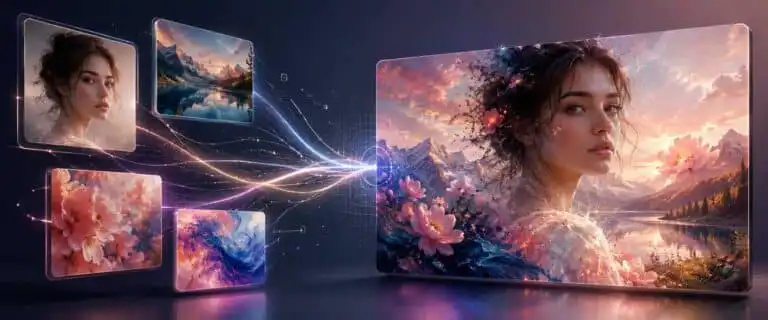
An AI image combiner lets you merge two or more source photos into a new image, not just place them in a grid. This guide compares the best AI photo combiner and AI photo merger tools for realistic image blending, couple photos, product mockups, portraits, social images, online editing and business use.
This comparison focuses on practical output quality rather than novelty. A good AI image combiner needs to preserve the subject, match lighting, keep faces recognisable, respect the source image and give you enough control to fix a result that is close but not yet usable.
If you are still deciding which tool to use, the comparison below is the right place to start. If you already have two photos and simply want to combine them, go straight to the DIY AI Image Combiner and upload the source images.
TL;DR: the best AI image combiner for most people
Google Gemini Image with Nano Banana is our strongest pick for realistic photo combining. It is particularly useful when you want to blend photos, keep a person or pet recognisable, transfer visual references or place a subject into a different setting.
Pixomi AI is our second recommendation and one of the easiest dedicated browser options for users who want a focused image workflow rather than a general chatbot.
ChatGPT is the better option for repeated conversational edits. OpenAI has moved the live ChatGPT image experience to Images 2.5, while DIY AI’s current scored dataset entry remains GPT Image 2. We therefore keep the 9.6/10 dataset score attached to GPT Image 2 rather than automatically transferring it to the newer model.
Adobe Firefly remains the stronger professional route where manual refinement, commercial governance and integration with established design workflows matter more than producing the quickest first result.
The main mistake is treating every image-combining job as the same task. Merging two people into a natural-looking photo is different from placing a product in a lifestyle scene. Blending art references is different from creating a clean collage. The best choice depends on the source images, how closely you must preserve important details, and how much control you need after the first generation.
Best AI Image Combiner Scoring Overview
| Tool | Best for | Star rating | Main trade-off |
|---|---|---|---|
| Nano Banana in Gemini | Realistic photo combining, people, pets and background changes | 4.7/5 | Clear role instructions still matter when several source images are involved |
| OpenAI GPT Image 2 | Iterative image editing, product concepts and prompt-led refinements | 4.6/5 | The score applies to the tested GPT Image 2 version, not automatically to Images 2.5 |
| Adobe Firefly | Commercial composites, brand-conscious editing and Photoshop workflows | 4.5/5 | More involved than a simple browser merger, but much stronger for controlled production |
| Facy | Face-led merges, people edits and casual portrait combinations | 4.1/5 | Narrower than the stronger all-round image editors |
| VisualGPT | Quick image-combiner experiments from uploaded photos | 4.0/5 | Easy to test, but output control is less predictable |
| HeadshotMaster | Headshots, profile images and portrait-style combinations | 3.9/5 | Useful for portraits, weaker for complex scene composition |
How we judged the best AI photo merger tools
A basic photo joiner can place two images side by side. That is not enough for this comparison. The better AI image combiners interpret the source photos and generate a new composition that looks like one intentional scene.
- Subject preservation: does the person, pet, product or object still look recognisable?
- Lighting and perspective: does the result look like one scene rather than a cut-out placed over another photograph?
- Prompt control: can you specify what to preserve, replace, blend, or remove?
- Complex instructions: can the tool follow several restrictions at once without quietly dropping one?
- Editing control: can you correct a near-miss without rebuilding the whole image?
- Commercial fit: is the workflow practical for product imagery, client assets, adverts or repeatable brand work?
This is where many attractive demos fall apart. A model can create an impressive blend while quietly changing the person’s face, altering a product label or inventing details that were never present in either source.
The wider provider scores referenced on this page come from DIY AI’s published data methodology and the AI image generation tools dataset. The photo-combiner fit score is narrower and relates specifically to this use case.
A reproducible two-photo test: subject plus scene
One useful way to test an AI image combiner is to give every tool the same two source images and the same preservation rules. Avoid selecting two images that already look as though they belong together. A meaningful test needs enough difference to expose how the model handles scale, lighting and reference fidelity.
For example, use source one as a clear waist-up portrait of one person and source two as an empty indoor or outdoor scene photographed from a similar camera height. Do not ask the model merely to “blend these photos”. Assign each upload a job.
Use image one only as the person reference and image two as the scene reference. Place the person naturally into the scene. Preserve the face, hairstyle, clothing, body shape and visible accessories from image one. Preserve the main layout and objects from image two. Match the scene’s perspective, light direction, colour temperature and contact shadows. Do not add another person and do not change unrelated background objects.
The result counts as a pass only if the requested combination works and important source details survive. Check the face at full size, compare clothing and accessories against source one, then inspect background geometry against source two. Reject a visually attractive result if the model has quietly rebuilt either reference.
Run the same pair several times rather than publishing the luckiest generation. A recurring practical problem with multi-image workflows is role ambiguity: without explicit instructions, models can treat both uploads as loose style references rather than separate subject and scene sources. Naming each image’s role reduces that ambiguity and makes the comparison easier to reproduce.
AI image combiner comparison: pros, cons and dataset scores
The table below separates the wider DIY AI image-generation score from the narrower photo-combiner fit rating. A general model can score extremely well overall while still being weaker for identity preservation or multi-image work. A specialist merger can also help with one task without competing with leading general image models.
| Tool | DIY AI dataset score | Photo-combiner fit | Pros | Cons |
|---|---|---|---|---|
| Google Gemini Image with Nano Banana | 9.4/10 | 4.7/5 | Strong subject-aware editing, realism and reference-led composition | Loose instructions can still alter identity, clothing, logos or background details |
| OpenAI GPT Image 2 | 9.6/10 | 4.6/5 | Highest overall score in the current dataset, with strong prompt fidelity and iterative editing | Dataset score belongs to GPT Image 2; current ChatGPT Images 2.5 needs its own scored evaluation |
| Adobe Firefly Image Model 4 | 8.9/10 | 4.5/5 | 9.3/10 editing capability and 9.8/10 commercial safety in the dataset | More production-oriented than a one-click casual merger |
| Pixomi AI | Specialist fit score only | 4.2/5 | Fast browser workflow and access to several image models | Less controlled than the strongest first-party workflows |
| Facy | Specialist fit score only | 4.1/5 | Useful for people-focused edits and casual portrait combinations | Less suitable for products, architecture and detailed commercial composites |
| VisualGPT | Specialist fit score only | 4.0/5 | Direct upload-and-prompt workflow with little setup | Less predictable when a prompt contains several preservation constraints |
| HeadshotMaster | Specialist fit score only | 3.9/5 | Clear fit for headshots and profile imagery | Narrower use case and less suitable for complicated scenes |
Best AI image combiners reviewed
Nano Banana in Gemini: best overall AI photo combiner
Nano Banana in Gemini is the strongest pick for most AI photo-combining jobs because it handles source-image context well. It is particularly useful when you want to take a subject from one image and place it naturally into another scene, put a person into a different setting, blend visual references or transfer selected characteristics between images.
The practical strength is likeness and context. If you upload a person, pet or product, you can tell the model which details must stay unchanged while altering the environment around them. That makes it a better fit for realistic photo merging than lightweight merger tools built mainly around novelty effects.
It is still not automatic. Prompts such as “merge these” leave too many decisions to the model. State which image supplies the subject, which supplies the background, what must stay fixed and which changes are allowed.
Best for: realistic people edits, pet photos, product mockups, background changes, visual references and everyday AI photo merging.
ChatGPT Images: best for iterative AI image editing
OpenAI GPT Image 2 is the highest-ranked image model in DIY AI’s current scored dataset at 9.6/10. The live ChatGPT image experience has since moved to Images 2.5, so that newer version should not inherit the score until it’s evaluated under the same framework.
The main workflow advantage remains conversational refinement. You can upload images, request a composition, inspect the output and then issue smaller corrections such as “keep the product label unchanged”, “move the person slightly left” or “match the shadow direction to the room”.
That makes ChatGPT particularly useful when the first output is nearly correct. The risk is over-interpretation. Faces, packaging, jewellery, tattoos and fine object details deserve explicit preservation rules from the first prompt rather than after they have already drifted.
Best for: iterative edits, product concepts, reference-image combinations and workflows where several narrow revisions are likely.
Adobe Firefly: best professional AI image merger workflow
Adobe Firefly is our safer recommendation for professional and commercial image-combining work. Firefly Image Model 4 scores 8.9/10 overall in the current DIY AI dataset, including 9.3/10 for editing capabilities and 9.8/10 for commercial safety.
The attraction is control. In a Photoshop-style workflow, you can isolate the area that needs changing, generate or replace content, clean up the result and keep manual control over the final composite. Adobe’s Generative Fill documentation shows this more controlled approach: make a selection, describe the edit and refine the generated layer instead of accepting a single full-frame regeneration.
Firefly is not always the quickest option for a casual merge. For client work, ecommerce imagery, adverts or brand assets, the extra control is usually more valuable than shaving a few steps from the workflow.
Best for: commercial composites, branded visuals, ecommerce scenes, client work and Photoshop users.
Pixomi AI: best simple online AI photo merger
Pixomi AI is useful when speed matters more than fine control. It offers a browser-based route into prompt-led image editing and access to several underlying image models, making it practical for social visuals, early concepts, and low-admin creative work.
The workflow is straightforward: upload references, choose the model, describe the intended composition and generate. It works best when the task is simple enough to judge quickly, such as moving a subject into a scene, changing a background or creating an early mockup.
The limitation is production confidence. For important work, inspect model choice, credit consumption, export resolution, revision control and licensing rather than assuming every model available through one interface behaves the same way.
Combine these two photos
Already have the source images? Upload up to six references to DIY AI Studio, tell the combiner which image supplies the subject, background or other reference, choose the output shape and review the credit quote before generating.
Facy: best AI photo merger for a couple of photos, faces and people
Facy is most relevant when the task is not simply “combine images” but “put these two people into one believable photo”. Face-led merging needs different judgement from product photography or landscape work.
Use clear source images with similar camera height and lighting where possible. Ask the tool to preserve both faces, align body scale and create natural spacing rather than simply requesting a generic couple image.
Consent also matters. A private creative experiment differs from publishing somebody’s likeness in advertising, impersonation, or monetised material.
Best for: couple photos, face-led edits, people merges and casual portrait transformations.
VisualGPT: best for direct image-combiner experiments
VisualGPT fits a very specific search pattern: upload several images, describe what should happen and see whether the idea works. That makes it useful for quick tests involving portraits, product scenes and other reference-led compositions.
The trade-off is precision. Inspect edges, hands, faces, text, logos, shadows and object scale before treating the result as finished. A fast first draft is useful only if the important source details survive.
Best for: quick experiments, simple image blending and low-setup browser workflows.
HeadshotMaster: best for portrait and headshot-style combinations
HeadshotMaster has a narrower role: profile images, headshot concepts and straightforward people-focused work. That can help if you don’t need a general creative editor.
The ceiling appears with complicated scenes. Products, interiors, multiple subjects and strict background matching are better handled by a broader model or editing workflow.
Best for: headshots, profile images and uncomplicated portrait combinations.
Best AI image combiner by use case
| Use case | Best pick | Why |
|---|---|---|
| Combining images realistically | Gemini with Nano Banana | Strong reference handling, scene understanding and subject preservation |
| Conversational image editing | ChatGPT Images | Good fit for repeated narrow corrections after the initial composition |
| Merging a couple of photos | Facy | More focused on people-led combinations |
| Professional image merging | Adobe Firefly | Stronger manual refinement and commercial workflow controls |
| Quick browser test | VisualGPT | Direct upload-and-prompt workflow |
| Simple multi-model web workflow | Pixomi AI | Low-friction access to several creative models |
| Headshots | HeadshotMaster | Narrow portrait focus |
Free, online and mobile AI image combiners: what to expect
Searches around this topic are strongly practical. People want a free AI image combiner, an online photo merger or a mobile option that can combine existing photos without opening a full desktop editor.
“Free” needs careful reading. It can mean a small generation allowance, lower output resolution, limited access to premium models, watermarked exports or a trial that becomes paid once regular usage begins.
| Need | What to check | Best direction |
|---|---|---|
| Free AI image combiner | Generation allowance, model access, watermarking and export quality | Use the free allowance to test your actual source images rather than judging demo examples |
| Online AI photo merger | Whether it generates one coherent scene rather than a simple side-by-side layout | Use a reference-aware model for realism |
| Business image combiner | Rights, privacy, output resolution, account controls and revision workflow | Favour controlled production tools over the cheapest generation price |
For a one-off social image, a limited free route may be enough. For repeatable commercial output, treat free access as a test environment rather than the buying decision.
Best AI image combiner apps for iPhone and mobile
Gemini and ChatGPT are the strongest general mobile options because they support reference images, prompt-led revisions and repeated edits without requiring a full desktop workspace. Browser tools can be quicker for a single merge but may offer less control over history, exports and source management.
Before committing to a mobile workflow, check whether it can select several full-resolution photographs, revise the same composition and download the result at a useful resolution. If the images are sensitive, check the same retention and privacy terms you would inspect on desktop.
AI image combiner, AI photo merger or collage maker?
| Term | What it does | Use it when |
|---|---|---|
| AI image combiner | Uses generative editing to build a new visual from source images | You want a person, pet, product or object to appear naturally in a different scene |
| AI photo merger | Usually means combining two or more photographs into one output | You want to merge people, a portrait and background or separate visual references |
| AI image blending tool | Combines elements such as style, mood, subject or composition | You want a creative composite rather than strict photographic preservation |
| Collage maker | Places separate images in a designed layout | You want a grid, before-and-after view, mood board or side-by-side comparison |
Use a collage maker when placement matters more than generation. Use an AI photo combiner when you want the model to interpret the references and create one new composition. The second option is more powerful, but it also gives the model more opportunities to invent details.
How to match the layout of one photo to another with AI
Assign each upload a separate role. Use one photograph as the subject reference and the second only as the composition reference. Tell the model to match framing, camera height, subject scale, spacing and negative space while preserving the original subject.
This works best when both images have reasonably compatible perspectives and aspect ratios. A major difference in viewpoint forces the model to invent more of the scene, increasing the chance that it also changes the subject.
Use image one as the subject reference and image two only as the composition reference. Preserve the subject’s appearance, but match the framing, camera angle, scale, spacing and negative space of image two.
How to combine two images with AI without getting a fake-looking result
The source photographs matter almost as much as the model. Many poor photo merges begin with mismatched inputs: one image is low resolution, the other is sharp; one is photographed from above, the other straight on; one uses hard studio light while the second uses flat outdoor light.
Use photos with compatible camera angles
If the subject is photographed from above and the intended scene is photographed at eye level, the model has to reconstruct both body geometry and perspective. Similar viewpoints reduce the amount it needs to invent.
Match the lighting before you merge
A person strongly lit from the left will look wrong in a room lit from the right unless the model successfully rebuilds the lighting. That reconstruction can create strange skin, duplicated highlights or contradictory shadows.
Tell the tool what must not change
Do not describe only the finished scene. State the locked details as well. “Use image one as the person reference. Use image two as the background. Keep the face, hair, jacket and body shape unchanged. Match the lighting and camera angle. Do not add extra people” is far more useful than “combine these photos”.
Inspect the boring details
Hands, glasses, jewellery, packaging text, logos, shadows and feet often reveal the failure before the overall composition does. A result can look convincing as a thumbnail and fail immediately when opened at full size.
Do not keep editing a damaged output
Repeated full-image edits can soften detail and compound small errors. If the output begins to look waxy, noisy or distorted, return to the best earlier version or the original references and revise the instruction rather than patching the damaged generation again.
Prompt templates for AI photo merging
| Goal | Prompt template |
|---|---|
| Realistic person in a new scene | Use image one as the person reference and image two as the background. Place the person naturally into the scene. Keep the face, hairstyle, clothing and body shape unchanged. Match lighting, perspective and shadows. |
| Couple photo merge | Combine the two people from the uploaded images into one natural photograph. Keep both faces recognisable. Match skin tone, lighting, scale and camera angle. Create realistic spacing and do not add extra people. |
| Product lifestyle image | Use the product from image one and place it into the scene from image two. Keep the product shape, logo and label accurate. Match reflections, shadows, camera angle and colour temperature. |
| Pet photo merge | Use the pet from image one and place it into the environment from image two. Preserve the face, fur pattern, body shape and expression. Do not add extra animals. |
| Creative image blend | Blend the main subject from image one with the mood, colour palette and setting from image two. Keep the subject recognisable and make the final image feel like one coherent artwork. |
| Multiple images into one poster | Use all uploaded images as source references. Combine the main subjects into a balanced poster composition. Keep each subject recognisable, avoid overlapping faces and maintain consistent lighting. |
See more of our reporting in Google Top Stories, AI Overviews and AI Mode.
Can AI image combiners merge photos into a video?
Most image combiners produce a still image rather than a finished video. A more reliable workflow is to approve the merged still first, then use that accepted image as the starting frame or visual reference for animation.
Combining several reference images and animating them in the same generation gives the model more freedom to change faces, products and background objects between frames. Check the finished clip for identity drift, flickering edges and objects that change shape as the camera moves.
AI image combiner pricing and trust checks for business use
Business users should judge an AI image combiner by more than the headline subscription price. Failed generations, repeated edits, low-resolution exports and manual cleanup can cost more than the original generation.
Compare cost per usable image, not cost per generation
A cheap model can become the more expensive choice if it regularly changes faces, product geometry or text and needs several retries. Track how many attempts are required before an output is actually accepted.
| Pricing or trust check | What to examine | Why it matters |
|---|---|---|
| Pricing model | Subscription, credit bundle, pay-as-you-go or model-specific charges | A cheap entry price can hide more expensive regular usage |
| Cost per usable output | Average generations and revisions needed before acceptance | Retry rate affects the real cost more than the nominal generation price |
| Revision charges | Whether small edits cost the same as complete regeneration | Selective editing can reduce waste |
| Export limits | Resolution, formats, transparency and watermark rules | A low-cost plan is poor value if the files cannot be published |
| Commercial rights | Advertising, resale, client work and branded content terms | The intended use may not be covered by every plan |
| Upload retention | How long source images remain available to the provider | Confidential or customer material deserves stricter handling |
| Model training | Whether uploads or prompts may be used to improve models | This can matter for unreleased products and client assets |
| Account controls | Users, permissions, billing control and account removal | Shared logins create unnecessary operational risk |
Estimate your real monthly cost
Start with the number of finished images you actually need, then record how many attempts each accepted output takes. Add upscaling, premium export charges and manual correction time. A plan offering 100 generations does not provide 100 finished assets if the average job needs four attempts.
Check commercial usage rights before publishing
Paying for a subscription does not automatically remove every rights issue. Check the terms for the exact plan and model being used. Source-image rights still apply: an AI image combiner does not grant permission to use somebody else’s photograph, logo, character, or artwork.
Review how uploaded business images are handled
Before uploading confidential material, look for clear information about storage, retention, access and training. Unreleased products, customer photographs, private locations and client campaign assets deserve a stricter review than disposable test images.
Red flags to check before choosing a provider
- Credit consumption is not explained by model or editing action.
- Commercial-use wording is vague or inconsistent across product pages and terms.
- There is no clear way to delete uploaded source images.
- Uploads can be used for model training without adequate controls.
- Export resolution is hidden until after payment.
- There is no documented support process for failed generations or billing problems.
- Teams have to share one account because user-level controls are unavailable.
Common AI photo merger problems and fixes
The face changes too much
Add explicit preservation instructions such as “keep the face unchanged”, “preserve identity” and “do not alter facial features”. If an output has already drifted badly, regenerate from the original reference rather than continuing to edit the distorted version.
The lighting looks fake
Start with source images that have reasonably compatible light direction. If that is impossible, instruct the model to match the lighting and colour temperature of the scene reference and create appropriate contact shadows.
The subject looks pasted in
This is usually a combination of scale, perspective, depth-of-field and shadow problems. Ask for matching camera perspective, realistic contact shadows and natural placement within the scene.
The tool changes the photographic style
Add constraints such as “photorealistic”, “preserve the original camera look” and “do not stylise the source subject”.
The output is too low resolution
A lightweight browser tool can be good enough for a social preview and unsuitable for print, ecommerce or advertising. Check final export resolution before building the rest of the workflow around it.
Final verdict
Nano Banana in Gemini remains our first choice for most realistic AI photo-combining tasks. ChatGPT is the stronger conversational workflow when repeated revisions matter, while Adobe Firefly is the better professional choice where selective editing and commercial controls carry more weight.
Pixomi AI and VisualGPT are useful for fast browser testing. Facy has the clearest specialist role for people-led combinations, and HeadshotMaster is better kept to portraits and profile-image tasks.
The useful decision rule is to judge the complete path from source images to an accepted result. A model that produces an attractive first image but repeatedly changes faces, labels or scene geometry is not the better combiner for preservation-sensitive work.
FAQs
What is the best AI image combiner?
Nano Banana in Gemini is our best overall AI image combiner for most realistic photo-merging jobs. ChatGPT is particularly useful for iterative corrections, while Adobe Firefly is better suited to controlled professional work.
What is an AI photo combiner?
An AI photo combiner uses two or more source images to generate a new composition. Unlike a collage maker, it can reinterpret lighting, perspective, scale and the relationship between subjects.
Can AI merge two people into one photo?
Yes. The hard part isn’t placing two people in the same frame; it’s keeping both identities recognisable while matching body scale, lighting, and perspective. Clear source images and explicit preservation instructions improve the odds.
What is the best AI tool for merging a couple of photos?
Facy has a useful specialist role for people and couple images. Gemini and ChatGPT offer more control when the scene, lighting and background also need detailed instructions.
Is there a free AI image combiner?
Several services offer free generations or trial access, but limits vary by model, export quality, and account type. Test the actual images you intend to combine before judging a free tier by its headline allowance.
Which AI photo merger is best for products?
Gemini and ChatGPT are useful for fast product-scene concepts. Adobe Firefly is the stronger route when controlled edits and a professional production workflow matter more.
What is the difference between an AI image combiner and a collage maker?
A collage maker arranges the original images without pretending they were photographed together. An AI image combiner generates a new image from the references and can alter lighting, perspective, backgrounds and the relationship between subjects.
Why does my AI photo merge look fake?
The most common causes are mismatched source lighting, incompatible camera angles, low-resolution references, vague instructions and repeated edits to an already damaged output.
Can I use AI-combined photos commercially?
Only where the provider’s terms permit the intended commercial use, and you have the necessary rights to the source images. Client work, advertising and branded imagery deserve a stricter terms and privacy review than casual personal use.
You Might Also Like:

Best AI Image Tools 2026

AI Photo Prompt
Best AI Image Generator For Realistic Photos
