
Best AI Meme Generators 2026: Free, Funny and Brand-Safe Meme Makers Compared
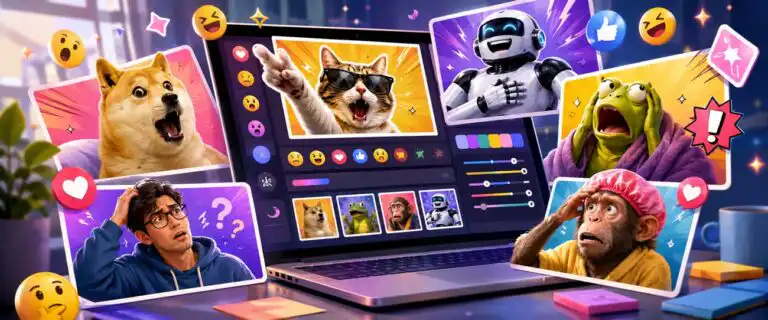
The best AI meme generators in 2026 are not always the same tools that win a general image-generation test. Meme creation is a different job: the caption has to land, the template has to fit the joke, the text must stay readable, and the export needs to work on TikTok, Instagram, X, Reddit, LinkedIn or a private group chat without extra editing.
This guide compares AI meme generators for text handling, template control, viral-format flexibility, image quality, editing depth, watermark limits and export rights. The scoring uses DIY AI’s image-generation dataset, where a provider appears, and then adds a separate meme-fit rating for specialist meme tools that are better judged by captioning, templates, and social workflow rather than raw image realism.
For serious image generation, product visuals, portraits and editorial images, use our best AI image generators comparison. This page is narrower. It is for creators, social teams, marketers, community managers and casual users who want memes that look native to the platform they are posting on.
DIY AI verdict: the best AI meme generator for most people
Canva is the best AI meme generator for most users because it combines templates, text editing, social post sizing, image uploads, brand assets, and easy exports into a single workflow. It is not the strongest raw AI image model, but that is not the only thing that matters for memes. Most meme work is layout, timing and caption control.
Supermeme.ai is the better pick if your main need is text-to-meme generation. Give it a topic or idea, and it can suggest captions and match them to templates. ChatGPT with OpenAI GPT Image 2 is better when you want original visual jokes, custom characters, comic panels, fake screenshots or more nuanced caption logic. Google Gemini Image is strong for iterative meme ideas, multilingual text and image-aware edits.
The practical shortcut is simple: use Canva for controlled social posting, Supermeme for fast text-to-template memes, ChatGPT for original meme concepts, Kapwing for video memes and Adobe Firefly or Adobe Express when brand safety matters more than speed.
Best AI meme generators compared
| Rank | AI meme generator | DIY AI image dataset score | Meme-fit score | Star rating | Best for | Main trade-off |
|---|---|---|---|---|---|---|
| 1 | Canva | Not in the image dataset | 8.8/10 | 4.4/5 | Best overall meme workflow for social posts, templates and quick edits. | AI humour is not as strong as dedicated text-to-meme tools. |
| 2 | Supermeme.ai | Not in the image dataset | 8.7/10 | 4.4/5 | Text-to-meme generation, template matching and meme ideation. | Less flexible as a full design editor. |
| 3 | ChatGPT with OpenAI GPT Image 2 | 9.6/10 | 8.6/10 | 4.3/5 | Original meme images, readable text, comic ideas and prompt-led humour. | Not built around classic meme template libraries. |
| 4 | Google Gemini Image | 9.4/10 | 8.5/10 | 4.3/5 | Iterative meme ideas, multilingual captions and image-aware editing. | Not in the image dataset |
| 5 | Kapwing | The template workflow is weaker than Canva’s or Imgflip’s. | 8.4/10 | 4.2/5 | Video memes, GIF memes, subtitles and social repurposing. | More editor than pure AI comedy engine. |
| 6 | Adobe Firefly / Adobe Express | 8.9/10 | 8.3/10 | 4.2/5 | Brand-safe meme graphics, campaign visuals and cautious commercial use. | Less native to internet meme culture than Imgflip or Supermeme. |
| 7 | Ideogram | 8.6/10 | 8.2/10 | 4.1/5 | Typography-heavy meme posters, fake signs and visual punchlines. | Not the best for template browsing or social scheduling. |
| 8 | Predis.ai | Not in the image dataset | 8.0/10 | 4.0/5 | Social media meme posts, campaign ideas and branded meme content. | Better for marketing output than casual meme culture. |
| 9 | Imgflip | Not in the image dataset | 7.9/10 | 4.0/5 | Classic meme templates, fast captioning and community formats. | Design polish and brand control are limited. |
| 10 | Simplified | Not in image dataset | 7.8/10 | 3.9/5 | Batch meme ideas, team editing and marketing content workflows. | The generated humour still needs human editing. |
| 11 | Recraft | 8.4/10 | 7.7/10 | 3.9/5 | Original meme graphics, stickers, illustrated jokes and brand systems. | Not a dedicated meme-template generator. |
How we judged the best AI meme generators
A meme generator should not be scored only by how pretty its images look. A glossy image with a weak caption is still a weak meme. For this page, DIY AI used a meme-specific scoring layer on top of the normal image-generation framework.
| Criterion | What we looked for | Why it matters for memes |
|---|---|---|
| Text handling | Readable captions, good line breaks, font control and accurate spelling. | Bad text ruins the joke faster than slightly imperfect image quality. |
| Template control | Classic meme formats, custom uploads, layout editing and template matching. | Memes often depend on recognisable formats and punchline placement. |
| Caption tone and structure | Control over sarcasm, absurdity, deadpan humour, brand voice and punchline timing. | The generator must understand the joke, not just decorate a picture. |
| Viral-format flexibility | Static memes, GIFs, short videos, fake screenshots, reaction images and multi-panel layouts. | Different platforms reward different formats. |
| Image quality | Clean visuals, recognisable subjects, consistent characters and usable exports. | AI artefacts are less forgivable when the meme is meant to be shared publicly. |
| Editing depth | Manual text editing, resizing, brand colours, layers, stickers and image uploads. | Most usable memes need a human pass before publishing. |
| Export rights and watermarks | Download quality, watermark rules, plan restrictions and commercial-use clarity. | Brand and client work needs more caution than private group-chat jokes. |
Where a tool appears in DIY AI’s 2026 image-generation dataset, the dataset score is kept exact. Specialist meme tools that do not appear in the image dataset are not forced into that model leaderboard. They are rated for this use case only.
Best AI meme generators reviewed
Canva – best overall AI meme generator for most users
Canva wins this page because it understands the actual meme workflow. You can start with a template, upload an image, resize for different platforms, add text, edit fonts, change layouts, use brand assets and export without moving between several apps.
That matters because most memes are not created from a blank prompt. They start as a reaction image, a current format, a screenshot-style layout, a product joke or an internal team joke that needs to be cleaned up quickly. Canva is strong because it gives you enough structure to avoid messy outputs while still leaving room for manual edits.
The AI side is useful for idea generation and design support, but the editor is the real advantage. If you are making memes for Instagram carousels, LinkedIn jokes, a newsletter, a community post or a small business page, Canva is the most forgiving option.
| Pros | Cons |
|---|---|
| Excellent template library and simple text editing. | Not the funniest AI caption writer by default. |
| Easy resizing for Instagram, TikTok, LinkedIn, Pinterest and other platforms. | Some templates or assets may require a paid plan. |
| Good for brand kits, team approvals and repeatable social output. | Classic meme culture can feel more native in Imgflip. |
Best fit: creators, marketers and small teams that want a reliable meme maker for social publishing rather than a novelty generator.
Supermeme.ai – best text-to-meme generator
Supermeme.ai is the best pick when the prompt starts as an idea rather than an image. Type a topic, pain point or campaign angle, and it can suggest meme captions and match them to relevant templates. That is the job many people expect an AI meme generator to do.
Its strongest use case is ideation. For example, a SaaS founder can type “when the client asks for one small change after sign-off” and get a set of meme directions to refine. A social media manager can turn product frustrations, sales objections or customer quotes into draft memes without manually browsing template libraries for half an hour.
The trade-off is design depth. Supermeme is strong at turning text into memes, but it is not as flexible as Canva for brand systems, multi-platform resizing, or more complex visual editing. It works best as a meme engine, not as your whole creative department.
| Pros | Cons |
|---|---|
| Strong text-to-meme workflow from plain-language inputs. | Manual design control is narrower than Canva. |
| Useful template matching for fast ideation. | Some outputs still need caption editing before publishing. |
| Better than general image tools for classic meme formats. | Not ideal for highly customised brand layouts. |
Best fit: users searching for an AI text-to-meme generator, meme caption generator or fast meme idea tool.
ChatGPT with OpenAI GPT Image 2 – best for original AI meme images
OpenAI GPT Image 2 ranks first in DIY AI’s image-generation dataset with an Overall score of 9.6/10. For memes, its value is not template browsing. Its value lies in concept generation, readable image text, conversational iteration, and the ability to create original visual jokes from a more detailed brief.
This is the best option when the meme should not look like a recycled template. It can help with fake product shots, comic panels, absurd office scenes, imagined app screenshots, expectation-versus-reality visuals, mascot reactions and multi-character joke setups. It is also useful when you need the model to help refine the caption, not just place text on an image.
The limitation is cultural template control. If you want a precise version of a known meme format, a dedicated meme site may be faster. If you want a new visual gag with a specific tone, OpenAI’s image workflow is much stronger.
| Pros | Cons |
|---|---|
| Highest DIY AI image dataset score at 9.6/10. | Not built around a classic meme template library. |
| Strong for original scenes, readable text and iterative prompt refinement. | May need manual editing for exact social layout and safe margins. |
| Good for custom characters, comic-style panels and visual punchlines. | Overly complex prompts can produce jokes that feel too staged. |
Best fit: original AI-generated memes, custom visual jokes, fake screenshots, comic panels and creator-led social content.
Google Gemini Image – best for iterative meme ideas and multilingual captions
Google Gemini Image, including Nano Banana 2 and Pro in the DIY AI image dataset, scores 9.4/10 overall. It is especially useful for meme work that needs image understanding, caption rewrites, multilingual wording or several rounds of small changes.
A common meme workflow is messy. You start with a rough idea, test a caption, realise the image does not match the joke, ask for three sharper variations, then rewrite the caption for LinkedIn rather than Reddit. Gemini’s conversational editing style makes that easier than a strict one-shot generator.
It is also a good option for text-rich images, especially when a meme depends on signs, labels, diagrams, fake UI elements or translated captions. For a broader visual workflow, see DIY AI’s AI image combiner guide if your meme idea involves merging source images rather than starting from text.
| Pros | Cons |
|---|---|
| Strong 9.4/10 DIY AI image dataset score. | Dedicated meme-template browsing is limited. |
| Useful for caption rewrites, visual reasoning and multilingual meme ideas. | Access and output quality can vary by model route and plan. |
| Good for iterative editing instead of starting again each time. | Still needs human judgement for cultural nuance and humour. |
Best fit: users who want an AI meme generator from text, image-aware caption editing, multilingual meme ideas and social caption variants.
Kapwing – best for video memes and GIF memes
Kapwing is the best choice when the meme is not a static image. It is useful for GIF memes, video captions, reaction clips, subtitles, short social edits and repurposing video moments into shareable formats.
That makes it different from a pure image model. A lot of modern meme content is closer to editing than generation: clip a reaction, add captions, resize for TikTok, create a GIF version, trim dead space, then export. Kapwing handles that practical chain better than most AI image tools.
The AI features improve speed, but Kapwing’s advantage lies in its browser-based editor. It is a good choice if your meme workflow includes video, not just image templates.
| Pros | Cons |
|---|---|
| Strong for video memes, GIFs, subtitles and social edits. | Not the best pure text-to-meme caption generator. |
| Practical browser workflow for repurposing clips. | Export and attribution rules should be checked before commercial use. |
| Useful for TikTok, YouTube Shorts, Instagram Reels and reaction content. | Static meme templates are not its only focus. |
Best fit: video meme creators, social editors, GIF workflows and teams turning clips into shareable posts.
Adobe Firefly / Adobe Express – best for brand-safe meme graphics
Adobe Firefly scores 8.9/10 in DIY AI’s image-generation dataset. It is not the most native tool for chaotic meme culture, but it is one of the better options for brand-conscious meme graphics, campaign jokes, internal comms, polished social visuals and safer commercial workflows.
The main reason to use Adobe is risk control. If a meme is going on a brand account, into a client campaign or into paid social, you need to think beyond the joke. Who owns the source image? Are you using a copyrighted template? Does the AI output include recognisable third-party marks? Are beta features allowed for commercial use? Adobe’s own generative AI user guidelines are worth checking before publishing anything client-facing.
Adobe Express is also useful for turning meme ideas into proper social assets. You get layout tools, brand controls and export formats that make sense for teams. The trade-off is that the output can feel cleaner and less internet-native than a meme made in Imgflip or Supermeme.
While it isn’t designed to replace a dedicated meme maker, it offers enough editing and branding features for teams that need polished, commercially safe content.
| Pros | Cons |
|---|---|
| High commercial safety score in the DIY AI image dataset. | Less spontaneous than classic meme tools. |
| Good for branded meme graphics, campaigns and team workflows. | Not ideal for browsing trending meme templates quickly. |
| Useful when licensing and provenance matter. | Can feel too polished for casual humour. |
Best fit: brand teams, agencies, cautious publishers and business accounts that want meme-style content without ignoring rights and reputation risk.
Ideogram – best for typography-heavy memes
Ideogram scores 8.6/10 in DIY AI’s image-generation dataset and remains one of the more interesting choices for memes that depend on text inside the visual. Think fake signs, posters, labels, stickers, comic covers, slogan graphics, warning notices and absurd product packaging.
That matters because many AI image tools still struggle when text is part of the image itself. Ideogram is not a full meme platform, but it is strong when the joke depends on typography and layout rather than a familiar template.
Use it when you want a meme that feels like a designed object. Use Canva, Imgflip or Supermeme when you want template culture and fast manual captioning.
| Pros | Cons |
|---|---|
| Strong for text-heavy image generation. | Not a dedicated meme-template library. |
| Useful for posters, signs, fake labels and slogan-led jokes. | Manual social resizing may still be needed. |
| Good alternative when a normal caption overlay is not enough. | Less useful for video memes or GIFs. |
Best fit: typography memes, fake posters, sign jokes, sticker concepts and image jokes where the text is part of the scene.
Predis.ai – best for social media meme campaigns
Predis.ai is a better fit for marketers than casual meme makers. It is built around social media content creation, so its meme generator makes most sense when memes are part of a posting plan rather than a one-off joke.
The useful workflow is ideal for posting. You can start with a topic, select a meme direction, or let the AI suggest one, then adapt it for social output. That suits product marketing, creator accounts, small businesses and agencies that need recurring content.
The danger is obvious: marketing memes can feel forced. Predis.ai can speed up ideation, but a human still needs to check whether the joke sounds like an actual person or like a brand trying too hard.
| Pros | Cons |
|---|---|
| Good fit for social content planning and recurring posts. | Less natural for casual internet humour. |
| Can suggest templates from a written idea. | Brand memes still need careful human editing. |
| Useful for marketers who want memes alongside other post formats. | Not as strong as Canva for detailed design control. |
Best fit: social media managers, agencies and small businesses using memes as part of a wider content calendar.
Imgflip – best for classic meme templates
Imgflip is not the slickest tool on this list, but it understands meme culture better than many polished design platforms. It is fast, template-heavy and built around the formats people already recognise.
Use Imgflip when the template matters more than the design system. It is good for classic top-text-bottom-text memes, fast-reaction images, custom uploads, and quick community-style posts. It is less convincing when you need polished brand output, high-end exports or careful commercial review.
The AI meme option is useful for quick caption generation, but Imgflip’s real strength is still its speed and familiarity with formats. For throwaway memes, that may be enough.
| Pros | Cons |
|---|---|
| Very fast for classic meme templates. | Limited brand polish. |
| Good custom upload and caption workflow. | Commercial-use checks are more manual. |
| Feels native to older internet meme formats. | Less suitable for professional social campaigns. |
Best fit: classic meme templates, quick online memes, Reddit-style posts and casual reaction images.
Simplified – best for team meme drafts and batch ideas
Simplified is useful when you need several meme drafts on a single topic, especially within a broader content workflow. It can help generate captions, match templates, and produce social-ready variants without asking users to design everything manually.
Its main advantage is output volume. For a content team, the first meme idea is rarely the one that gets published. You may need five caption angles, three visual treatments and a cleaner final version. Simplified is good for that draft stage.
The weak point is taste. AI-generated humour often lands near the joke rather than on it. Treat Simplified as a draft machine, then rewrite the caption yourself.
| Pros | Cons |
|---|---|
| Useful for generating multiple meme options quickly. | Humour can feel generic without editing. |
| Good fit for teams already using Simplified for marketing content. | Not the strongest image model in the DIY AI dataset. |
| Helpful for social variants and collaboration. | May require a paid plan for deeper workflow features. |
Best fit: marketing teams, creators and businesses that want quick meme drafts alongside broader content production.
Recraft – best for original meme graphics and stickers
Recraft scores 8.4/10 in DIY AI’s image-generation dataset. It is not a classic meme generator, but it has a role when you want original meme-style graphics, illustrated reaction stickers, vector-style characters, brand mascots or repeatable design elements.
This is more useful for brands than for casual meme pages. A creator might use Recraft to build a set of recurring reaction graphics or a character that appears across multiple posts. That is different from generating a one-off meme on a trending template.
Use Recraft if the meme asset needs to fit a wider visual identity. Use Supermeme or Imgflip if you want classic meme templates and fast captioning.
| Pros | Cons |
|---|---|
| Good for original graphics, stickers and repeatable visual assets. | Not a dedicated text-to-meme tool. |
| Useful for brand systems and illustrated meme formats. | Template-led meme creation is faster elsewhere. |
| Strong option when you need design consistency. | Less useful for quick casual memes. |
Best fit: branded reaction graphics, creator stickers, illustrated jokes and repeatable social assets.
Best AI meme generator by use case
| Use case | Best pick | Why |
|---|---|---|
| Best free AI meme generator to try first | Canva or Imgflip | Both are quick to test and easy for simple captioned memes. |
| Best text-to-meme generator | Supermeme.ai | It is built around turning written ideas into meme captions and templates. |
| Best AI meme generator from image | Canva, Kapwing or Gemini | They handle uploaded images, editing and caption refinement well. |
| Best AI meme generator for original images | OpenAI GPT Image 2 | It has the strongest DIY AI image dataset score and good text handling. |
| Best video meme generator | Kapwing | It is stronger for clips, GIFs, subtitles and social resizing. |
| Best meme generator for brands | Adobe Firefly / Express | It is better for cautious commercial workflows and polished brand assets. |
| Best meme generator for typography | Ideogram | It is strong for images where the joke depends on readable in-image text. |
| Best AI meme generator for social campaigns | Predis.ai | It fits the scheduled social output better than one-off meme sites do. |
See more of our reporting in Google Top Stories, AI Overviews and AI Mode.
Free AI meme generators: what free really means
Free AI meme generators are useful for testing ideas, but “free” can mean several different things. Some tools let you create simple memes for free, but add watermarks. Some restrict downloads. Some offer limited credits. Some allow personal use but need extra care for business use.
For casual sharing, the free tier may be enough. For client work, paid ads, a business account or merchandise, check the licence, source image rights and watermark rules before publishing. The biggest legal risk usually is not the AI tool itself. It is the image, character, celebrity, brand logo or copyrighted meme template you put into the tool.
For prompt-led images, our AI photo prompt guide can help you write cleaner image instructions before turning the result into a meme.
AI meme generator prompts you can copy
Good meme prompts are shorter than normal image prompts. Do not over-explain the joke. Give the setup, the audience, the tone and the format.
Text-to-meme prompt
Create 10 meme ideas about [topic] for [audience]. Use a dry, slightly sarcastic tone. Avoid corporate wording. For each idea, suggest the best meme format, top caption and bottom caption.Brand-safe meme prompt
Create a light, brand-safe meme about [problem]. The audience is [role]. Keep it suitable for LinkedIn. Make the joke specific but not insulting. Give 5 caption options and explain which one is strongest.Original AI image meme prompt
Create a square meme image showing [scene]. The visual joke is [joke]. Use a clean social-media illustration style. Add short readable text: "[caption]". Keep the layout simple with large text and enough margin for mobile viewing.Video meme prompt
Turn this clip into a short reaction meme for [platform]. Add a bold caption at the top: "[setup]". Add a punchline caption at the bottom: "[payoff]". Keep the edit under [length] seconds and make the text readable on mobile.Pros and cons of using AI meme generators
| Pros | Cons |
|---|---|
| They speed up caption ideation when you have a topic but no joke. | AI humour often needs human rewriting to feel sharp. |
| They can match ideas to templates faster than manual browsing. | Template choice can be culturally wrong or outdated. |
| They make it easier to create variants for different platforms. | Free exports may include watermarks, attribution rules or quality limits. |
| They help non-designers make cleaner social graphics. | Commercial rights still depend on source images, templates and plan terms. |
| They can turn internal jokes, customer pain points or niche topics into visual drafts. | Overused AI captions can make a brand sound detached from its audience. |
Common mistakes to avoid
Using a serious image generator when you need a meme editor
Midjourney-style visual quality is not always useful for memes. Many memes need a plain template, readable text and fast editing. A beautiful AI image can be the wrong tool if it takes 10 minutes to fix a single caption.
Publishing the first AI caption
The first caption is usually close, not finished. Trim it. Remove setup words. Make the punchline more specific. If the meme needs an explanation, the caption is not sharp enough.
Ignoring mobile readability
Most memes are viewed on phones. Large text, high contrast and simple layouts matter more than tiny visual details. Check the export at phone size before posting.
Assuming every meme is cleared for commercial use
Classic meme templates often feature copyrighted images, celebrities, film stills, TV screenshots or private individuals. AI does not erase those rights issues. For business use, use your own images, licensed assets, or clearly permitted templates.
Making branded memes too polished
Brand teams often over-design memes until they stop feeling like memes. Leave some roughness. The joke needs to feel native to the platform, not like a display ad wearing a joke hat.
How to choose the right AI meme generator
Choose the tool based on the meme format, not the biggest model name.
| Question | Choose this type of tool |
|---|---|
| Do you want classic meme templates? | Use Imgflip, Supermeme or Canva. |
| Do you want original AI-generated scenes? | Use OpenAI GPT Image 2 or Google Gemini Image. |
| Do you need video memes or GIFs? | Use Kapwing. |
| Do you need brand assets and team editing? | Use Canva, Adobe Express or Simplified. |
| Do you need commercial caution? | Use Adobe Firefly / Express and licensed source assets. |
| Do you need typography inside the image? | Use Ideogram or OpenAI GPT Image 2. |
| Do you need recurring social posts? | Use Predis.ai or Canva. |
Final verdict: Canva for workflow, Supermeme for text-to-meme, ChatGPT for original jokes
The best AI meme generator depends on how you make memes. Canva is the safest overall choice because the editor, templates and social export workflow solve the practical problems most users run into. Supermeme.ai is the better option when you want to turn plain text into template-based memes quickly. ChatGPT with OpenAI GPT Image 2 is the strongest pick when you want original AI-generated meme images rather than familiar templates.
Kapwing deserves a place if video memes matter. Adobe Firefly and Express are better for brand-safe creative work. Ideogram is useful when readable text is the whole joke. Imgflip remains the quickest route for classic meme formats, even if it is not the most polished platform.
The best results still need human judgment. Let AI draft the joke, suggest formats and speed up production. Then edit as if you understand the audience. That is the difference between a meme that feels shared and one that feels manufactured.
FAQs
What is the best AI meme generator in 2026?
Canva is the best AI meme generator for most users because it combines templates, text editing, image uploads, social sizing and export tools. Supermeme.ai is better for text-to-meme generation, while ChatGPT with OpenAI GPT Image 2 is better for original AI-generated meme images.
What is the best free AI meme generator?
Canva and Imgflip are the best free AI meme generators to try first for simple memes. Supermeme.ai is better for AI-driven caption and template matching, but check current plan limits before relying on it for regular use.
Can AI make a meme from text?
Yes. Text-to-meme generators such as Supermeme.ai and Predis.ai can take a written idea and suggest a caption with a matching template. General AI tools such as ChatGPT and Gemini can also help write meme captions, explain why a joke works and generate image prompts.
Can AI make a meme from an image?
Yes. Canva, Kapwing, Gemini and several meme makers let you upload an image, add captions and create variations. For best results, use a clear image, keep the caption short and choose a layout with enough space for large text.
Which AI meme generator has no watermark?
Watermark rules change by plan. Paid plans are more likely to remove watermarks, while free plans may add branding or limit export quality. Always check the current download screen before making a meme for a client, campaign or paid social post.
Can I use AI-generated memes commercially?
Sometimes, but do not assume every meme is cleared for commercial use. The tool’s terms matter, but so do the source images, templates, uploaded media, logos, people and characters in the meme. For brand work, use licensed assets, your own images or commercially safer tools.
What is the best AI meme generator for Instagram?
Canva is the best choice for Instagram meme posts because it handles templates, square posts, stories, carousels and brand styling well. Kapwing is better for Instagram Reels and short video memes.
What is the best AI meme generator for Reddit?
Imgflip is a good fit for Reddit-style meme templates because it is fast and familiar. Supermeme.ai can help generate ideas, but Reddit audiences are quick to spot generic AI humour, so edit the caption before posting.
What is the best AI meme generator for businesses?
Canva is the best default for small businesses. Adobe Firefly / Express is better for more cautious brand use. Predis.ai is useful when memes are part of a wider social content calendar.
Do AI meme generators understand humour?
They understand patterns in humour, but they do not reliably understand timing, audience fatigue or cultural context. The best workflow is to use AI for drafts and variations, then have a human sharpen the punchline.
Can I create GIF memes with AI?
Yes. Kapwing is the strongest option on this list for GIF memes and video memes. Some image-focused meme tools can help with static graphics, but video and GIF workflows need trimming, captions, export settings and mobile-safe formatting.
What is better: a meme generator or an AI image generator?
Use a meme generator for classic templates, quick captions and social formats. Use an AI image generator when you need an original scene, custom character, fake screenshot, comic panel or visual joke that does not rely on an existing meme template.
You Might Also Like:

Best AI Image Tools 2026

AI Image Combiner

AI Photo Prompt
