
Best AI Image Generator for Realistic Photos 2026: Midjourney vs FLUX vs DALL·E Tested, and How to Compare Them Yourself
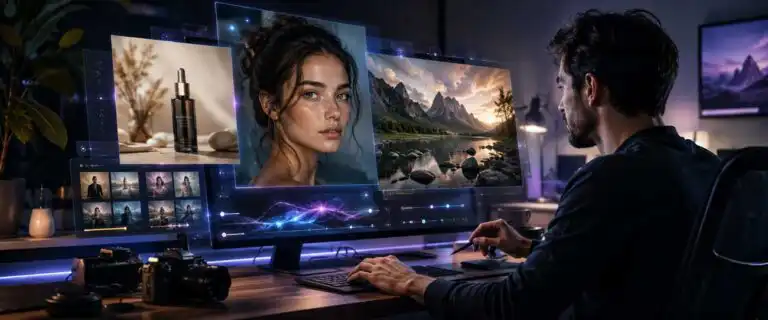
For photorealism in 2026, OpenAI GPT Image 2 is the strongest all-rounder in the current DIY AI scoring dataset, while Midjourney V7 excels at cinematic lighting and FLUX.2 offers greater technical control. The catch is that portraits, product shots, text-heavy adverts and multi-person scenes expose different weaknesses. The reliable approach is to run the same brief through several models and inspect the results at full size. You can use GPT Image 2 right now to generate realistic photos in the DIY AI Image Generation Studio.
This comparison examines realism, prompt fidelity, consistency, editing control and ease of use. It also explains how to compare multiple image models using your own prompt rather than relying on carefully selected gallery examples.
TL;DR: Which AI image model is most realistic?
OpenAI GPT Image 2 is our best overall AI image generator for realistic photos. It scores 9.8/10 for realism and 9.6/10 overall in the DIY AI image-generation dataset. Its main advantage is balance: it produces convincing lighting and surface detail while following complicated prompts more reliably than most visually focused competitors.
Midjourney V7 remains a strong choice for cinematic portraits and editorial-style photography. FLUX.2 is better suited to developers and creators who want more control over models, references and deployment. Ideogram 3.0 is the practical choice when a realistic image also needs signs, labels or other readable text.
Realistic AI image generators compared side by side
| Tool | Realism | Overall rating | Best for | Pros | Cons |
|---|---|---|---|---|---|
| OpenAI GPT Image 2 | 9.8/10 | 9.6/10 – 4.8/5 | Portraits, product scenes, editing and precise prompts | Excellent realism, prompt fidelity, consistency and editing | Can look less dramatically styled than Midjourney without detailed art direction |
| Midjourney V7 | 9.6/10 | 9.1/10 – 4.6/5 | Cinematic portraits, fashion imagery and editorial concepts | Strong composition, lighting, atmosphere and skin rendering | Lower prompt fidelity and editing control; no standard free trial |
| Black Forest Labs FLUX.2 | 9.4/10 | 8.9/10 – 4.5/5 | Controlled photorealism and developer-led workflows | Strong realism, reference-image support and technical flexibility | Results and usability vary according to the model version and interface |
| Ideogram 3.0 | 8.8/10 | 8.6/10 – 4.3/5 | Realistic posters, signs, labels and text-heavy images | Excellent prompt fidelity and better text handling than most rivals | Lower pure photorealism and weaker editing than the leading models |
| DIY AI Studio | Comparison workspace | Not model-rated | Comparing DALL·E/GPT Image, FLUX, Ideogram, Recraft and other supported models with one prompt | Side-by-side generations, favourite-the-winner controls and saved projects | Each selected model spends credits, so the free tier is intended for comparison rather than production |
The DIY AI Studio includes 60 free credits on a 7-day free trial and supports up to two models in a free comparison run. The Pro plan costs $29 per month, includes 300 credits and provides access to eight models. Midjourney is not included in the Playground, although Midjourney can now be used through its web interface as well as Discord.
Running every generator separately can mean maintaining several accounts, learning different interfaces and paying for three or four subscriptions before discovering which model suits the image you actually need.
What makes an AI-generated photo look realistic?
A sharp image is not automatically a convincing photograph. Realism depends on several details aligning at the same time. Skin texture, light direction, shadows, reflections, anatomy and background objects must all make sense when the image is enlarged.
| Realism signal | What to inspect |
|---|---|
| Skin and hair | Natural pores, fine strands, believable edges and variation rather than plastic smoothing |
| Lighting | A coherent light direction, matching cast shadows and reflections that fit the scene |
| Hands and anatomy | Correct finger count, natural joints, sensible grip and believable body proportions |
| Objects and materials | Stable geometry, accurate reflections and surfaces that behave like glass, fabric, metal or plastic |
| Text inside the image | Readable spelling, consistent letter shapes and wording that follows the surface perspective |
Hands are no longer the only useful test. Modern models can produce plausible fingers while still failing on jewellery, glasses, product labels, background faces or the relationship between a subject and an object they are holding.
Text also matters more than it first appears. A realistic bottle or shopfront stops looking authentic when its label becomes nonsense. Ideogram performs well on image text, but important wording should still be checked carefully or replaced in a proper design application.
AI Image Generation Dataset scores per provider
OpenAI GPT Image 2
Scored across 9 practical DIY AI dataset metrics.
- Image Quality9.8/10★★★★★★★★★★
- Prompt Fidelity9.8/10★★★★★★★★★★
- Style Range9.4/10★★★★★★★★★★
- Consistency9.6/10★★★★★★★★★★
- Editing Capabilities9.6/10★★★★★★★★★★
- Commercial Safety9/10★★★★★★★★★★
- Realism9.8/10★★★★★★★★★★
- Model Variety9.2/10★★★★★★★★★★
- Ease of Use9.8/10★★★★★★★★★★
 DIY AI dataset scorecard
Midjourney V7
Scored across 9 practical DIY AI dataset metrics.
- Image Quality9.5/10★★★★★★★★★★
- Prompt Fidelity8.9/10★★★★★★★★★★
- Style Range10/10★★★★★★★★★★
- Consistency9.4/10★★★★★★★★★★
- Editing Capabilities8.4/10★★★★★★★★★★
- Commercial Safety8.3/10★★★★★★★★★★
- Realism9.6/10★★★★★★★★★★
- Model Variety8.7/10★★★★★★★★★★
- Ease of Use8.2/10★★★★★★★★★★
 DIY AI dataset scorecard
Black Forest Labs FLUX.2
Scored across 9 practical DIY AI dataset metrics.
- Image Quality9.3/10★★★★★★★★★★
- Prompt Fidelity9/10★★★★★★★★★★
- Style Range9.3/10★★★★★★★★★★
- Consistency9/10★★★★★★★★★★
- Editing Capabilities9/10★★★★★★★★★★
- Commercial Safety8.4/10★★★★★★★★★★
- Realism9.4/10★★★★★★★★★★
- Model Variety9.2/10★★★★★★★★★★
- Ease of Use7.8/10★★★★★★★★★★
 DIY AI dataset scorecard
Ideogram 3.0
Scored across 9 practical DIY AI dataset metrics.
- Image Quality8.9/10★★★★★★★★★★
- Prompt Fidelity9.2/10★★★★★★★★★★
- Style Range8.8/10★★★★★★★★★★
- Consistency8.7/10★★★★★★★★★★
- Editing Capabilities8/10★★★★★★★★★★
- Commercial Safety8.3/10★★★★★★★★★★
- Realism8.8/10★★★★★★★★★★
- Model Variety7.8/10★★★★★★★★★★
- Ease of Use8.7/10★★★★★★★★★★
How to compare AI image models using your own prompt
Public galleries usually show prompts chosen to flatter each model. A generator that produces an impressive cinematic portrait may perform poorly when asked to preserve a specific product shape, position several people correctly, or render text on packaging.
- Write a production-style prompt. Specify the subject, setting, camera position, lighting, materials, aspect ratio and details that must remain accurate.
- Keep the prompt consistent. Avoid provider-specific commands that give one model an unfair advantage.
- Run at least two models. Comparing one generation with a curated gallery tells you very little about reliability.
- Inspect the full-size files. Check hands, teeth, hair edges, reflections, product geometry, labels and background people.
- Save the winner for that use case. The model that wins a portrait test may lose when used for product photography or an advert containing text.
The DIY AI Studio comparison tool is separate from the commercial design platform covered in our Playground AI review. It is also not an unlimited image generator. Every model included in a comparison uses credits, so the free allowance suits several focused tests better than continuous production.
See more of our reporting in Google Top Stories, AI Overviews and AI Mode.
Best model for portraits, product shots and people
| Use case | Best first choice | Why |
|---|---|---|
| Natural headshots and portraits | OpenAI GPT Image 2 | It offers the best balance of realistic skin, prompt fidelity and controlled editing |
| Cinematic fashion or editorial portraits | Midjourney V7 | Its lighting, colour grading and composition often produce a more polished editorial look |
| Product photography concepts | OpenAI GPT Image 2 or FLUX.2 | OpenAI follows precise scene briefs well, while FLUX provides greater technical and reference-image control |
| Groups of people in complex scenes | OpenAI GPT Image 2 | Its high consistency and prompt fidelity reduce subject drift and misplaced details |
| Realistic images containing signs or labels | Ideogram 3.0 | Its text rendering can outweigh its lower pure-realism score |
FLUX.2 offers the more flexible route for technical users building repeatable workflows, while OpenAI is easier to direct through natural-language revisions. OpenAI’s image-generation documentation explains the available methods for generating and editing images for developers.
Common questions about realistic AI photos
Is Midjourney still the best AI generator for photorealism?
Midjourney remains one of the best options for cinematic and editorial-looking portraits. OpenAI GPT Image 2 now scores higher in the DIY AI dataset for realism, prompt fidelity, consistency and editing. Midjourney is the better choice when art direction and atmosphere matter more than literal adherence to the prompt.
Why does the same prompt look different in every model?
Each model has been trained and tuned differently. They interpret composition, lighting, object placement, human anatomy and text in different ways. That is why comparing models with your own brief is more reliable than choosing a winner from showcase images.
Can realistic AI images be used commercially?
Commercial rights depend on the provider, subscription plan and intended use. You should also check images for recognisable people, trademarks, copyrighted characters, factual inaccuracies and misleading presentation. A technically realistic result is not automatically safe to publish in an advert.
Verdict: start with GPT Image 2, then test your prompt
OpenAI GPT Image 2 is the best starting point for most realistic-photo tasks because it leads this group in realism while retaining excellent prompt-following, editing, and consistency. Midjourney V7 is stronger for cinematic portraiture, FLUX.2 suits controlled technical pipelines, and Ideogram is the more practical choice when readable text is part of the image.
The final decision should still come from your own prompt. Compare FLUX, DALL·E, Ideogram and Recraft on your own prompt with 10 free credits and no payment card required. Run the same brief, favourite the strongest result, and save the project for later.
You Might Also Like:
Best AI Image Tools 2026
AI Image Combiner
AI Photo Prompt
