
AI Couple Photo Generator: Create Realistic Couple Portraits Free (Prompt-Based) – Compared & Tested
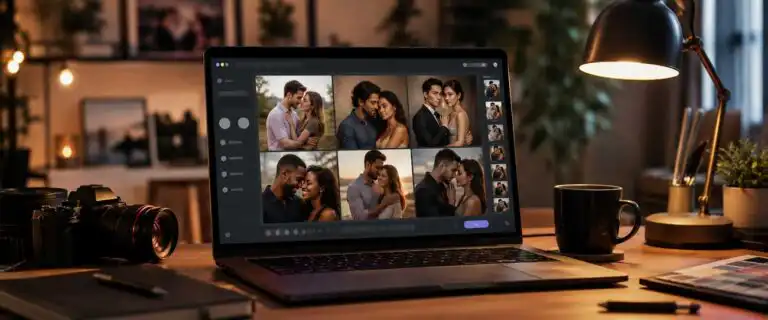
An AI couple photo generator creates a shared portrait of two people. Upload-and-merge tools combine two real selfies, while prompt-based generators create a new couple and scene from a written description. Below, we compare the best option for each job. You can also run a single prompt across multiple models in DIY AI Studio, though it does not currently preserve faces in uploaded photos.
Quick answer: best AI couple photo generator by use case
| Use case | Best starting point | Reason |
|---|---|---|
| Create a fictional or styled couple from a prompt | DIY AI Studio | Compare the same brief across different image models. |
| Put two real people into one portrait | EaseMate or Fotor | Both accept separate portraits and generate a combined scene. |
| Use quick romantic or wedding presets | insMind | Simple upload workflow with ready-made styles. |
| Prioritise face preservation | A dedicated image merger | Reference-image workflows are built around the supplied identities. |
AI couple photo generators compared
| Tool | Approach | Current access | Best for | Main limitation |
|---|---|---|---|---|
| DIY AI Studio | Prompt-based generation with OpenAI GPT Image and FLUX-style model comparison | One-time credits from $12 for 100 | Trying styles and choosing the strongest model for one prompt | Cannot merge or preserve two uploaded faces |
| EaseMate | Upload two portraits and describe the new scene | Its current page advertises a first HD result without sign-up or a watermark | Quickly placing two real people together | Identity quality depends heavily on the source photos |
| Fotor | Upload one or two references and add a prompt | Free credits after sign-up; the couple tool advertises watermark-free output | More prompt control plus an established editor | Free allowances limit repeated attempts |
| insMind | Upload two portraits and select a style | Advertised as free to try; check live credit and download conditions | Fast preset portraits for romantic, wedding and travel scenes | Less control over precise pose and composition |
These access terms were checked against current product pages on 20 July 2026. Free allowances change, so treat them as trial access rather than unlimited generation. We have not assigned portrait-quality scores to the three upload tools because likeness depends heavily on the source selfies, pose and selected scene.
Merge your own two photos or generate from a prompt?
Use a reference image or a merge tool when the result must look recognisably like you and your partner. This is the right workflow for long-distance couples, anniversary gifts, wedding concepts and profile pictures based on real people.
Use text-to-image when you need the idea of a couple rather than two exact identities. Prompt generation gives you more control over wardrobe, age range, setting, camera angle and mood without uploading personal images. It suits fictional characters, campaign concepts and editorial graphics.
Generation and editing are separate capabilities. The OpenAI image generation documentation, for example, distinguishes between creating an image from text and editing an existing image using source material. A tool offering only a prompt box cannot preserve faces it never receives.
Honest limitation: to preserve two real faces, use a dedicated tool to merge two real photos. DIY AI Studio generates couple portraits from a prompt, not from uploaded selfies.
How to get a realistic result
Realism comes from reducing ambiguity, not stacking words such as “8K” and “masterpiece”. The model needs clear subjects, a believable interaction and one consistent photographic setup.
- Define both people separately. Give each distinct hair, clothing and one or two recognisable features.
- Describe the interaction. “Walking side by side” or “seated shoulder to shoulder” is clearer than “romantic pose”.
- Keep both faces visible. Front or three-quarter views are safer than kissing or tightly embracing poses.
- Use photography language. Specify lens, lighting, depth of field, skin texture and colour treatment.
- Compare several candidates. Check hands, eye direction, overlapping limbs and background geometry at full size.
Prompt example: Create a natural editorial photograph of a couple walking beside the sea at golden hour. Person A has short dark curly hair and wears a navy overshirt. Person B has shoulder-length auburn hair and wears a cream knitted jumper. Both faces are clearly visible in three-quarter view, with relaxed expressions and natural skin texture. They are walking side by side with believable hand placement. Shot on a 50mm lens with soft backlight, shallow depth of field, subtle film grain and understated colour grading. No extra people, text or exaggerated retouching.
See more of our reporting in Google Top Stories, AI Overviews and AI Mode.
Why two-person portraits often look fake
A couple scene adds identity separation, four hands, overlapping limbs, matched lighting and a shared perspective. A polished image can still fail where fingers meet, eyes look in different directions or one face quietly changes between attempts.
A recurring practical lesson from creators working with reference portraits is that source alignment helps more than a longer prompt. Use clear photos with similar face angles, neutral expressions and comparable lighting. Pairing a bright front-facing selfie with a dark side profile forces the model to invent too much.
Pose complexity affects cost as well. A shoulder-to-shoulder portrait may succeed quickly, while dancing, kissing or tightly embracing can require many attempts. Judge value by the cost per acceptable result, not the advertised cost of one generation.
Try couple portraits across models in DIY AI Studio
One model may produce better faces while another gets the body language, light or background right. Run the same detailed prompt across several options and inspect the outputs at full size rather than trusting a provider’s best gallery image.
You can compare image models in the Playground using one-time credit packs starting at $12 for 100 credits, with no expiry. Use DIY AI for prompt-created couples and model comparison. Choose an upload-and-merge tool when the result must preserve two specific people.
You Might Also Like:

Best AI Image Tools 2026

AI Image Combiner

AI Photo Prompt
