
OpenClaw Docker Setup: Ollama, Volumes and Security
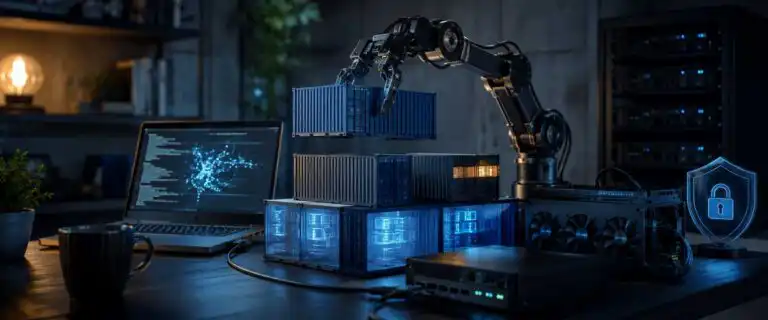
An OpenClaw Docker setup makes sense when you want a disposable Gateway, a repeatable server deployment or a host that should not receive a local Node installation. It is not automatically the safest installation method. Containerising the Gateway and sandboxing the agent’s tools are separate decisions, and OpenClaw leaves sandboxing disabled unless you enable it.
This guide covers the complete operational path: choosing between Docker and a native installation, preserving state, connecting OpenClaw to Ollama on the host, limiting ports and resources, handling secrets, enabling sandbox containers, upgrading safely, and diagnosing failures that often look like application bugs but are actually Docker boundary problems.
Should you run OpenClaw in Docker or install it natively?
Use Docker for isolation from the host package environment, not because it is the default or fastest route. OpenClaw’s native installer is usually simpler on a personal development machine. Docker becomes more attractive on a VPS, a shared workstation, a temporary test machine or a system where you need reproducible upgrades and rollbacks.
| Situation | Better installation | Reason |
|---|---|---|
| Personal Mac or Linux development machine | Native | Fewer filesystem, browser and host networking complications. |
| Disposable evaluation environment | Docker | The Gateway container can be replaced without reinstalling the host. |
| VPS or always-on server | Docker | Version pinning, health checks and repeatable service recovery are easier to manage. |
| Host-side Ollama with GPU access | Either | Docker works, but you must explicitly address the host networking boundary. |
| Maximum local tool compatibility | Native | Host binaries, browser profiles and OS integrations are available without extra mounts or image changes. |
| Untrusted messages or tool execution | Docker plus sandboxing | The Gateway container alone does not isolate each agent tool call. |
Docker also creates operational work. You own volume permissions, image lifecycle, port publishing, container logs and the gap between the container’s network namespace and services running on the host. If you are deciding where to run a long-lived agent rather than only how to package it, DIY AI’s guide to AI app and agent hosting explains the wider hosting trade-offs.
Understand the OpenClaw architecture before adding containers
A clean deployment separates five components. Confusing them leads to unsafe assumptions and difficult troubleshooting.
| Component | Responsibility | Docker implication |
|---|---|---|
| Gateway | Owns sessions, channel connections, routing, the Control UI and agent requests. | Runs as the long-lived openclaw-gateway service. |
| CLI sidecar | Runs onboarding, configuration, channel login and diagnostic commands. | Shares the Gateway network namespace and mounted state. |
| Persistent state | Stores configuration, credentials, agent databases, sessions, plugins and workspace files. | Must live in bind mounts or named volumes outside the replaceable container layer. |
| Model provider | Supplies inference through Anthropic, OpenAI, Ollama or another provider. | May run remotely, in another container or on the Docker host. |
| Tool sandbox | Restricts shell, file and browser actions performed by the agent. | Creates separate sandbox containers only after sandboxing is enabled. |
The Gateway is the control plane. Ollama is an inference service. Sandbox containers are execution environments. Putting the control plane in a container does not automatically move agent commands into a restricted container, and putting Ollama on the same machine does not make it reachable through localhost from inside the Gateway.
Prepare Docker and a durable directory layout
You need Docker Engine or Docker Desktop with Compose v2. The OpenClaw image build needs at least 2 GB of available memory, and a source build can consume considerably more while package installation and bundling are running. Confirm the tools before changing any OpenClaw configuration:
docker --version
docker compose version
docker info
Use predictable host paths rather than temporary directories. The following layout keeps state, workspace data, and the auth-profile encryption material separate:
mkdir -p "$HOME/.openclaw/workspace"
mkdir -p "$HOME/.openclaw-auth-profile-secrets"
chmod 700 "$HOME/.openclaw"
chmod 700 "$HOME/.openclaw-auth-profile-secrets"
Do not put these directories inside the OpenClaw source checkout. A repository cleanup, branch switch or accidental commit should never touch live credentials and session state.
Install OpenClaw with the official Docker flow
The maintained setup script is safer than copying a short third-party Compose file because it creates the token, synchronises environment settings, ensures expected permissions are set, runs onboarding, and starts the correct services. Check the official OpenClaw Docker documentation before installation because image tags and setup behaviour can change between releases.
From the root of the official OpenClaw repository, set explicit host paths and use an official pre-built image. For a server, pin a tested version rather than following latest automatically:
cd /path/to/openclaw

export OPENCLAW_IMAGE="ghcr.io/openclaw/openclaw:2026.7.1"
export OPENCLAW_CONFIG_DIR="$HOME/.openclaw"
export OPENCLAW_WORKSPACE_DIR="$HOME/.openclaw/workspace"
export OPENCLAW_AUTH_PROFILE_SECRET_DIR="$HOME/.openclaw-auth-profile-secrets"

./scripts/docker/setup.sh
Replace the example tag with the release you have reviewed and intend to operate. The setup script runs onboarding, writes the Gateway token to the deployment environment and starts the Compose stack. It also makes the Control UI available on port 18789.
Check both container state and application readiness:
docker compose ps
docker compose logs --tail=100 openclaw-gateway
curl -fsS http://127.0.0.1:18789/healthz
curl -fsS http://127.0.0.1:18789/readyz
/healthz confirms that the process is alive. /readyz is the better deployment check because a process can be running while configuration, migrations or provider setup are still incomplete.
Persist the data that container replacement would otherwise erase
The container is disposable. The state is not. A reliable OpenClaw Docker setup should survive docker compose down, image replacement and a complete container rebuild without losing channel logins, model credentials or agent history.
| Container path | What it contains | Persistence requirement |
|---|---|---|
/home/node/.openclaw | Configuration, agent state, credentials, SQLite databases, sessions, plugins and most channel data. | Always persist. |
/home/node/.openclaw/workspace | Files the agent reads or creates in its workspace. | Persist separately if you want distinct backup or mount policy. |
/home/node/.config/openclaw | Local encryption material used for auth-profile secrets and legacy compatibility. | Persist and protect separately from ordinary workspace files. |
/home/node | User-installed binaries, Claude CLI files, browser downloads, and other home directory additions. | Persist only if you install tools outside the standard image. |
/usr/local/bin | System binaries baked into the image. | Rebuild into the image, not at container runtime. |
/tmp/openclaw | Rolling temporary logs and transient files. | Usually disposable, but control growth through Docker logging. |
The official Compose file mounts the first three paths. Set OPENCLAW_HOME_VOLUME only when you deliberately install additional software under /home/node. Persisting the entire home directory without a reason makes backups larger and can preserve stale binaries across image upgrades.
Take a host-side backup before upgrades or substantial configuration changes:
tar -C "$HOME" -czf "openclaw-backup-$(date +%F-%H%M).tgz" \
  .openclaw \
  .openclaw-auth-profile-secrets
A copied image tag is not a complete rollback plan. A newer release may update data stored in the mounted directories, so keep a pre-upgrade state backup and the previous image tag.
Connect OpenClaw in Docker to Ollama on the host
The recurring failure here is simple: 127.0.0.1 Inside the OpenClaw container, the ‘ docker run ‘ command points back to the OpenClaw container. It does not indicate that Ollama is running on the host. Changing the model name, API key or OpenClaw provider configuration will not fix a broken network path.
1. Make Ollama listen on an address Docker can reach
On the host, start Ollama on a reachable interface:
OLLAMA_HOST=0.0.0.0:11434 ollama serveBinding to 0.0.0.0 can expose Ollama beyond Docker. Restrict port 11434 with the host firewall so it is reachable only from the Docker bridge or another intended private network. Do not forward it from your router or expose it through a public cloud firewall.
2. Test the route from inside the Gateway
The official Compose configuration maps host.docker.internal to the host gateway on Linux, and Docker Desktop provides the same hostname on macOS and Windows. Test the native Ollama API from the running Gateway:
docker compose exec -T openclaw-gateway node -e \
"fetch('http://host.docker.internal:11434/api/tags')
.then(async r => { console.log(r.status); console.log(await r.text()); })
.catch(e => { console.error(e); process.exit(1); })"
A connection refusal usually means Ollama is still listening only on host loopback. A timeout points more often to a firewall or bridge-network rule. A successful response with no usable models means the network is working and model installation is the remaining task.
3. Configure OpenClaw to use the native Ollama endpoint
docker compose run --rm openclaw-cli onboard --non-interactive \
  --auth-choice ollama \
  --custom-base-url "http://host.docker.internal:11434" \
  --custom-model-id "<model-id>" \
  --accept-risk

docker compose run --rm openclaw-cli models list --provider ollama
Use the base URL without /v1. OpenClaw talks to Ollama’s native /api/chat interface. The OpenAI-compatible /v1 route can break tool calling and cause tool-call data to appear as ordinary model text.
Local inference also changes the resource calculation. The Gateway may use modest memory while Ollama consumes most of the RAM or GPU memory. Treat them as separate services and measure both rather than assuming a Gateway container limit controls the model process.
Restrict OpenClaw ports instead of trusting the default mapping
The official Docker setup uses a LAN bind inside the container and publishes Gateway ports from the host. A Compose port such as 18789:18789 normally listens on every host interface, not only 127.0.0.1. Gateway authentication still matters, but an authenticated service should not be made publicly reachable without a deliberate remote-access design.
For a local-only installation, create docker-compose.secure.yml and replace the published port list:
services:
  openclaw-gateway:
    ports: !override
      - "127.0.0.1:${OPENCLAW_GATEWAY_PORT:-18789}:18789"
Start the stack with both files:
docker compose \
  -f docker-compose.yml \
  -f docker-compose.secure.yml \
  up -d
The !override tag requires a modern Compose v2 release. If Compose rejects it, update Compose or replace the base port list with loopback-bound mappings and keep that patch under version control. Only publish bridge or Microsoft Teams ports when the corresponding integration needs them.
For remote administration, prefer an SSH tunnel or a private overlay network. On a public Docker host, remember that published ports traverse Docker’s forwarding rules and can bypass assumptions based solely on a simple UFW input policy. Enforce public-host restrictions in the DOCKER-USER chain and verify them from another machine.
Handle environment variables and secrets as separate risk classes
The setup script writes deployment values to .env, including the Gateway token. Treat that file as a credential store, not ordinary project configuration:
chmod 600 .env
printf '\n.env\n' >> .gitignore
git status --short
Use a different provider key for each OpenClaw deployment where the provider supports it. That gives you a clean revocation path and makes usage anomalies easier to attribute. Avoid passing keys directly on a shell command line because terminal history, process listings and copied support output can preserve them.
OpenClaw distinguishes its state-level environment file from a workspace .env. Provider credentials belong in a trusted Gateway environment source, not in a project workspace the agent can read and modify. For higher-value deployments, use OpenClaw SecretRefs backed by environment, file or an external resolver rather than leaving supported credentials as plaintext in openclaw.json, auth-profiles.json or a readable dotenv file.
Audit the configured credential surface after onboarding:
docker compose run --rm openclaw-cli secrets audit --checkEnvironment variables are not invisible inside Docker. A user with Docker daemon access can inspect container configuration. Keep Docker administration restricted, and never assume that moving a secret from JSON into Compose environment values turns it into a vault.
Set resource limits that fail predictably
Unlimited containers can consume the host until the kernel or Docker daemon makes the decision for you. Limits are most useful when they turn an uncontrolled host failure into a visible container failure that can be diagnosed and rolled back.
services:
  openclaw-gateway:
    mem_limit: 4g
    cpus: 2.0
    pids_limit: 512
    logging:
      driver: json-file
      options:
        max-size: "20m"
        max-file: "5"
Treat these as starting guardrails, not universal recommendations. Browser automation, plugin builds, large workspaces, and concurrent sessions can require more resources. Watch the real workload:
docker compose stats --no-stream openclaw-gateway
docker compose logs --since=15m openclaw-gateway
An exit code of 137 during pnpm install or image build normally means the build process was killed for exceeding available memory. Raising the runtime limit on an already-built container will not fix a Docker Desktop builder with too little memory. Increase the builder allocation or use the official pre-built image.
Enable sandboxing explicitly and choose the right scope
This is the most important security step competitors often blur. The OpenClaw Gateway container can still orchestrate powerful tools. Sandboxing must be enabled separately so shell and file actions run inside dedicated execution containers with tighter filesystem, capability and network rules.
The supported Docker bootstrap is:
cd /path/to/openclaw

set -a
. ./.env
set +a

export OPENCLAW_SANDBOX=1
./scripts/docker/setup.sh
This prepares the sandbox image and allows the Gateway to create sibling containers via the host Docker daemon. It is a Docker-out-of-Docker design, not a nested Docker daemon.
A conservative starting policy in openclaw.json is:
{
  agents: {
    defaults: {
      sandbox: {
        mode: "non-main",
        scope: "session",
        backend: "docker",
        workspaceAccess: "none"
      }
    }
  }
}| Setting | Safer choice | Trade-off |
|---|---|---|
mode: "all" | Use for untrusted senders and externally reachable channels. | More containers and less direct access to hosts. |
mode: "non-main" | Useful for a trusted personal main session, as well as sandboxed group and channel sessions. | The main session remains outside the sandbox. |
scope: "session" | Strong separation between conversations. | Higher container count and setup overhead. |
scope: "agent" | Reasonable balance for one trusted operator per agent. | Sessions handled by the same agent share an environment. |
workspaceAccess: "none" | Best starting point for minimal exposure. | Tools cannot see the normal agent workspace unless files are staged or mounted. |
workspaceAccess: "ro" | Useful for code analysis and research without edits. | Write and patch tools cannot change the mounted workspace. |
workspaceAccess: "rw" | Required for coding agents that must edit repositories. | A successful prompt injection can modify the mounted files. |
The Docker sandbox defaults are deliberately restrictive, including no external network access, a read-only root filesystem, and dropped Linux capabilities. Add network access or writable mounts only for a named workflow. A generic writable mount of your home directory defeats much of the isolation you added.
There is one advanced path-mapping trap. The host Docker daemon resolves sandbox bind mounts using host paths, not paths inside the Gateway container. If you customise workspace locations, the path in OpenClaw configuration must be a valid absolute host path, and the Gateway container needs a matching mount at the same path. Mismatches commonly surface as heartbeat or workspace EACCES errors.
Do not mount the host Docker socket into the agent’s sandbox containers. The Gateway may need daemon access to create sandboxes, but giving the sandbox itself the socket would let a compromised tool process control other containers and host-mounted data.
Use a tool-access policy that matches the accounts you connect
OpenClaw can read files, run commands, control browsers and send messages because those capabilities are the point of the system. Security, therefore, comes from reducing authority, not from pretending the model will always interpret instructions correctly.
- Run one trusted operator boundary per Gateway. Separate users or teams with different trust levels into separate Gateways and credentials.
- Create dedicated email, calendar and messaging accounts instead of connecting primary personal or administrator accounts.
- Enable only the skills and tools required for the current workflow.
- Prefer read-only mounts. Add writable directories individually and avoid mounting
$HOME,/etc, SSH keys or Cloud credential directories. - Disable elevated execution unless a specific task requires it and an approval process is in place.
- Sandbox every session that can receive untrusted or forwarded content.
- Keep the Gateway and Ollama ports private. Remote access should pass through an authenticated private channel or carefully configured reverse proxy.
- Review plugin and skill source before installation. Container isolation does not make an untrusted plugin safe.
- Use provider spending limits and separate keys to cap the financial impact of loops or compromised automation.
- Retain enough logs to investigate actions, but rotate them so transcripts and tool output do not fill the host disk.
Developers choosing a model-backed coding workflow should also compare how assistants handle repository context, approvals and review. DIY AI’s best AI coding tools comparison covers that application layer. Docker can limit the blast radius, but it cannot make weak model judgement or a poor review process reliable.
See more of our reporting in Google Top Stories, AI Overviews and AI Mode.
Upgrade and roll back without gambling on persistent state
Choose one update method and keep it consistent. A deployment using official pre-built images should update image tags. A deployment built from source should update the repository and rebuild. Mixing the two makes it difficult to know which code is running.
Upgrade a pinned-image deployment
cd /path/to/openclaw

tar -C "$HOME" -czf "openclaw-pre-upgrade-$(date +%F-%H%M).tgz" \
  .openclaw \
  .openclaw-auth-profile-secrets

set -a
. ./.env
set +a

export OPENCLAW_IMAGE="ghcr.io/openclaw/openclaw:<new-version>"
./scripts/docker/setup.sh

docker compose ps
curl -fsS http://127.0.0.1:18789/readyz
Check channel connections, one model request and one low-risk tool call before considering the upgrade complete. A green health endpoint proves service readiness, not full workflow compatibility.
Roll back the image
set -a
. ./.env
set +a

export OPENCLAW_IMAGE="ghcr.io/openclaw/openclaw:<previous-version>"
./scripts/docker/setup.sh
If the previous image cannot read the updated state, stop the stack and restore the pre-upgrade backup before starting it. This is why a version pin plus a state archive is a rollback plan, while a version pin alone is only an image-selection plan.
Common OpenClaw Docker errors and the shortest useful diagnosis
| Symptom | Likely cause | First fix |
|---|---|---|
Build ends with Killed or exit 137 | Docker builder ran out of memory. | Increase Docker memory or switch to the official pre-built image. |
EACCES under /home/node/.openclaw | Host bind mount is not writable by container user UID 1000. | Run sudo chown -R 1000:1000 on the mounted config and workspace paths. |
| Plugin is present but blocked for suspicious ownership | Plugin files and the process user have conflicting ownership. | Keep the default non-root user and correct host ownership rather than running the whole container as root. |
Ollama returns fetch failed | OpenClaw is using container localhost, Ollama is bound only to host loopback or a firewall blocks port 11434. | Use host.docker.internal:11434, make Ollama reachable and test /api/tags from inside the Gateway. |
| Ollama replies, but tool calls appear as raw text | The provider base URL uses the OpenAI-compatible /v1 path. | Use the native Ollama base URL with no /v1. |
| Container is running but the UI is unreachable | Incorrect port mapping, firewall rule, Gateway bind or authentication token. | Check docker compose port openclaw-gateway 18789, /readyz and the host listener. |
| Container repeatedly restarts after an upgrade | Startup migration or configuration repair cannot complete. | Keep the mounted state and run the same image once with openclaw doctor --fix, then restart. |
Sandbox reports workspace heartbeat EACCES | Docker-out-of-Docker host path does not match the Gateway mount path. | Use the same absolute host workspace path in config and the Gateway volume mapping. |
CLI plugin install fails with EAI_AGAIN | Docker Desktop DNS and the hardened sidecar capability set are conflicting. | Use the documented one-off CLI capability override rather than weakening the long-running Gateway. |
| Disk usage keeps growing | Container JSON logs, media, SQLite state, plugins or transcripts are accumulating. | Rotate Docker logs and inspect the mounted state directories before deleting anything. |
Start diagnosis with a small set of commands instead of reinstalling:
docker compose ps
docker compose logs --tail=200 openclaw-gateway
docker inspect "$(docker compose ps -q openclaw-gateway)" --format '{{json .State}}'
docker compose run --rm openclaw-cli doctor
curl -v http://127.0.0.1:18789/readyz
Container names vary by directory and Compose project name, so use docker compose ps before copying an assumed name into docker inspect or docker stats.
OpenClaw Docker security checklist
- The OpenClaw image is pinned to a reviewed version.
- The configuration, workspace, and auth-profile secret directories are mounted from durable host storage.
- The mounted directories are owned by UID 1000 and are not committed to Git.
- Port 18789 is bound to loopback or restricted to an intentional private network.
- Unused ports are not published.
- Ollama port 11434 is private and reachable only from intended clients.
- The Gateway token is enabled even for local access.
- Provider keys are deployment-specific and have spending controls where available.
- Secret auditing reports no unexpected plaintext credentials.
- Sandbox mode is configured explicitly rather than assumed.
- Sandbox scope and workspace access match the trust level of each channel.
- The host Docker socket is never mounted into agent sandbox containers.
- Writable mounts are narrow and do not expose home, SSH or Cloud credential directories.
- Docker logs rotate, and state backups are tested.
- An image rollback and a pre-upgrade state backup are both available.
The recommended OpenClaw Docker pattern
For a personal workstation, use the native installation unless container replacement or host cleanliness solves a real problem. For a VPS or always-on agent, use the official Compose flow with a pinned image, host-backed state, loopback or private port exposure and a tested backup.
If the agent can execute tools or process untrusted content, add sandboxing as a separate control. Start with no workspace access and no sandbox network, then open only the paths and services the workflow proves it needs. For host-side Ollama, validate the network route from inside the Gateway before touching model settings. That sequence turns most Docker problems into small, observable checks rather than a full reinstall.
OpenClaw Docker FAQs
Is Docker required to run OpenClaw?
No. Docker is optional. A native installation is often easier on a personal development machine, while Docker is useful for disposable environments, VPS deployments and hosts where you do not want a local runtime installation.
Does running OpenClaw in Docker enable sandboxing?
No. The Gateway container and agent tool sandboxes are separate. Sandboxing is disabled by default and must be enabled through the OpenClaw sandbox configuration or the Docker setup bootstrap.
Can OpenClaw Docker use Ollama running on the host?
Yes. Use http://host.docker.internal:11434 as the Ollama base URL, make Ollama listen on an address reachable from Docker and restrict port 11434 with the host firewall. Do not use container localhost or append /v1.
Which OpenClaw Docker data must be backed up?
Back up the mounted OpenClaw state directory, workspace and auth-profile secret directory. If you persist the full /home/node directory for extra tools or browser assets, include that volume as well.
What port does OpenClaw use in Docker?
The Gateway and Control UI use port 18789 by default. Publishing that port without a host IP can expose it on every host interface, so bind it to 127.0.0.1 or restrict it through a private network and Docker-aware firewall rules.
You Might Also Like:
Best AI Coding Tools 2026
Code Review Automation
Claude Code Best Practices
