Lium GPU Hosting Review 2026: Real Tests & Pro Features
Lium delivered strong 7B inference on our RTX 5090 test, with useful clock, template and spending controls. Best for developers who can reproduce their environment and test recovery.
- Best for
- Developers running reproducible inference and restartable batch jobs
- Main limitation
- Host availability varies, and reliable recovery needs deliberate storage and environment setup.

Lium is a GPU rental marketplace for people who want control over the machine, container and working environment behind an AI job. Its appeal goes beyond an inexpensive GPU-hour: the interface exposes individual hosts, practical spending controls, reusable templates, and unusually granular automation options. The catch is that you are still operating rented infrastructure. Choosing the right offer and making your work recoverable matter as much as choosing the GPU.
For this Lium GPU hosting review, we moved beyond our original three-card CUDA smoke test. We ran a real 7B language model on an RTX 5090 and an RTX A6000, repeated single-request and batched inference, tested longer inputs, ran sustained synthetic training, checked memory allocation, rebooted a pod twice and exercised clock controls and scheduled deletion. We also tried creating durable storage and a custom backup. That produced a much clearer picture of both the value and the friction.
Lium at a glance: the practical verdict
| Area | Our assessment |
|---|---|
| Best fit | Developers running reproducible inference, experiments and restartable batch work. |
| Strongest result | The tested RTX 5090 ran Qwen2.5-7B-Instruct at a median 91.54 output tokens/second in our short warm single-request test. |
| Useful professional controls | Templates, SSH, live utilisation, GPU clock locking, scheduled termination, scoped API keys and team workspaces. |
| Main operational friction | Host availability changes; reboot persistence is narrower than a conventional VM; storage features can require a paid top-up. |
| Tested rates | One RTX 5090 at $0.74/hour and one RTX A6000 at $0.55/hour. These were specific live offers, not guaranteed starting prices. |
| Recommendation | A strong shortlist for engineers who can reproduce and recover their jobs. Validate the exact host and recovery path before committing a customer-facing service. |
Our GPU hosting comparison prioritises usable memory, startup, billing, storage and the cost of completing a job. Lium does well when those criteria are evaluated together. The cheapest hourly card was not the fastest, or the best value for our particular language-model workload, and an available credit balance did not unlock every storage feature.
Explore Lium GPU offers. Start with a small, representative job and compare the total allocation price before deploying.
What we tested, and how to interpret the results
On November 16, we retested using two single-GPU offers in different regions. Both used the supplied PyTorch CUDA container, direct SSH and encrypted local storage. We set a $5 compute cap for each rental as a backstop, then ended the sessions early. The initial template was daturaai/pytorch:2.12.0-py3.12-cuda13.0.2-devel-ubuntu24.04-dind-lium1. PyTorch reported 2.12.0+cu130; we added Transformers 4.57.1 and Accelerate 1.11.0.
| Test configuration | RTX 5090 host | RTX A6000 host |
|---|---|---|
| Location shown | Paris, France | Las Vegas, United States |
| Single-GPU hourly rate | $0.74 | $0.55 |
| GPU memory reported | 32,607 MiB | 49,140 MiB |
| Driver reported | 595.99.02 | 580.126.09 |
| Power limit reported | 500 W; listing flagged a reduced power limit | 300 W |
| CPU shown | AMD Ryzen 7 9800X3D | 5 allocated vCPUs, Intel Xeon E5-2683 v4 |
| Image / framework | Same pinned PyTorch template | Same pinned PyTorch template |
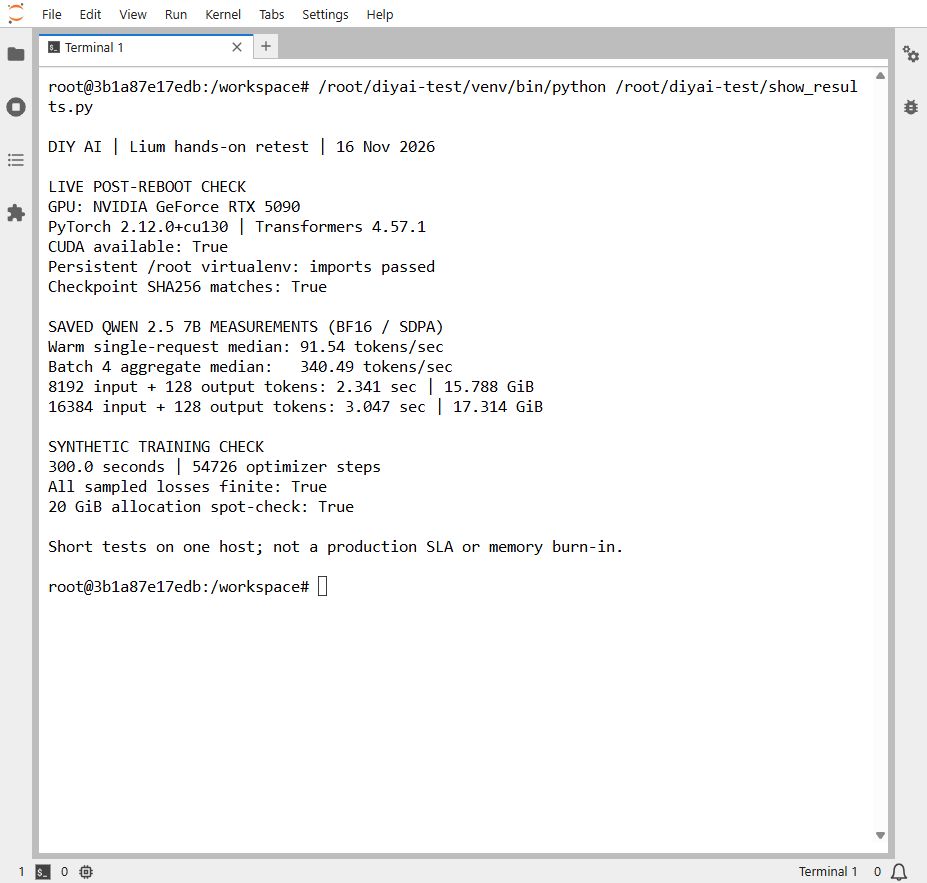
We used the public Qwen2.5-7B-Instruct model, pinned to revision a09a35458c702b33eeacc393d103063234e8bc28. Inference used unquantised bfloat16 weights, PyTorch SDPA attention and greedy generation. Three short prompts produced 41–52 input tokens after chat formatting. We forced 128 new tokens per request, recorded an initial cold call, then ran two passes over the three prompts. The warm figure is the median of those six calls.
For batching, we repeated one prompt four times and measured three batches, each generating 512 tokens in total. Timing was synchronised around the GPU work. This is a local Transformers benchmark: it includes generation overhead and prompt processing but excludes an HTTP serving stack, Internet latency and request routing. It is not vLLM throughput, streaming time to first token or a concurrent-user service-level result. Forcing the output length keeps timing comparable; it is not an assessment of answer quality.
Real-model performance: the RTX 5090 was the better fit here
| Measured task | RTX 5090 | RTX A6000 |
|---|---|---|
| Warm single request, median | 91.54 tokens/s | 20.56 tokens/s |
| Batch of four, median aggregate | 340.49 tokens/s | 69.98 tokens/s |
| Model download stage | 24.68 s | 39.21 s |
| Model load stage | 4.70 s | 47.46 s |
| Peak PyTorch allocated VRAM | 14.31 GiB | 14.29 GiB |
On this workload, the 5090 delivered about 4.45 times the A6000’s single-request throughput while its hourly rate was about 35% higher. That makes the 5090 the stronger choice for this particular 7B inference job. It does not make the A6000 a poor rental: its larger memory can enable workloads that do not fit the 5090 at all. A slower card that holds the model can be more useful than a faster card that runs out of memory.
The large difference in model loading is equally instructive. A GPU listing is a complete computer, not just an accelerator. CPU allocation, system memory, storage, caching and software can affect startup before the first token is generated. We did not isolate those factors, so we would not attribute the entire loading gap to the GPU. The download figures are elapsed times for that model in that session, not a sustained network-bandwidth certification.
The RTX 5090’s first short inference took 1.76 seconds for 128 generated tokens, compared with roughly 1.40 seconds for a warm call. That difference is small in an interactive session but still worth separating. A notebook that looks immediately ready can have several additional stages before useful work starts: package installation, weight download, loading and the first inference. Per-second billing helps, but all the running time spent preparing your own workload still costs money.
Longer context and sustained load
Short prompts are not enough to evaluate a language-model host. On the RTX 5090, we also supplied 8,192 and 16,384 tokens of repeated synthetic text, then generated 128 new tokens. The first run completed in 2.34 seconds with a peak PyTorch allocation of 15.79 GiB, and the second completed in 3.05 seconds at 17.31 GiB. These are single measurements of prefill plus generation, using cached model weights. They are not streaming latency measurements, and the synthetic input says nothing about retrieval accuracy or long-document comprehension.
Both hosts then completed a five-minute synthetic training loop using a multilayer perceptron, AdamW and BF16 autocast. Loss values remained finite throughout, and both passed a separate 20 GiB allocation and sampled-value check before training. The RTX 5090 completed 54,726 optimiser steps; the A6000 completed 24,265. We deliberately changed the A6000’s clock range during part of that run, so those step counts should not be used as a clean training-performance ranking.
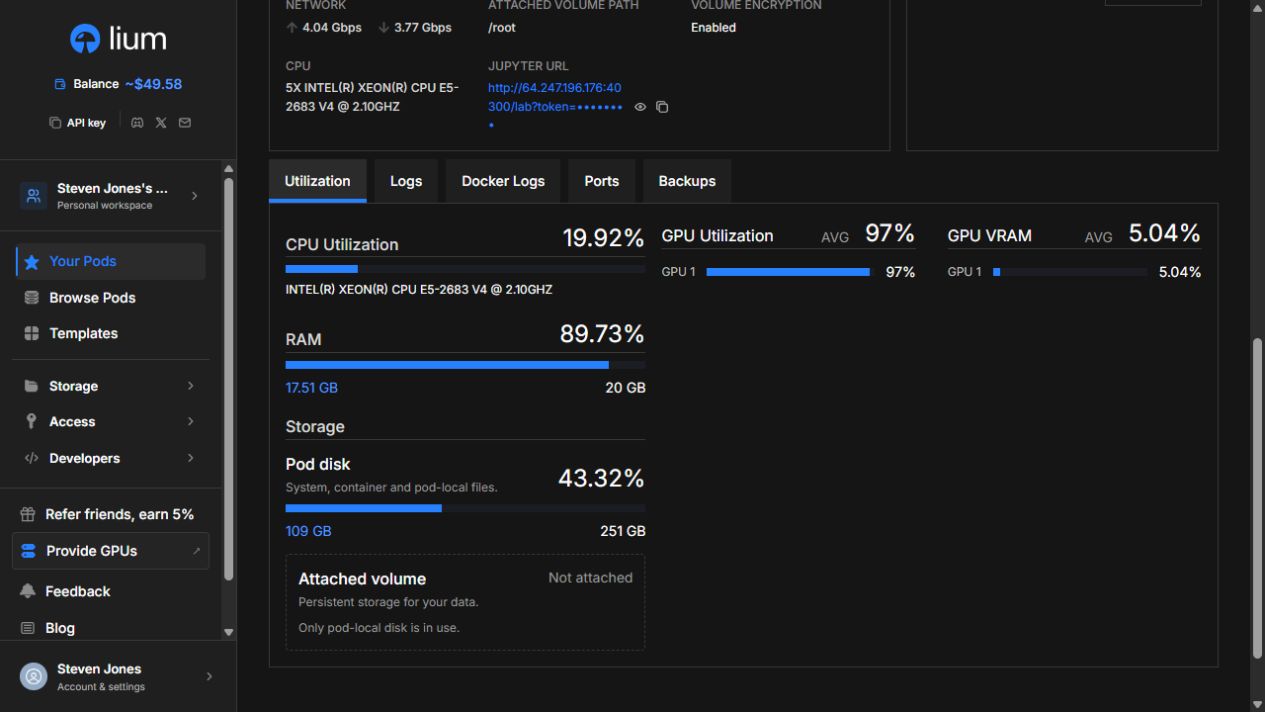
Minute-spaced telemetry showed the 5090 at 99% GPU utilisation during the sustained portion, with sampled temperatures reaching 68°C. The A6000’s sampled temperatures reached 62°C. Neither run reported a CUDA failure. That is useful evidence that the supplied environment could sustain work for several minutes. Still, it is not a 24-hour stability test, a full memory diagnostic or an estimate of marketplace-wide uptime. Fine-tuning a real model to convergence remains outside this review’s test scope.
Finding a host: useful detail, changing availability
Lium’s marketplace exposes the details engineers need to screen an offer: GPU count and memory, CPU, RAM, disk, region, network figures and host-related indicators. The reduced-power label on our 5090 offer was especially useful. Two listings with the same GPU name need not deliver the same power allowance or the same supporting resources. Those differences deserve a place beside the price in any comparison.
We also encountered a concrete availability problem. An H100 PCIe Spot offer was visible in the marketplace, but it was unavailable when we opened it. Following the link to available H100 PCIe nodes returned no matching capacity at that moment. We switched to the A6000 and completed the second test there. No H100 pod was created. This is the kind of interruption to planning that a static list of GPU models cannot communicate.
The lesson is to keep more than one acceptable configuration in your deployment plan. For a batch job, that might mean a different region or a different card with enough memory. For a latency-sensitive service, the alternatives may be much narrower. A map pin, an uptime percentage or a renter rating is useful screening information, but none substitutes for measuring your application on a particular host or verifying its contractual requirements.
Multi-GPU offers also need care. Our earlier November 13 test exposed three RTX 5090s and verified a small PyTorch forward pass on each: that established device access, not distributed scaling. Memory across several cards does not automatically become one large memory pool. If a model needs tensor parallelism or a training job needs NCCL, validate the interconnect and software path before paying for additional cards.
Deployment, SSH and Jupyter: where onboarding catches people
The launch form brings together template selection, the SSH key, storage, ports, encryption, backups and the termination limit. For someone with a pinned image and a public key, this is a useful amount of control. For someone expecting a browser notebook to open after one click, it is a fair amount of infrastructure to understand. An SSH key was required even with Jupyter enabled in our original deployment.
We resolved that properly for the retest with a disposable Ed25519 key pair. Only the public half was registered with Lium; the private key stayed on our computer. Direct SSH worked on both new hosts. Our first connection attempt produced “Too many authentication failures” because the local SSH Agent offered too many identities. Adding IdentitiesOnly=yes and explicitly choosing the matching key fixed it. That was a client configuration issue, not evidence of a broken Lium host.
ssh -i ~/.ssh/your_lium_key -o IdentitiesOnly=yes \
  -o HostKeyAlias=lium-pod-YOUR_POD_ID \
  root@YOUR_POD_IP -p YOUR_SSH_PORT
Use the pod’s own connection details rather than copying another rental’s address or port. The 5090 was observed in Running state roughly 39 seconds after we clicked Deploy. Because we checked state intermittently, this is an upper-bound observation for that status change, not a precise SSH-readiness benchmark. Fast startup on a cached default image should not be extrapolated to a large custom Docker image.
JupyterLab also opened and ran the terminal used for our result capture. The provided notebook link used HTTP with a token, so we kept the work to public weights and synthetic inputs and kept the token out of the article. Treat that link as a credential. For private work, plan an authenticated, encrypted access route appropriate to your environment. Another easily missed detail: this template’s file browser started in /workspace, while our persistence test showed that directory did not survive a pod reboot.
Reboot recovery: the most important practical finding
We created marker files in /root, /workspace and /tmp, plus a 4 MiB synthetic checkpoint under /root/diyai-checkpoints. After using Lium’s Reboot control, the root marker and checkpoint survived. The workspace and temporary markers were gone. A SHA-256 comparison confirmed that the checkpoint bytes were unchanged. Transformers, which we had installed outside the persistent root area for the initial benchmark, were no longer importable.
| Item | After the first reboot |
|---|---|
| Marker under /root | Preserved |
| 4 MiB checkpoint under /root | Preserved; SHA-256 matched |
| Marker under /workspace | Missing |
| Marker under /tmp | Missing |
| Additional global Python dependencies | Transformers no longer importable |
That behaviour changes how you should build a working environment. Treat a reboot as a container recreation with selected persistent storage, rather than assuming every file and package on the machine survives. Put essential code and checkpoints in the intended volume path. Keep the dependency manifest and image version outside the pod as well. A directory called “workspace” is not, by itself, a persistence guarantee.
We then tested a practical remedy: a Python virtual environment under /root/diyai-test/venv, using the template’s system packages and explicitly installed library versions. After a second reboot, that environment still imported PyTorch and Transformers, CUDA remained available, and the checkpoint hash still matched. This was a successful same-pod reboot recovery. It was not a restore onto another provider, recovery from host loss or proof that local storage survives deleting the pod.
Storage and backups: useful features with a credit-account catch
We tried creating a separate Volume and saving a custom hourly backup of our checkpoint folder. Both actions were rejected because the account had not completed a paid top-up. The interface explicitly distinguished signup, referral or admin credits from a completed payment. Having enough review credit to run the GPUs did not satisfy that requirement. We did not add money from a payment method, so cross-pod storage and a backup restore remain unverified in this review.
The backup panel also described an automatic hourly backup with short retention. That is a separate promise from successfully creating our own backup configuration. We did not observe a completed backup or perform a restore during these sessions. The practical friction is that an enabled-looking backup option and a healthy balance can create confidence before a recovery path has actually been tested. Check eligibility and look for a completed, restorable backup before relying on it.
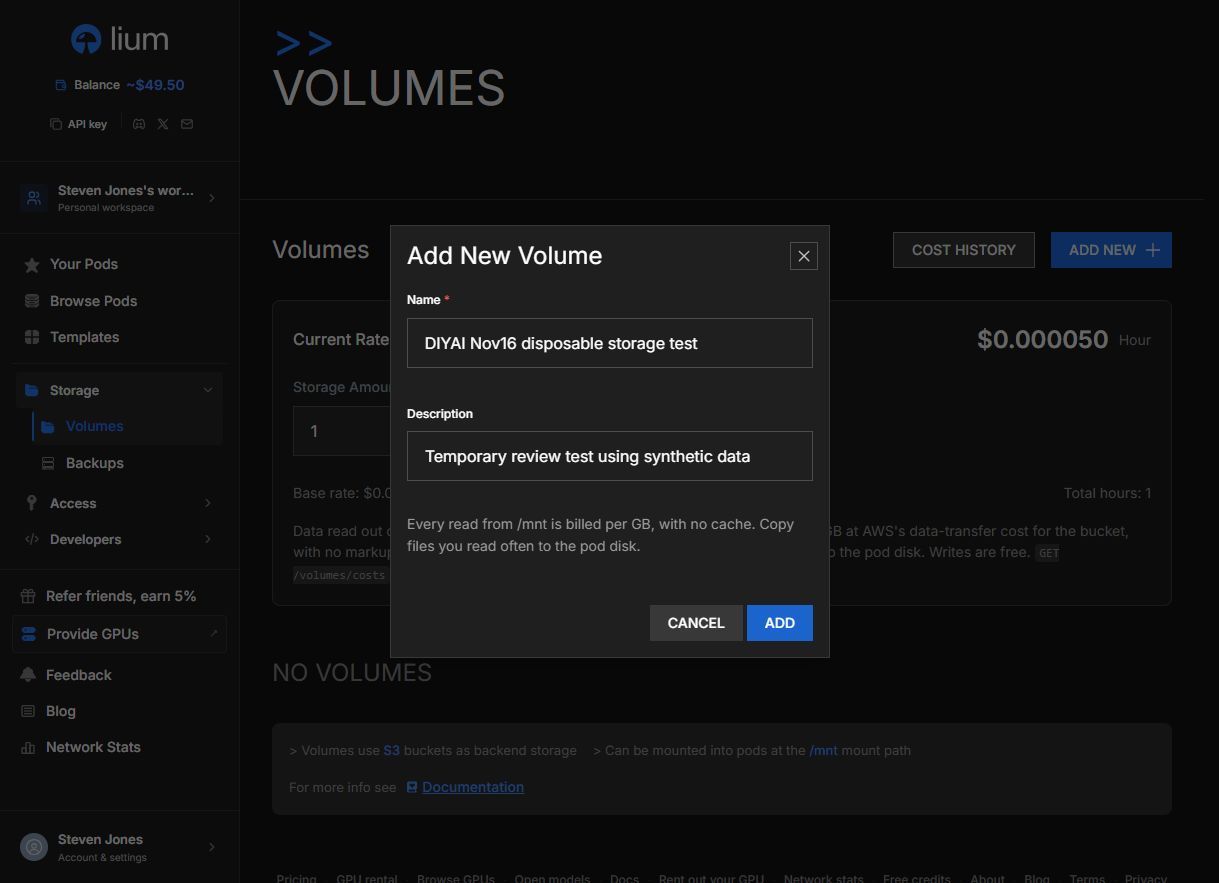
According to Lium’s Volume documentation, attached storage is object-backed and mounted at /mnt. It survives the compute rental, but repeated reads download the data again and incur egress charges. The listed storage rate was $0.00005 per GB-hour, roughly $0.036 per GB over a 720-hour month, before egress. For a workload that repeatedly reads model weights or a dataset, staging active files on local disk can therefore matter for both speed and cost. We did not benchmark mounted-volume throughput.
Our separate local-disk check wrote and synchronised 512 MiB in 0.71 seconds on the 5090 host and 2.29 seconds on the A6000 host. Reading and hashing that file immediately afterwards took 0.34 and 2.48 seconds respectively. Those were small, cache-sensitive checks on encrypted local storage, not uncached fio tests. They confirm working I/O and reinforce that these hosts differed; they do not establish durable-storage performance.
The backup documentation describes path restrictions, exclusions, retention and size limits. Build a recovery drill around your actual checkpoint directory, including optimiser state and progress metadata where needed. Verify a restore on replacement compute before leaving a long job unattended. A backup checkbox is a configuration choice; a recovered job is the outcome that matters.
Professional features: what they add, and what we verified
Reusable templates and custom containers
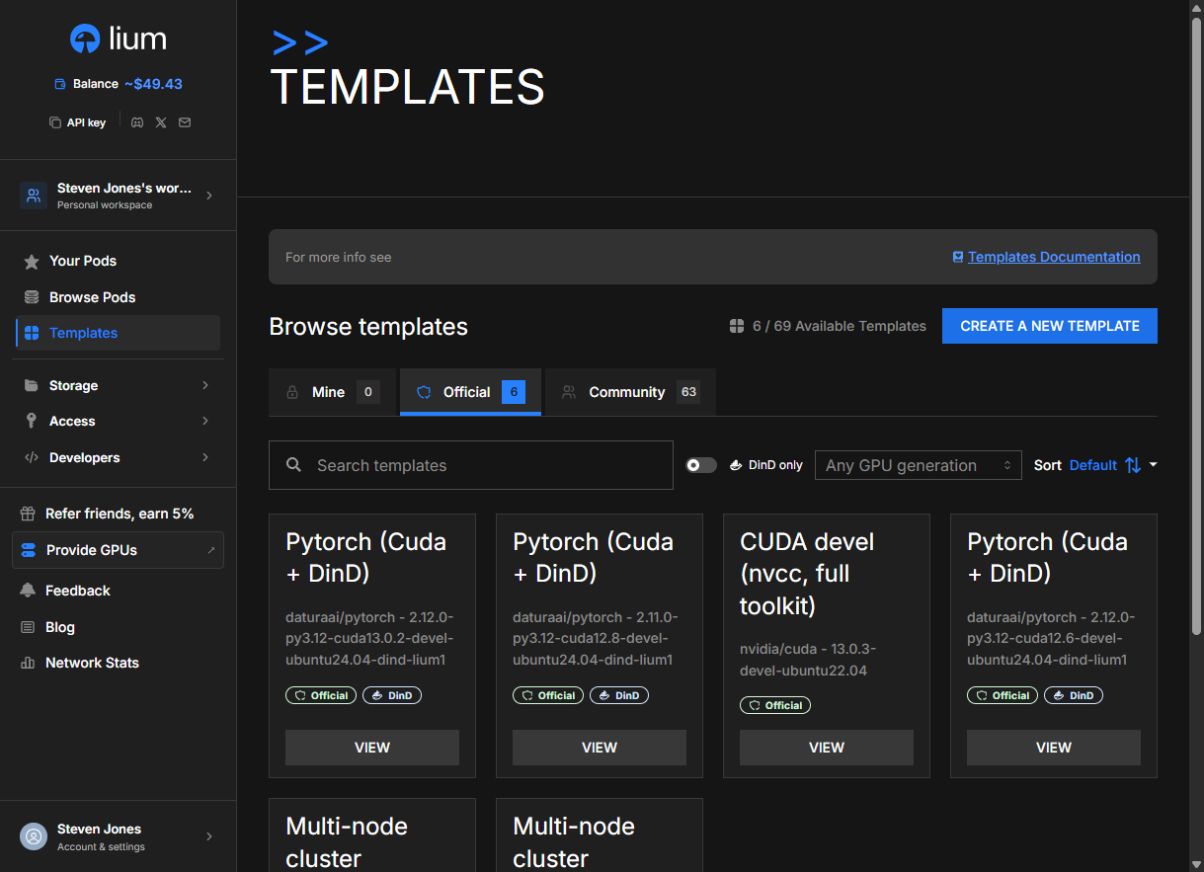
The template browser separates official and community images and lets you filter by GPU generation. We used the official PyTorch image on both hosts. The running-pod editor exposed an image tag or digest, startup commands, environment variables and internal ports. That is the right foundation for a repeatable workflow: define the environment once, then make the job inputs explicit instead of rebuilding an undocumented notebook session by hand.
Lium’s template documentation adds an important qualification: saving a template does not test-boot it, and editing a running pod’s image, ports or startup configuration can restart it. Pin an image digest when reproducibility matters, verify a small deployment after changes and keep secrets out of public templates. We inspected these controls and tested the supplied image; we did not validate arbitrary community templates or a private registry integration.
GPU clock locking and profiling
Clock control was one of the more useful advanced features we actually exercised. On the A6000, we set a 1,200–1,500 MHz range while the synthetic training job was running. NVIDIA telemetry then reported a 1,500 MHz SM clock under load. We reset the setting to default and subsequently observed clocks around 1,905–1,920 MHz. The workload continued through the changes. This helps with controlled experiments, although a fixed clock alone does not make two different hosts identical.
The marketplace also documents a dedicated GPU Profiling (ncu) selection for accessing performance counters. It requires renting the whole machine rather than assuming profiling will work on any inexpensive GPU share. That is useful for kernel developers, but we did not rent a profiling machine or collect an Nsight report. Check the full-machine price before treating that capability as equivalent to an ordinary single-card rental.
API key scopes, visibility and budgets
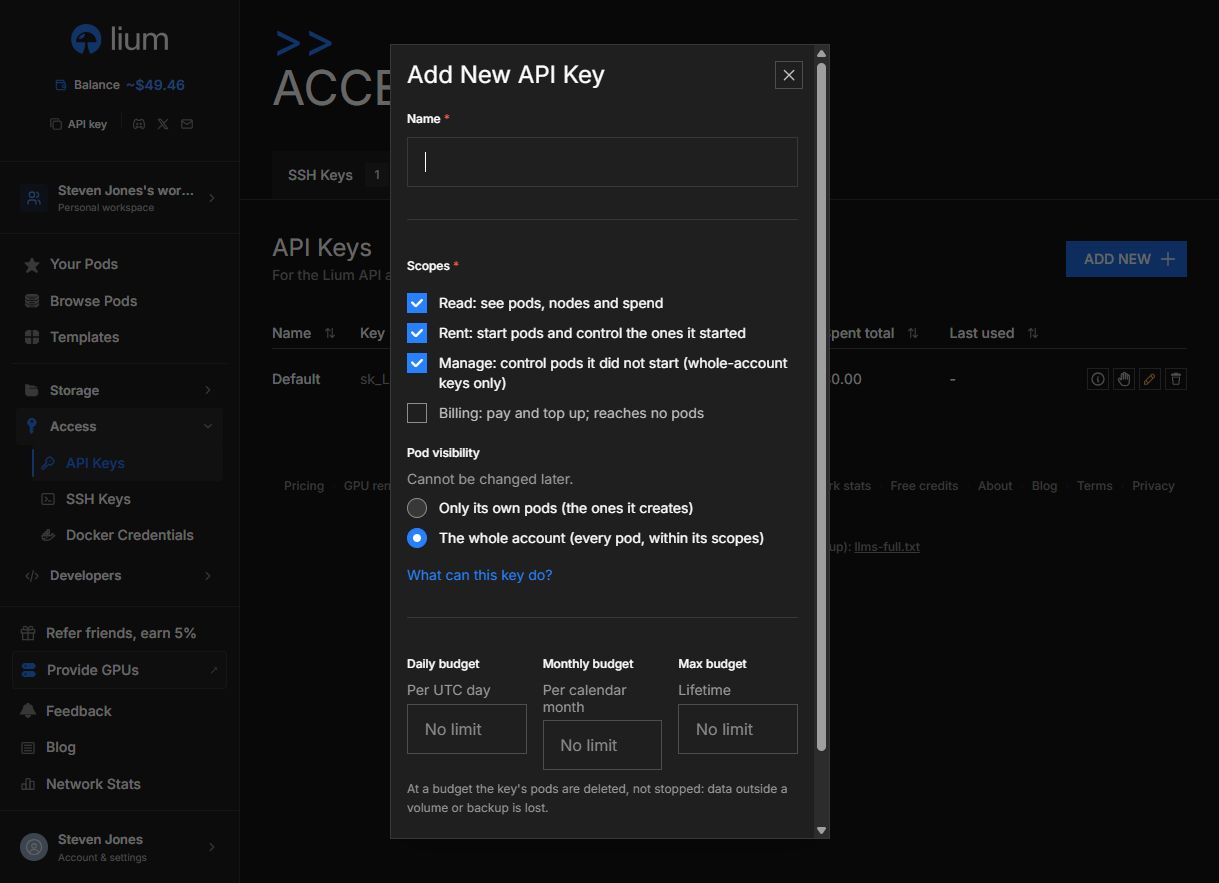
The API-key creation form was more capable than a simple all-access token generator. It exposed Read, Rent, Manage and Billing scopes, plus a choice between the key’s own pods and the whole account. It also offered daily, monthly and lifetime budgets. In the form we inspected, Read, Rent and Manage were selected, whole-account visibility was selected, billing was off, and the budgets were empty. Those defaults deserve attention before handing a key to a script or Agent.
We inspected the form without issuing another key. For a bounded automation job, a narrowly scoped key with its own-pod visibility and an explicit budget is the more deliberate starting point. The form warns that reaching a budget deletes the key’s pods rather than pausing them. Lium’s API-key documentation explains the scope and budget rules. We did not deliberately exhaust a key budget or validate enforcement through the API, so this is an assessed control surface, not an end-to-end automation test.
CLI, Python SDK and AI-agent workflows
Lium also publishes a CLI, Python SDK, REST API and an MCP endpoint for live GPU discovery, prices and documentation. Its official Agent guide puts the CLI at the centre of the operational workflow: find a node, rent it with a time limit, execute a job and remove the pod. The documentation and public discovery surfaces can be read without giving an Agent account-wide credentials. Actual account operations need the appropriate authentication and permissions.
That is useful for repeatable evaluation jobs and development assistants, especially when combined with the key budgets and visibility controls above. It also adds an engineering responsibility: handle unavailable capacity, failed commands and cleanup explicitly, and keep the account key in the controller rather than on an ordinary rented pod. We reviewed these documented integration paths but did not run a CLI, SDK or MCP deployment in this retest. Our measured deployment and lifecycle results came from the web interface and direct SSH.
See more of our reporting in Google Top Stories, AI Overviews and AI Mode.
Team workspaces and distributed clusters
Workspaces group pods, templates, storage, API keys and a shared balance, with owner, admin and member roles. That matters when responsibility needs to survive a single engineer’s notebook session. A team should decide who can create keys, change membership and own billing before sharing a rental workflow. We reviewed the documented roles but did not invite users, transfer billing or audit tenant isolation.
For larger jobs, Lium documents multi-node clusters on a shared RDMA fabric, with InfiniBand, RoCE or EFA indicators. This is a different capability from renting several unrelated marketplace machines. The documentation covers shared networking and replacing a failed member, while making clear that replacement capacity is required and the replacement starts empty. We did not rent a cluster or benchmark NCCL scaling. Treat fabric support as a reason to investigate a suitable cluster, not proof of distributed-training performance from our single-GPU results.
Security: encryption is useful, but understand its boundary
Both tested pods showed local-volume encryption enabled. That is a useful default, but it should not be confused with hiding an active workload from every party operating the machine. Lium’s encryption documentation says ordinary host access can still reach decrypted data and memory while the pod runs. It also describes I/O overhead. We retained the default and did not run an encrypted-versus-unencrypted benchmark.
Lium separately documents Confidential Computing workflows using attestation and a key service controlled by the customer. The documented boundary is nuanced: the CPU-side protection does not automatically attest GPU memory or the CPU–GPU link, and data leaving the VM needs its own protection. We did not test confidential nodes or attest hardware. For private weights or customer data, a security review of the exact offer and data path is essential; the word “Secure” on a marketplace listing is not enough to answer those questions.
Billing and scheduled termination: practical cost controls
The total allocation price is the number to compare. Our November 16 single-card quotes were $0.74/hour and $0.55/hour. The earlier three-card Spot listing was $0.70 per GPU-hour, or $2.10/hour for the complete allocation. At $0.74/hour, ten billable minutes cost roughly $0.123 in compute. None of those examples includes separately billed storage or transfers, and they should not be read as a promise of the next available offer.
Lium’s billing rules describe per-second billing with no minimum and distinguish the node’s default fast-deploy image from other launches. The default starts billing at Running; other successful image launches can be charged from the request. A pod that never starts is treated differently. This distinction matters when testing a large custom image: download and preparation time can change the cost of reaching a useful result. Idle running time also counts.
We verified scheduled termination on the A6000. After saving the results, we changed its deletion time to 16:00 on November 16. The detail page entered Deleting after that deadline, and the pod subsequently disappeared from the active list without a manual deletion. We manually deleted the 5090 after its remaining checks. The interface is slightly unintuitive here: scheduling sits inside the Delete dialogue, rather than the general Edit form.
The compute caps were configured but not exhausted. Scheduled deletion was tested; reaching a dollar cap was not. Neither should be mistaken for graceful application shutdown or request-driven scaling to zero. Save results before the deadline and arrange checkpoints within the job. A cap that prevents extra spend can still end useful work at an inconvenient moment.
The billing page recorded $0.3662 for the RTX 5090 session and $0.1958 for the A6000 session: $0.5620 combined, approximately $0.56. The credit balance ended at $49.31, compared with $49.87 before the retest, and the displayed active compute rate was $0.00/hour. This includes setup and testing time, not just inference. Our earlier November 13 smoke test cost another $0.1291. No persistent Volume was created.
Where Lium fits in a real AI workflow
Public-model inference and evaluation: this was the strongest demonstrated fit. The 5090 offered ample headroom for our unquantised 7B model, good short-request throughput and successful longer-context runs. For your application, repeat the test with its actual context distribution, output length and serving engine. A four-item batch of identical prompts is a controlled experiment, not a realistic mixed request queue.
Training and fine-tuning: the short synthetic loop verified usable compute under sustained load, but it did not establish time to convergence or the feasibility of a specific fine-tune. Check memory for activations, optimiser state and checkpoints. Make the environment reproducible, stage data deliberately and prove recovery. A modest saving on hourly price can disappear if a long run has to restart from the beginning.
Image and video pipelines: the container controls and GPU choice make Lium a plausible place for an existing reproducible workflow. We did not benchmark ComfyUI, image generation or video models in this retest. Plan where large weights and outputs live, and account for repeated object-storage reads; for creative users who want a finished application rather than infrastructure, SSH keys, dependencies and persistence are meaningful setup work.
Always-on customer services: evaluate replacement capacity, monitoring, routing and recovery separately. We did not run a public serving endpoint or test uptime over days. Lium gives engineers useful building blocks, but our successful short sessions do not establish a managed production service. A single marketplace host should not accidentally become your only recovery plan.
What worked well, and what needs planning
| What worked well in our session | Where friction appeared |
|---|---|
| A working default PyTorch environment on two different GPU types. | SSH is required; local key-agent behaviour can complicate first access. |
| Real 7B inference, longer inputs and sustained synthetic training completed. | Performance varied substantially by complete host configuration. |
| The /root checkpoint and a correctly placed virtual environment survived reboot. | /workspace, /tmp and additional global dependencies did not survive the first reboot. |
| Clock locking and reset worked under load on the A6000. | Not every advanced capability is available on every host or allocation. |
| Scheduled deletion automatically ended the A6000 rental. | The scheduling control is inside Delete, and termination needs application-level planning. |
| Scoped keys, budgets and team concepts provide useful professional options. | The key form initially selected broad access with empty budgets; storage required a paid top-up. |
The most valuable improvement to a first-hour workflow is to test the complete lifecycle. Deploy the exact image, get one representative result, save a checkpoint, reboot and verify what survived. Then prove the replacement-host path before committing expensive work. Keep the image version, dependency manifest, model revision and output checks alongside the job. That turns a cheap rental into a repeatable process rather than a one-off successful session.
Final verdict: strong developer control, with operational responsibilities
Lium earned a stronger recommendation after this retest. The RTX 5090 delivered useful real-model performance, both hosts sustained a short training workload, and the clock and scheduled-deletion controls worked in practice. The professional features are substantial: the platform offers a path from an interactive pod toward repeatable containers, bounded automation and team workflows. That is a more compelling story than price alone.
The reservations are equally concrete. Availability changed while we were choosing hardware; reboot persistence surprised us outside /root; and credits alone did not unlock the custom storage and backup tests. None makes Lium unusable, but each affects the cost and reliability of real work. Our recommendation is to shortlist it for developers who can pin their environment and test recovery, then choose a host using completed-job results rather than a headline hourly rate.
Explore Lium GPU offers. Use the measurements here as a starting point, then run the workload you actually intend to keep.
You Might Also Like:

Digitalocean Review 2026

Best Gpu Hosting For AI

Railway Hosting Review 2026