
TRAE AI Review 2026: Is TraeCode Good for Real Projects?
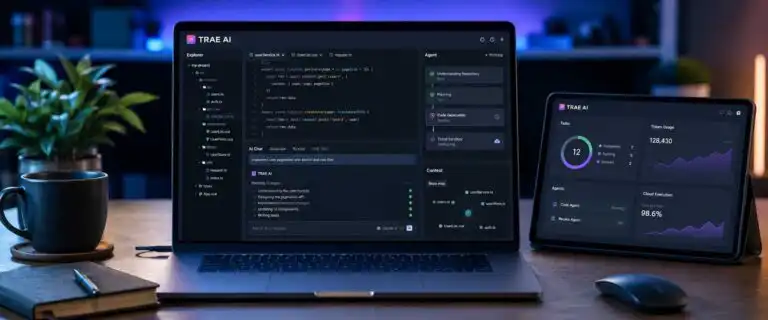
TRAE is no longer just the AI coding editor many developers first tried in 2025. Its current coding product is presented as TraeCode, with IDE Mode for hands-on development and SOLO Mode for more autonomous agent work. TRAE also operates TraeWork, a separate workspace for coding and broader professional tasks.
This TRAE AI review focuses on TraeCode because that is the product developers are evaluating against Cursor, Devin Desktop and terminal agents such as Claude Code. We judge it on repository understanding, multi-file execution, recovery after failed edits, long-session persistence, pricing and the privacy question that matters most for real codebases: what is uploaded, retained or potentially used for model training.
TRAE AI review verdict
| Review question | DIY AI verdict |
|---|---|
| Overall verdict | Worth testing. TraeCode gives developers an unusually capable IDE-plus-agent workflow at a low entry price, but the economics depend on how reliably its agent reaches an accepted result. |
| Best for | Solo developers, technical founders, students and small teams that want a visual AI coding environment with autonomous multi-file work without starting at a premium subscription price. |
| Strongest coding-agent capability | SOLO Mode. It can move from repository context to planning, editing, terminal work and testing while keeping the developer inside a visible IDE workflow. |
| Main limitation | Long repair loops can make performance and cost less predictable. A cheap plan is not automatically cheap if the agent repeatedly diagnoses the same failure, rewrites working code or needs manual repair. |
| Privacy and training | TRAE says codebase files are not used for model training. Code may be temporarily uploaded to build repository indexes, and chat interactions, including related code snippets, may be used for analytics, product improvement and model training when Privacy Mode is disabled. |
| SOLO Mode position | The reason to test TRAE rather than treating it as another autocomplete editor. It is designed for longer autonomous coding tasks, but it should not be treated as an unlimited agent that runs forever without limits or supervision. |
Bottom line: TRAE is strongest when you want an inexpensive entry point to agentic coding without giving up a normal editor. The main buying question is not whether it can generate code. It can. The harder question is how often a longer task reaches a clean, tested result before context growth, retries and manual repair erase the price advantage.
TraeCode, SOLO Mode and TraeWork are related but not interchangeable
TRAE’s name has changed so quickly that older reviews are confusing. The coding product is now presented on the company’s live site as TraeCode, while documentation and older materials may still refer to it as TRAE IDE. Inside TraeCode, developers can switch between a conventional IDE workflow and SOLO Mode.
| Surface | What it is | Best use | What not to confuse it with |
|---|---|---|---|
| TraeCode IDE Mode | A visual development environment with AI completion, chat, repository context, terminal access and agent tools. | Day-to-day coding where the developer wants to inspect changes continuously. | It is not the same as delegating an entire task to SOLO. |
| TraeCode SOLO Mode | TRAE’s more autonomous coding-agent surface for multi-step implementation, debugging and repository work. | Features, refactors, and fixes that require multiple files, commands, and test cycles. | It is not the standalone TraeWork product. |
| TraeWork Code Mode | A conversation-first coding workspace outside the traditional IDE, with cloud-task workflows. | Delegated builds and coding tasks where a full local editor is less important. | It should not be used as evidence that TraeCode itself is a general productivity app. |
| TraeWork Work Mode | A broader AI workspace for research, writing, planning, data analysis and document work. | Professional tasks beyond software development. | It is outside the core scope of this coding review. |
This is why we would not optimise a TraeCode review around the broad query “Trae Work”. The products share the TRAE brand and subscription ecosystem, but the user intent is different. A developer deciding whether TraeCode is a good coding agent needs evidence of repository work, execution control, and repair behaviour, not a long tour of documentation and presentation features.
Where TraeCode is strongest: moving from repository context to autonomous execution
TRAE’s most convincing capability is the transition from assistant to agent. IDE Mode covers the familiar AI-editor jobs: completion, chat, source inspection and targeted edits. SOLO Mode pushes further by letting the agent gather context, modify multiple files, call tools, run commands and continue through a larger implementation.
That matters because many coding tools are excellent at isolated code generation but become awkward when a task crosses boundaries. A real feature might touch a route, a service, a database layer, a UI component, migrations, and tests. The useful agent is the one that can trace those dependencies without turning every step into another manual prompt.
TRAE also supports custom agents, rules, skills, hooks and MCP connections. The practical advantage is repeatability. Project conventions can live outside the prompt, while tools can be scoped to a particular job. For teams already using MCP, our Codex CLI MCP setup guide explains the same underlying permission problem in a terminal-first workflow: every additional connected tool increases capability but also increases the number of actions an agent can take incorrectly.
Does the TRAE agent keep running until you manually stop it?
No. Do not treat TraeCode as an infinite background agent that runs until you press Stop. SOLO Mode is designed for long autonomous sequences, and TRAE’s current plans support context management and large numbers of tool calls within a session. The client can also automatically retry certain retryable execution errors.
There are still boundaries. A task can finish because the agent believes it is done, hits a tool or context limit, requires a permission decision, runs out of usable allowance, encounters an error it cannot recover from or simply needs human input because the evidence is ambiguous. TRAE’s current membership documentation describes up to 200 tool calls per session across modes, so “runs long” and “runs indefinitely” are not the same promise.
This distinction matters in production work. If you want SOLO to handle a long task, give it explicit completion checks rather than an open-ended instruction such as “keep fixing this until everything works”. A better brief specifies the failing tests, allowed directories, the commands it may run, the interfaces that must not change, and the exact conditions that indicate the task is finished.
Repository understanding should be tested by evidence, not a confident explanation
A prompt such as “explain this repository” is too easy. It rewards a plausible architectural summary, even when the model has missed a second implementation, a feature flag or an environment-specific path. The stronger test is to ask TRAE to prove one behaviour across several boundaries before it edits anything.
| Repository test | What a reliable TRAE run should do | Failure signal |
|---|---|---|
| Trace a production behaviour | Name the files in execution order and explain how data or control passes between them. | Lists semantically related files without proving the call path. |
| Find competing implementations | Separate active production code from legacy, test and experimental paths. | Treats the first strong search match as the implementation that actually runs. |
| Make a constrained refactor | Preserve interfaces, update affected tests and keep the diff inside the stated boundary. | Turns a small refactor into unrelated cleanup. |
| Recover from a failed edit | Re-read the error, revise the hypothesis and change strategy when the evidence contradicts the first attempt. | Repeats substantially the same patch with different wording. |
| Resume after a long session | Restate active constraints and unresolved checks before making another change. | Forgets earlier decisions or silently reverses them. |
Run the same task from a clean branch multiple times. Agent output varies, and a single impressive run can mask poor repeatability. Keep the model and task fixed so you are measuring TRAE’s workflow rather than changing two variables simultaneously.
The biggest TRAE limitation appears during recovery, not first-pass coding
The most expensive failure is rarely the first wrong edit. It is the repair loop afterwards. A coding agent can read a failing test, preserve the wrong assumption, adjust nearby code, rerun the test and repeat. Every cycle adds usage, context, and review work, making the session harder to audit.
This is also the recurring practical complaint around low-cost coding agents: the headline subscription looks excellent until a difficult project spends much of its allowance repairing agent-created regressions. That does not prove the tool is deliberately wasting tokens, and the same failure mode can occur with competing agents. It does mean the monthly plan price is a weak value metric on its own.
Track cost per accepted task instead. Add the subscription cost and any on-demand usage, then divide by the number of tasks that pass the required tests without a manual rewrite. Also record the developer’s repair time. A $10 plan can be poor value if most of its autonomous work is discarded, whereas a more expensive plan can be economical if it consistently produces accepted changes with less review debt.
A useful stress test is to deliberately invalidate the agent’s first hypothesis. Use a stale fixture, a misleading error message or a relevant implementation in a non-obvious directory. Then watch what happens after the first failure. Good recovery changes the diagnosis. Weak recovery changes the patch while keeping the diagnosis untouched.
TRAE privacy and training: codebase files and chat data are treated differently
TRAE says it does not use your codebase files for model training. However, that statement should not be simplified into “no code ever leaves your machine”. TRAE says codebase files are stored locally, but files may be temporarily uploaded to create repository embeddings. After indexing, the company says plaintext code is deleted while embeddings and associated metadata are retained.
Chat data has a different rule. TRAE says chat interactions, including related code snippets, may be stored and used for analytics, product improvement and model training when Privacy Mode is disabled. Privacy Mode is the control that limits this use. The company also says that some telemetry remains necessary for basic operations and performance monitoring, even when privacy controls are enabled. These distinctions are set out in TRAE’s data practices.
For a personal open-source project, that may be an acceptable trade-off. For client repositories, unreleased intellectual property, or regulated workloads, the correct workflow is stricter: enable Privacy Mode before sensitive work, exclude secrets and unnecessary directories from the context, check the current contractual terms, and verify what changes when cloud features or external model providers are used.
The practical rule is simple. A local editor interface does not prove that every AI operation is local. Treat indexing, chat context, model calls, MCP servers and cloud tasks as separate data paths and review each one.
TRAE pricing is cheap at the subscription layer, but agent work is usage-priced
TRAE moved to token-based usage in 2026. AI requests consume a dollar-denominated usage allowance based on tokens and model pricing. That makes the entry plans unusually cheap, but it also means two tasks on the same plan can have very different effective costs.
| Plan | Monthly price | Basic Usage | Autocomplete | TraeCode SOLO | Concurrent TraeWork cloud tasks |
|---|---|---|---|---|---|
| Free | $0 | Limited | 5,000 per month | Included | 2 |
| Lite | $3 | $5 | Unlimited | Included | 2 |
| Pro | $10 | $20 | Unlimited | Included | 10 |
| Pro+ | $30 | $90 | Unlimited | Included | 15 |
| Ultra | $100 | $400 | Unlimited | Included | 20 |
Pricing checked on 24 August 2026. TRAE’s live pricing page was advertising a 7-day new-user trial at the time of checking. Regional availability, taxes, annual billing and promotional terms can change.
Basic Usage is the guaranteed monthly allowance shown on the plan table. TRAE also describes Bonus Usage, but does not present it as a fixed entitlement that makes task forecasting easy. If usage is exhausted, heavier users can move to a higher tier or use on-demand billing where available.
Model choice matters because token rates differ. Larger context, longer output, more tool calls and repeated retries increase cost. SOLO is therefore the cheapest when the task is well bounded. The same autonomy that makes it useful can become expensive if the agent is allowed to search, edit and retry without a clear acceptance condition.
TRAE vs Cursor, Devin Desktop and Claude Code
| Tool | Workflow strength | Control style | Main trade-off | Best reason to choose it |
|---|---|---|---|---|
| TRAE / TraeCode | Visual IDE plus SOLO Mode, repository context, custom agents, MCP and cloud-connected product options. | Move between hands-on IDE work and more autonomous agent execution. | Reliability and usage can become less predictable on long, repair-heavy tasks. | Low-cost route into a capable editor-plus-agent workflow. |
| Cursor | Polished editor-led AI workflow with mature codebase retrieval and agent features. | Strong interactive review with local and cloud-agent options. | Costs more to enter than TRAE’s Lite tier and may offer less reason to switch if your current Cursor workflow already works well. | Editor polish and a familiar daily AI coding workflow. |
| Devin Desktop | Local IDE combined with a command centre for local and cloud coding agents. | Designed around delegating, monitoring and reviewing multiple agent tasks. | More agent-orchestration focused than developers need for simple editor assistance. | Teams that want one surface for local and cloud agents. Windsurf became Devin Desktop in June 2026. |
| Claude CodeThe | Terminal-native repository works with project instructions, permissions, hooks, and MCP. | Explicit command-line control and composable automation. | Less suitable for developers who want the AI workflow centred on a visual IDE. | Experienced developers who prefer terminal control over editor ownership. |
TRAE does not need to beat every competitor on every dimension to be worth installing. Its strongest case is economic and practical: you can test a substantial coding agent for very little money. Developers considering another lower-cost, agent-heavy option can also read our Kilo Code review.
MCP, hooks and permissions are valuable only when the agent’s authority is bounded
TRAE’s agent framework can connect to external systems via MCP and use project rules, skills, and hooks to shape behaviour. This is useful for repeatable engineering work, but access design matters more as autonomy increases.
A read-only documentation server poses a very different risk than an MCP server that can modify tickets, run SQL, or deploy code. The same applies to terminal commands. Do not allow an entire shell, package manager or cloud CLI simply because one harmless command appears repeatedly. Allow the narrow operation you trust and keep destructive actions, production credentials and deployment behind an explicit decision.
Hooks are useful for enforcing checks that the model should not be allowed to talk its way around. A pre-commit test, formatting rule, secret scan or blocked production command is stronger than a sentence in the prompt because it moves the constraint into the execution path.
How to test TRAE without being fooled by a clean demo project
Greenfield demos flatter coding agents. The architecture is obvious, the repository is small, and the agent often creates most of the context itself. A useful TRAE trial should start with an existing repository that has conventions, tests and at least one awkward dependency.
| Stage | Task | Record |
|---|---|---|
| 1. Repository map | Ask TRAE to trace one production behaviour without editing. | Correct files found, unsupported assumptions and time to a verifiable answer. |
| 2. Controlled change | Request a three-file change with explicit interfaces and tests. | Files touched, tests passed and unrelated diff size. |
| 3. Failure recovery | Introduce a failure that invalidates the first diagnosis. | Repeated attempts, changed hypotheses and whether the agent re-reads the source of truth. |
| 4. Context endurance | Continue through the review feedback and one additional requirement. | Forgotten constraints, reversed decisions and repeated explanations. |
| 5. Cost check | Repeat from a clean branch with the same model. | Usage and developer repair time per accepted result. |
Three clean runs are more informative than one spectacular demo. Keep the model and acceptance tests fixed, and record the diff after every run. You are trying to measure repeatability, not produce a highlight reel.
See more of our reporting in Google Top Stories, AI Overviews and AI Mode.
Common TRAE mistakes that distort the review
- Giving SOLO a vague project brief: define the files or interfaces that must remain stable and the tests that prove completion.
- Keeping one conversation alive after it starts looping: checkpoint the working code and start a fresh context when the agent repeatedly reopens the same failed path.
- Changing models during a benchmark makes it impossible to tell whether TRAE’s orchestration or the model caused the difference.
- Judging success by lines generated: accepted diffs, passing tests and repair time are the useful outputs.
- When giving every MCP tool write access, keep tools task-specific and make high-impact actions explicit.
- Planning around Bonus Usage: budget from the published Basic Usage and treat bonus capacity as extra headroom.
- Assuming SOLO will run forever, long autonomous execution still has tool, permission, context, usage and error boundaries.
- Confusing TraeWork with TraeCode: choose the coding product based on the engineering workflow, not the broader workspace’s feature list.
TRAE AI pros and cons
| Pros | Cons |
|---|---|
| Very low-cost Lite and Pro entry points | Token-priced usage makes heavy agent work harder to forecast |
| Familiar visual IDE plus autonomous SOLO Mode | Long repair loops can consume usage without producing an accepted result |
| Strong fit for multi-file coding tasks that need tools and terminal access | Repository and session context still need active management on difficult projects |
| Custom agents, rules, skills, hooks and MCP support | More connected tools increase permission and review risk |
| Privacy Mode gives developers explicit control over chat data use | Local code can still be temporarily uploaded for indexing, so “local editor” should not be read as “all AI processing stays local” |
| TraeWork adds cloud and wider professional workflows for users who want them | Fast product renaming makes older documentation and reviews easy to misread |
Who should use TRAE?
TRAE is a strong trial candidate for solo developers, students, technical founders and small teams. Lite is cheap enough to test against a real repository rather than judging the product from screenshots. Pro is the more realistic starting point if SOLO Mode will be used regularly and the $20 Basic Usage allowance matters.
It is less automatic as an enterprise recommendation. Larger teams should establish how code is indexed, what Privacy Mode covers, where data is processed, which model providers receive context, how on-demand spend is controlled and how agent changes are reviewed before giving the tool broad repository access.
Experienced terminal-first developers may still prefer Claude Code’s explicit command-line model. Teams already productive in Cursor need a concrete reason to switch beyond price. Developers building around fleets of local and cloud agents should compare TRAE’s workflow with Devin Desktop rather than treating both as conventional autocomplete editors.
TRAE AI review verdict: test SOLO Mode, but measure accepted work
TRAE is easy to justify testing in 2026. TraeCode combines a familiar visual development environment with a genuinely agentic SOLO Mode, and the $3 Lite and $10 Pro tiers keep the cost of running a real evaluation unusually low.
The limitation is not a lack of features. It is the gap between an agent that can act and an agent that can recover. TRAE looks best when it finds the right repository context, edits within scope, reacts intelligently to a failed test and reaches the acceptance criteria without repeated repair cycles. It looks much less economical when the session grows while the diagnosis stays wrong.
So do not judge TRAE by the monthly fee, the number of generated files or how confidently SOLO describes its plan. Give it a messy existing repository, force one hypothesis to fail and track cost per accepted task. If it still comes out cheap after that test, it has earned a place in the workflow.
Frequently asked questions
Is TRAE AI good?
Yes, TRAE is worth a serious test, especially for developers who want a low-cost visual IDE with autonomous coding features. Its strongest feature is SOLO Mode. Its main weakness is that long or failure-heavy tasks can become less predictable in both reliability and usage.
What is TraeCode?
TraeCode is the current name presented for TRAE’s professional AI coding product. Older documentation and reviews may refer to the same coding surface as the TRAE IDE. It includes IDE Mode for conventional AI-assisted coding and SOLO Mode for more autonomous development tasks.
Is TraeWork the same as TraeCode?
No. They are part of the same TRAE product family, but TraeWork is a broader professional AI workspace with Work, Code and other task modes, while TraeCode is the dedicated coding environment reviewed here.
Does TRAE AI use your code for model training?
TRAE says codebase files are not used for model training. It also says that codebase files may be temporarily uploaded to generate repository embeddings, after which the plaintext is deleted and the embeddings, along with associated metadata, are retained. Chat interactions, including related code snippets, may be used for analytics, product improvement and model training when Privacy Mode is disabled.
Does TRAE keep the coding agent running until you stop it?
Not indefinitely. SOLO Mode is built for long autonomous tasks, and TRAE supports substantial tool use and context management, but sessions still have boundaries for tool calls, usage, permissions, errors, and completions. Treat it as a long-running coding agent, not an unlimited background process.
Is TRAE AI free?
Yes. TRAE has a Free tier with limited AI usage, 5,000 autocomplete uses per month, TraeCode SOLO Mode and up to two concurrent TraeWork cloud tasks. Paid tiers increase the usage allowance and cloud-task concurrency.
Is TRAE better than Cursor?
TRAE is cheaper to start and gives developers an integrated route into SOLO-style autonomous work. Cursor remains a stronger default for teams that already value its editor polish and established workflow. The useful comparison is not feature count but accepted-task reliability, repair time and cost on the same repository.
You Might Also Like:

Best AI Coding Tools 2026

Code Review Automation

Coding Agent Benchmark
