
Best AI Singing Voice Generators for Music in 2026
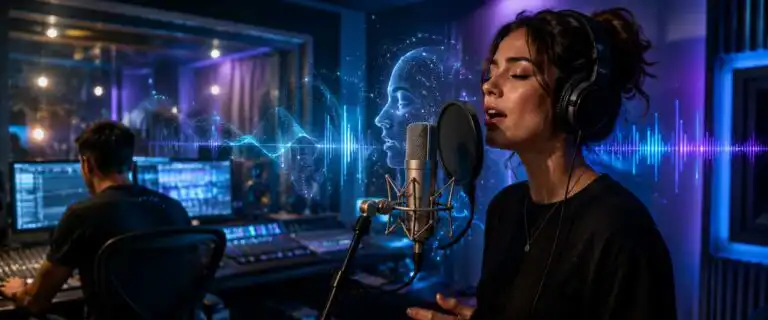
The best AI singing voice generator for music depends on what you want to make: a full song with generated vocals, a demo vocal from written lyrics, a cloned voice you have permission to use, or a voice-converted topline for production work. For most creators, Suno is the strongest starting point for complete AI songs with vocals, while ElevenLabs is the better choice when vocal realism, text-to-singing experiments, and voice quality matter more than full-track generation.
This guide focuses solely on AI-generated singing voices for music. It does not try to replace our broader best AI audio tools guide, which covers narration, speech cleanup, text-to-speech, cloning, podcast workflows and general voice production. Here, the scoring is filtered through a music-specific lens: vocal believability, lyric handling, pitch control, emotional delivery, export usefulness, commercial safety and how much control you keep after generation.
Quick answer: the best AI singing voice generators for music
- Best for complete songs with vocals: Suno
- Best for realistic singing voice experiments: ElevenLabs
- Best for fast song sketches and vocal ideas: Udio
- Best for expressive character-style AI vocals: Fish Audio
- Best for permissioned custom voice cloning: Resemble AI
- Best for technical vocal model experiments: Coqui TTS
- Best for multilingual voice production around music projects: Play.ht
The key distinction is simple. Suno and Udio are music generators that can create full tracks with vocals. ElevenLabs, Fish Audio, Play.ht, Resemble AI and Coqui TTS are voice systems that can help with vocal ideas, voice design, cloning, character delivery or experimental singing workflows, but they are not all full music production platforms.
How we judged AI singing voice generators
The core scores come from the DIY AI 2026 audio dataset, which rates tools across voice realism, language range, editing controls, latency, licensing, clone similarity, emotion range, noise handling and API or integration support. For this page, those scores are kept intact, then interpreted through a singing-specific layer.
That extra layer matters because a tool can be excellent for narration and still poor for music. A convincing spoken voice does not automatically handle held notes, phrasing, vibrato, breath timing, lyric stress or melodic contour. The most useful AI singing voice generator is not always the one with the highest general audio score. It is the one that gives you the right balance between vocal quality, musical output and control.
We judged each option against practical music questions:
- Can it turn lyrics or a prompt into sung vocals?
- Does the vocal sit naturally inside a track?
- Can you control genre, mood, language, gender, character or vocal tone?
- Can you export usable audio for editing, stems, demos or release workflows?
- Does it make rights, cloning and commercial use clear enough for serious projects?
- Does it avoid forcing creators into celebrity-style voice copying or risky AI cover workflows?
Best AI singing voice generators compared
| Rank | Tool | DIY AI overall score | Star rating | Best music use | Main trade-off |
|---|---|---|---|---|---|
| 1 | Suno | 7.7/10 | 3.85/5 | Complete AI songs with vocals, lyrics and production | Less fine control over exact vocal performance than a dedicated vocal synth or DAW workflow |
| 2 | ElevenLabs | 8.9/10 | 4.45/5 | Realistic AI singing voice experiments, vocal colour, expressive voice generation | Not primarily a full songwriting or arrangement platform |
| 3 | Udio | 7.2/10 | 3.60/5 | Fast vocal song sketches and genre variations | Output can be impressive quickly, but detailed vocal editing is still limited |
| 4 | Fish Audio | 8.7/10 | 4.35/5 | Expressive AI voices, character vocals, cloning and experimental vocal delivery | Less enterprise-proven than ElevenLabs and not a complete music generator |
| 5 | Resemble AI | 8.4/10 | 4.20/5 | Custom voice cloning where consent and brand control matter | More technical setup and less casual than prompt-based song tools |
| 6 | Play.ht | 8.6/10 | 4.30/5 | Multilingual voice production around music, demos and spoken hooks | Speech-first tool rather than a specialist singing generator |
| 7 | Coqui TTS | 8.2/10 | 4.10/5 | Open-source vocal model experiments and technical workflows | Requires engineering effort and is not the easiest route for finished songs |
| 8 | Murf AI | 8.3/10 | 4.15/5 | Spoken music promos, demo narration and simple vocal production tasks | Not a serious singing voice generator for melodic vocals |
Suno – best AI singing voice generator for complete songs
Suno is the best first stop if your search intent is literal: you want to type an idea, add lyrics or describe a style, then get a complete song with AI vocals. It is not just an AI voice generator with a music button attached. Its strength is the full-song workflow: vocals, lyrics, arrangement and production all appear together.
That makes Suno especially useful for demos, social music, concept tracks, comedy songs, quick hooks, background ideas and testing whether a lyric has emotional weight. It is also a strong option for people who search for a free online AI singing voice generator, because you can test the workflow before deciding whether it deserves a place in a real production process.
The weakness is control. Prompting can steer genre, mood, tempo, lyrical theme, and vocal feel, but it does not yet offer the same note-by-note authority as a DAW, vocal synth, or session-singer workflow. If the exact melody matters, Suno may get you close quickly, then frustrate you when you try to force a very specific vocal phrasing.
| Pros | Cons |
|---|---|
| Excellent for full AI songs with vocals, based on a short prompt or lyric idea. | Fine vocal control is limited compared with a dedicated singing synth. |
| Good for quick demos, hooks, parody-safe original ideas and social music content. | Regenerating to fix one phrase can change parts you already liked. |
| Fast enough for testing multiple genres and vocal directions in one session. | Commercial use needs careful checking against the current plan and rights terms. |
ElevenLabs – best for realistic AI singing voice quality
ElevenLabs has the highest overall score in the DIY AI audio dataset at 8.9/10. That score is not just a vanity number. It reflects why creators keep using it for voice realism, clone similarity, emotion range and developer access. For music, its value is strongest when you care about the voice itself: vocal tone, character, emotional colour, pronunciation and believable delivery.
ElevenLabs is not the same kind of tool as Suno. It should not be judged solely on whether it produces a complete track from a prompt. It is more useful when you want to audition vocal textures, generate sung or semi-sung lines, create character-led musical moments, build demos, or explore how a lyric might feel in different vocal identities. For a deeper breakdown of its broader voice features, see our ElevenLabs review.
The practical warning is that spoken voice quality does not always equal singing quality. Long notes, pitch slides and rhythmic lyrics expose weaknesses that a normal narration paragraph can hide. Test it with the exact kind of line you plan to use: short chorus phrase, fast rap-style lyric, held vowel, whispered bridge, foreign-language hook or character vocal.
| Pros | Cons |
|---|---|
| Top DIY AI audio score at 8.9/10, with strong realism and emotion range. | Not the most direct choice for generating a complete song. |
| Useful for realistic vocal colour, character delivery and voice experimentation. | Musical phrasing still needs close checking, especially on long notes. |
| Strong API and workflow options for creators building repeatable audio systems. | High-quality results depend heavily on prompt wording and voice selection. |
Udio – best for fast AI vocal song sketches
Udio is another strong option for people who want AI vocals inside finished musical ideas rather than isolated voice clips. It is particularly good for quick sketching: describe a sound, provide or generate lyrics, and test several arrangements without having to build the whole track manually.
While Suno often feels like the better first pick for speed and accessibility, Udio can be useful when you want to explore alternative genres, vocal moods, and arrangement directions. It suits writers who are not trying to finalise a master’s in the tool itself, but want to hear what a lyric might become as indie pop, country, synthwave, rock, soul or electronic music.
The limitation is again control. Udio can produce compelling results, but you are often steering a generative system rather than directing a session vocalist. If you need a vocal to hit a particular melodic rhythm, sit around a fixed chord progression or match an existing production, expect iteration.
| Pros | Cons |
|---|---|
| Strong for turning lyrics and prompts into quick AI vocal song concepts. | Lower DIY AI overall score than Suno in the audio dataset. |
| Good for exploring genres, hooks and arrangement directions quickly. | Detailed vocal correction is still harder than in a conventional music workflow. |
| Useful for writers who want inspiration before committing to production. | Generated vocals can vary sharply between attempts. |
Fish Audio – best expressive AI vocal tool for character voices
Fish Audio scores 8.7/10 in the DIY AI audio dataset, placing it second overall behind ElevenLabs. Its strengths are expressive text-to-speech, cloning, emotion control and character-style voice generation. That makes it relevant for music creators who care less about generating a full song and more about finding an unusual vocal identity.
For example, Fish Audio can be a good fit for spoken hooks, animated character vocals, narrative song sections, dramatic intros, game music, creator tracks and demos where the vocal needs personality. It is not the safest conservative enterprise option, and it is not a full-fledged music generator like Suno, but its expressive range gives it a real place in an AI singing-voice workflow. Our full Fish Audio review covers the broader platform in more detail.
The main thing to watch is rights control. Do not treat every public voice, character style or uploaded clone as commercially safe. For music release work, the safest route is still a voice you own, a licensed voice, or a model with explicit permission for the exact use case.
| Pros | Cons |
|---|---|
| Very strong DIY AI score at 8.7/10, with excellent emotion range. | Not a dedicated full-track music generator. |
| Good for character vocals, expressive delivery and voice experiments. | Commercial rights need careful checking by voice and plan. |
| Useful for creators who want more personality than a flat synthetic vocal. | Less established than some older enterprise voice platforms. |
Resemble AI – best for controlled custom voice cloning
Resemble AI is the most sensible pick here when the brief is not “make me a random AI singer”, but “build a controlled voice asset we have permission to use”. That distinction matters. AI voice cloning for singing is one of the highest-risk areas in this category because it sits right on the boundary between useful production technology and unauthorised imitation.
Resemble AI scores 8.4/10 overall in the DIY AI audio dataset, with strong clone similarity and editing controls. It is a better match for teams, agencies, game studios and music projects that need a repeatable voice identity rather than a one-off prompt result.
The trade-off is set up. It is not the fastest tool for someone who wants an instant AI song. You need cleaner source material, clearer rights, better internal rules and more patience. That extra friction is not a bad thing when voice ownership matters.
| Pros | Cons |
|---|---|
| Good fit for permissioned custom voice cloning and repeatable voice assets. | More technical and process-heavy than casual AI song tools. |
| Strong clone similarity score in the DIY AI dataset. | Not built primarily for quick text-to-song generation. |
| Better for controlled brand, game or media workflows. | Requires cleaner source audio and stricter rights management. |
Play.ht – best supporting tool for multilingual music projects
Play.ht is not a specialist AI singing voice generator, so it should not be forced into that role. Its strengths are scalable text-to-speech, multilingual voice work, and API-friendly production. That can still matter in music-adjacent projects: artist explainers, multilingual intros, DJ drops, spoken hooks, localisation, pre-rolls, demos and creator content around a song.
It scores 8.6/10 on the DIY AI audio dataset, placing it above most general voice tools. The reason it ranks lower on this page is simple: it’s about singing-voice generation for music, not general voiceover. For broader language and accent work, our Spanish text-to-speech guide and British accent text-to-speech guide are better matches.
Coqui TTS – best for technical vocal experiments
Coqui TTS is an option to consider if you have technical skills and want more control than a closed consumer interface offers. It scores 8.2/10 on the DIY AI audio dataset and is strongest for open-source-friendly text-to-speech experimentation, customisation, and engineering-led workflows.
For music, that usually means prototypes rather than finished tracks. You might use it to test voice models, explore custom pipelines, build internal tools or experiment with synthetic vocal delivery. It is not the simplest recommendation for a songwriter who wants a chorus by lunchtime.
The upside is flexibility. The downside is that flexibility costs time. You will need to consider model selection, data quality, inference, post-processing, and rights. For most musicians, that is too much overhead. For technical creators, it may be a reason to use it.
What about Kits AI, Musicfy, ACE Studio, Audimee and Lalals?
These names often appear around AI singing voice conversion, AI cover makers, vocal replacement, and singing voice cloning. They are relevant to the search landscape, but they are not included in the main scored table because they are not part of the current DIY AI audio dataset used for this page.
That does not mean they are useless. It means they should be judged in a slightly different article type: a dedicated AI voice conversion or AI cover tools comparison. Those tools often focus on replacing the vocal timbre of an existing performance, building cover-style vocals or working with uploaded singing. That is a different workflow from generating a full song from text.
The risk level is also different. Any tool marketed around celebrity voices, famous artist models, cartoon characters, anime voices or “sound like this singer” workflows needs stricter scrutiny. For private experimentation, the legal and ethical stakes may feel abstract. For public release, streaming distribution, adverts or client work, they are not abstract at all.
Text-to-singing vs voice cloning vs AI cover makers
AI singing tools are often grouped together, but they do not all work the same way. Choosing the wrong type is the fastest route to poor results.
| Workflow | What it does | Best for | Watch out for |
|---|---|---|---|
| Text-to-song | Turns a prompt or lyrics into a complete track with AI vocals | Song sketches, demos, social content and rapid ideas | Limited control over exact melody and vocal detail |
| Text-to-singing | Turns written lyrics into a sung or semi-sung vocal line | Vocal auditions, hooks, character lines and topline ideas | Can struggle with phrasing, held notes and musical timing |
| Voice conversion | Changes the tone or identity of an existing vocal performance | Testing vocal colours over a real melody | Rights issues if the target voice is not yours or licensed |
| Voice cloning | Creates a reusable model from source voice recordings | Permissioned artist models, games, branded vocals and demos | Consent, source quality and commercial licence terms |
| AI cover maker | Uses AI to remake or reinterpret an existing song or vocal style | Private practice, novelty experiments and concept testing | High copyright, likeness and platform-policy risk |
IBM’s text-to-speech explainer is useful background for the speech side of this technology, but singing adds another layer: pitch, rhythm, phrasing, melody and musical intent. A normal TTS engine can read lyrics beautifully and still fail as a singer.
How to make an AI singing voice without wasting credits
The best workflow starts before you open the generator. Weak lyrics, unclear genre direction, and vague prompts usually result in generic vocals. Treat AI singing tools like a fast demo assistant, not a mind reader.
- Write the lyric first. Even rough lyrics give the model more shape than a vague mood prompt.
- Decide the vocal role. Lead vocal, backing vocal, spoken hook, ad-lib, chorus demo and character line all need different settings.
- Choose the right tool type. Use Suno or Udio for full songs. Use ElevenLabs, Fish Audio or Resemble AI when the voice identity matters more than the arrangement.
- Generate in batches. Do not judge the model from one output. Create several takes, then compare phrasing and tone.
- Export and edit. Bring the best result into your DAW where possible. Comp, EQ, trim, tune, and arrange it like any other vocal asset.
- Check rights before publishing. This includes lyrics, voice model, source audio, samples, stems and platform terms.
One practical trick: test with a difficult line early. Use a lyric with a held vowel, a fast phrase, a name, a foreign-language word or a hard consonant cluster. If the vocal collapses there, it will probably collapse later in the track too.
Free AI singing voice generators: what to expect
Free AI singing voice generators are useful for testing, but they are rarely the best route for release-ready music. Free tiers often limit credits, queue speed, export quality, stem access, commercial rights or private generation. Some free online tools also push users towards celebrity-style voice models, which is a bad foundation for serious music work.
A free tool is fine for answering questions such as:
- Can this lyric work as a sung hook?
- Does this genre direction suit the vocal?
- Do I prefer a male, female or androgynous vocal tone?
- Can the model handle my language, accent or pronunciation?
- Is this worth moving into a paid workflow?
It is less suitable for client music, commercial releases, paid adverts, sync pitches or anything involving cloned voices. If a site promises a free AI celebrity-singing voice generator with no sign-up, no usage limits, and no clear rights page, assume the risk is being pushed onto you.
See more of our reporting in Google Top Stories, AI Overviews and AI Mode.
Commercial rights, AI covers and celebrity voices
This is where many AI singing-voice articles are overly casual. The fun part is typing a prompt and hearing a voice sing back. The serious part is knowing whether you can use that voice in public.
There are three separate rights questions:
- The song rights: Are the lyrics, melody, backing track and samples original or licensed?
- Voice rights: Do you own the voice model, or do you have permission to use it?
- The platform rights: Does your plan allow commercial use, distribution, client work or monetised content?
Do not clone a singer, actor, creator, friend, client or employee without clear permission. Do not build a commercial song around a famous artist’s voice, a cartoon character’s voice or a recognisable public figure’s voice unless you have the rights. Even if a tool technically allows it, platforms, distributors, advertisers and rightsholders may not.
Best AI singing voice generator by use case
| Use case | Best pick | Why |
|---|---|---|
| Complete an AI song from text | Suno | Fastest route from prompt or lyrics to a finished vocal track idea. |
| Realistic vocal voice quality | ElevenLabs | Highest DIY AI audio score and strongest balance of realism, emotion and cloning depth. |
| Songwriting sketches | Udio | Useful for hearing lyrics in different styles and arrangements quickly. |
| Expressive character vocals | Fish Audio | Strong emotional range and character-style voice generation. |
| Permissioned cloned voice | Resemble AI | Better fit for controlled voice assets where consent and repeatability matter. |
| Technical open-source experiments | Coqui TTS | Good for custom pipelines and developer-led vocal model work. |
| Music-adjacent narration and localisation | Play.ht | Strong scalable voice platform, especially when singing is only part of a wider audio workflow. |
Common mistakes with AI singing voice generators
Using a speech voice tool and expecting a polished singer
A beautiful spoken voice can still sound awkward when asked to sing. Singing exposes pitch stability, breath illusion, vowel shaping and timing. Always test with sung phrases, not just spoken scripts.
Choosing the tool before choosing the workflow
Start with the output. If you need a whole track, use a music generator. If you need a reusable vocal identity, use a cloning tool. If you need to transform an existing voice, look at voice conversion. These are different jobs.
Ignoring stems and exports
A generated song that sounds good in the browser can become hard to use if you cannot separate vocals, adjust the mix, remove artefacts or export at a quality suitable for editing. For serious work, export options matter almost as much as generation quality.
Overusing famous-name prompts
Prompts built around recognisable artists may get attention, but they are weak foundations for publishable work. Use genre, mood, vocal range, era, instrumentation and emotion instead of trying to imitate a specific singer.
Not editing the output
AI vocals still benefit from normal production judgment. Comp the best take, remove weak sections, EQ carefully, control sibilance, use reverb with restraint and avoid stacking artefacts under heavy processing. Tools can generate material quickly, but they do not replace listening.
Verdict: Which AI singing voice generator should you use?
Choose Suno if you want the simplest path from idea to a complete AI song with vocals. Choose ElevenLabs if the voice quality itself matters most and you want the strongest overall AI voice platform in the DIY AI dataset. Choose Udio if you want fast alternate song sketches. Choose Fish Audio for expressive, character-style vocals. Choose Resemble AI if cloning control and permissioned voice assets matter more than speed.
The safest, most serious workflow is usually a hybrid one: generate ideas in Suno or Udio, refine vocal identity with a stronger voice tool where appropriate, and then finish the track in a proper editing environment. For cleanup and spoken-audio repair in music content, tools such as Adobe Podcast Enhancer can help, and our Adobe Podcast AI Enhancer review explains where it fits.
The best AI singing voice generator is not the one that produces the flashiest first result. It is the one that gives you a usable vocal, a clear rights position and enough control to keep the final track from sounding like everyone else’s prompt output.
FAQs
What is the best AI singing voice generator for music?
Suno is the best starting point for complete AI songs with vocals. ElevenLabs is the better pick when realistic voice quality, vocal identity and expressive AI voice generation matter more than full-track creation.
Is there a free online AI singing voice generator?
Yes, several AI singing and AI music tools offer free testing, but free plans usually come with limits on credits, export quality, privacy, usage rights or commercial release. Use free tools to test ideas, not to assume a track is safe to publish.
Can AI generate singing from text?
Yes. Text-to-song tools can turn prompts or lyrics into sung vocals inside a full track. Text-to-singing and voice tools can also generate sung or semi-sung vocal lines, although control varies by platform.
How do I make my own AI singing voice?
The safest method is to record clean samples of your own voice, use a tool that supports permissioned voice cloning, and test short phrases before generating longer vocals. Use dry recordings, avoid background music and check the licence before releasing anything commercially.
Are AI celebrity singing voice generators legal?
They are risky. Even when a tool can imitate a famous singer, actor or character, that does not mean you have the right to publish or monetise the result. Avoid celebrity voice cloning for commercial music unless you have explicit permission.
Is Suno better than Udio?
Suno outperforms Udio on the DIY AI audio dataset and is the better first pick for most complete AI song workflows. Udio is still useful for fast songwriting sketches, genre variations and hearing lyrics in different arrangements.
Can ElevenLabs sing?
ElevenLabs offers singing-voice functionality and is useful for vocal experiments, singing-voice text-to-speech, and expressive voice generation. It is strongest when the vocal sound matters, but it is not the same as a complete AI song generator like Suno.
What is the best AI voice changer for singing?
For voice changing and cloning, Resemble AI and Fish Audio are stronger fits than general music generators. The right choice depends on whether you need a permissioned cloned voice, a character voice, or a creative voice-conversion workflow.
Can I use AI singing vocals commercially?
Only if the song, lyrics, samples, voice model and platform plan allow it. Check the tool’s current commercial terms, avoid unauthorised clones, and keep records of source audio and permissions for any voice you use.
You Might Also Like:

AI Voice And Audio Tools
Fish Audio Review
Adobe Podcast AI Enhancer Review

I created the most beautiful, emotional male voice with Elevenlabs! Highly recommend