
TypingMind Review 2026: Lifetime Licence, API Costs and Multi-Model Workflows
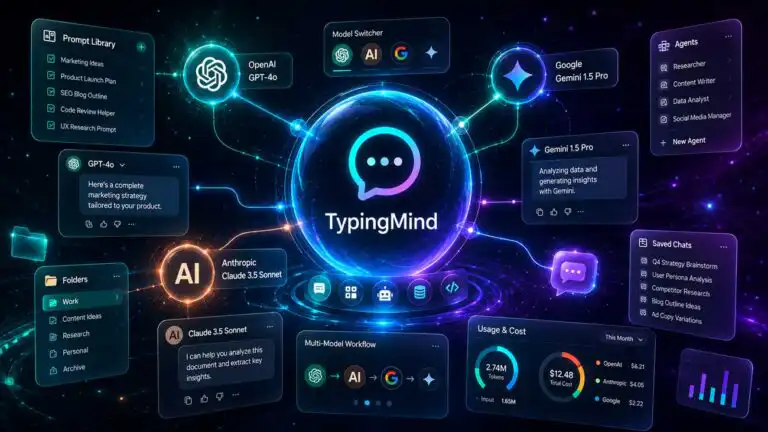
TypingMind is a polished multi-model chat interface for people who want to use OpenAI, Anthropic, Google and other AI providers from one workspace. Its lifetime licence looks cheaper than maintaining several AI subscriptions, but the licence does not include model usage: you supply the API keys and pay each provider separately.
This TypingMind review examines the purchase as an operating-cost decision rather than a one-off software deal. It covers the current licence tiers, realistic API-cost profiles, model switching, prompt and project workflows, device syncing, data storage, setup friction and the point at which a normal ChatGPT, Claude or Gemini subscription becomes better value.
Quick verdict: TypingMind is a strong purchase for an individual who regularly changes models, wants reusable prompts and agents, and can keep API spend under control. It is less convincing for heavy long-context use, people who rely on first-party features such as native memory and deep research, or teams that need central billing and access controls.
What is TypingMind?
TypingMind is a browser-based frontend for large language model APIs. Instead of paying TypingMind for a bundle of AI messages, you connect your own provider accounts and API keys. TypingMind supplies the interface, chat organisation, prompt library, agents, projects, file tools, plugins and multi-model controls.
The product sits between a raw API console and a consumer AI subscription. It is easier to use than building a custom interface, but it still exposes decisions that ChatGPT Plus or Claude Pro normally hides: provider billing, model IDs, context limits, token prices, rate limits and API-key security.
This is why TypingMind should not be described as a cheaper version of ChatGPT. It is a control layer for several providers. The value comes from consolidating models and workflows, not from making premium inference free.
TypingMind pricing in 2026: the lifetime licence is only half the bill
Prices were checked on 22 July 2026. The TypingMind pricing page listed three individual lifetime tiers. All are one-time payments, but API usage and additional Cloud storage are separate.
| Plan | Price checked | Important additions | Best fit |
|---|---|---|---|
| Standard | $39 once | Basic chat, AI agents, voice input and chat sharing | Single-model users who need a cleaner API chat interface |
| Extended | $79 once | Document uploads, web search, vision, image tools and text-to-speech | Research and multimodal work without advanced model comparison |
| Premium | $99 promotional price at time of check, with $198 shown as the crossed-out price | Multi-model chats, unlimited plugins, projects, folders and artefacts | People buying TypingMind specifically for a consolidated multi-model workflow |
The Premium tier is the relevant benchmark for this review because multi-model responses and project organisation are central to TypingMind’s advantage. The temporary-looking discount deserves attention. At $99, the first-year economics are attractive. At $198, the break-even point against a single AI subscription becomes much tighter.
The real TypingMind cost: licence plus API usage
Your first-year total is:
Licence price + 12 months of provider API charges + optional storage + tax.
API spend depends on four variables: the models selected, the amount of text sent, the amount generated and how much earlier conversation context is included with each request. Long chats are the common trap. A short new prompt can still be expensive when it carries a large conversation, project instructions, an uploaded document, and agent configuration behind it.
The scenarios below use the $99 Premium purchase and illustrative blended token rates. They are not provider tariffs or a prediction of an individual bill. They show how usage pattern and model choice change the result.
| Usage profile | Monthly token assumption | Blended rate assumption per 1M tokens | Estimated API cost | First-year total |
|---|---|---|---|---|
| Light economical use | 1M input, 0.25M output | $0.50 input, $2 output | $1 per month | $111 |
| Regular balanced use | 3M input, 0.6M output | $2 input, $10 output | $12 per month | $243 |
| Heavy premium-model use | 12M input, 2M output | $5 input, $25 output | $110 per month | $1,419 |
The light profile is where the lifetime proposition works best. A user who sends occasional research, drafting and summarisation tasks to lower-cost models can recover the licence cost quickly. The regular profile lands close to the annual cost of one mainstream AI subscription. The heavy profile demonstrates why pay-as-you-go is not automatically cheap.
Model selection is therefore part of the purchase, not a setting to ignore. Our AI model comparison is useful here because an economical routing policy often saves more than choosing the cheapest TypingMind tier.
The break-even API budget most reviews miss
Using a $20 monthly subscription as the comparison point, one subscription costs $240 over 12 months. Three separate subscriptions cost roughly $680 to $720 a year, depending on annual discounts and local pricing.
| Comparison | API budget with $99 Premium licence | API budget if Premium returns to $198 |
|---|---|---|
| Beat one $20 subscription in year one | Less than $11.75 per month | Less than $3.50 per month |
| Beat three $20 subscriptions in year one | Less than $51.75 per month | Less than $43.50 per month |
| Beat one $20 subscription after year one | Less than $20 per month | Less than $20 per month |
This framework is more useful than asking whether $99 is cheap. TypingMind is compelling for someone replacing two or three lightly used subscriptions. It is much less compelling when replacing one heavily used first-party app, especially if API spend exceeds $20 every month.
TypingMind vs ChatGPT Plus, Claude Pro and Google AI Pro
ChatGPT Plus and Claude Pro were each listed at $20 per month in the US when checked, while Google AI Pro was $19.99 per month. These subscriptions bundle model access with each provider’s own interface and product features. TypingMind separates the interface from the model bill.
| Decision factor | TypingMind with APIs | First-party subscription |
|---|---|---|
| Provider choice | OpenAI, Anthropic, Google and many other providers in one interface | Primarily one provider’s models and ecosystem |
| Billing | Variable, token-based provider charges | Predictable monthly fee, subject to usage limits |
| Model comparison | Switch models or run several responses in parallel | Usually limited to models from one provider |
| First-party features | Only features exposed through supported APIs and TypingMind integrations | Native memory, research, coding, media or workspace features vary by provider |
| Setup | API accounts, billing, keys and model configuration required | Sign in and subscribe |
| Cost risk | Can be very low or unexpectedly high | Predictable, but usage caps may interrupt work |
The feature gap is easy to underestimate. API access to a model does not reproduce every capability in the provider’s consumer app. Memory, proprietary research modes, native connectors, specialised coding environments and bundled media generation may be unavailable, implemented differently or billed separately.
People who mainly use one provider should compare the complete workflow, not just model quality. Our ChatGPT review covers the value of the first-party interface and tools that an API frontend does not automatically replace.
Multi-model workflows are TypingMind’s strongest feature and biggest cost multiplier
TypingMind can switch models during a conversation and can send the same prompt to several models at once. In multi-model mode, each model keeps its own conversation branch, and the user can select a preferred response or combine outputs into a final answer.
This is genuinely useful for work where model differences affect the result. A practical sequence is to use a fast, inexpensive model for extraction, a stronger writing model for synthesis and a reasoning model only for the difficult decision. Keeping those stages separate avoids paying premium rates for routine work.
Parallel comparison should be used deliberately. Selecting three models creates three provider requests. File context, web-search results and long message histories may be processed several times. A prompt that costs a few pence with one model can become a visible recurring expense when multiplied across models and repeated throughout a long project.
A better routing workflow
- Use one low-cost model for first-pass classification, extraction and formatting.
- Escalate only uncertain or high-value tasks to a stronger model.
- Run parallel comparisons on final outputs, not every intermediate prompt.
- Fork a conversation before testing a different approach, so irrelevant context does not keep growing.
- Start a fresh chat with a structured summary when the original thread becomes expensive or confused.
A recurring real-world complaint is that API bills rise without an obvious increase in the number of prompts. The cause is often context growth rather than message count. TypingMind provides token and cost estimates plus automatic context summarisation, but provider dashboards should remain the source of truth for spend.
Prompts, projects and agents turn it into more than a chat wrapper
The strongest productivity features are the ones that remove repeated setup. Prompts can be saved with variables, agents can carry fixed instructions and model settings, and projects can combine a preferred model, system instructions and relevant files.
This supports a cleaner operating pattern than keeping one enormous chat alive for weeks. For example, a content project can hold editorial rules and reference files, while separate chats cover research, outlining and editing. The project supplies stable context without forcing every unrelated discussion into the same thread.
Agents are useful for repeatable roles, but they need maintenance. A model change can alter instruction-following behaviour, plugins may have different permissions, and an agent designed around one provider’s tool format may not transfer neatly to another. Treat agents as configuration assets that need versioning and periodic checks, not permanent employees.
The prompt library, folders, tags, full-text search, chat forking, and export tools are less glamorous but often deliver more daily value than adding another model. They reduce the time spent finding prior work and rebuilding the same instruction set.
API-key setup is manageable, but not beginner-proof
TypingMind does not require coding, yet the initial setup assumes a basic understanding of API accounts and usage billing. A sensible setup process is:
- Create a developer or platform account with each model provider.
- Add a payment method or prepaid balance where required.
- Set provider-level spend alerts and hard limits before generating a key.
- Create a restricted key where the provider supports permissions.
- Add the key to TypingMind and enable local encryption.
- Select only the models required for the workflow.
- Run a small test, then verify the charge in the provider billing dashboard.
- Choose a backup or sync method before storing important chats.
The common mistake is to paste several unrestricted keys into the app and start experimenting with premium models before setting a budget. TypingMind can estimate usage, but the provider controls the final bill. A compromised key can also create charges outside TypingMind, so provider-side limits matter more than interface warnings.
Local storage improves control but creates a backup obligation
TypingMind stores chats, prompts, settings and API keys locally by default. API requests can travel directly from the browser to the selected model provider rather than through a TypingMind application server. The key can be protected with password-based encryption.
Local-first storage is useful for privacy and ownership, but it is not the same as a managed backup. Clearing browser storage, changing browser profiles or losing a device can remove data that has not been exported or synced. Each browser and device combination also counts separately towards the individual licence’s five-device allowance.
Optional Cloud Sync can carry chats, prompts, agents, plugins, keys and settings across devices. The current free allocation is 50MB, with additional storage available separately. Once Cloud Sync is enabled, the simple claim that everything remains only on the device no longer describes the whole workflow.
This is another recurring source of buyer disappointment. A lifetime interface licence does not mean unlimited lifetime cloud storage. Users working with many uploaded files should include storage and backup behaviour in the purchase decision rather than discovering it after migration.
See more of our reporting in Google Top Stories, AI Overviews and AI Mode.
Individual licence, bulk licence or TypingMind Teams?
The normal lifetime licence is designed for one user across up to five browser and device combinations. It is not a substitute for central team administration. Sharing personal API keys or one licence informally creates weak offboarding, unclear cost ownership and no dependable permission boundary.
TypingMind also listed a $395 bulk Premium licence for up to 10 users and 50 devices. This can suit a small trusted group that mainly needs access to the individual product. TypingMind Teams starts at $99 per month for five seats and adds preset API keys, shared prompts, agents and plugins, with higher plans adding project features, retrieval, analytics, SSO and stronger administration.
The bulk licence is cheaper, but it does not solve every governance problem. A business should price the admin time required to rotate keys, separate client data, monitor provider spend and remove access. Once those controls matter, the recurring team product or a provider’s own business plan can be the more defensible purchase.
TypingMind pros and cons
| Pros | Cons |
|---|---|
|
|
Who should buy TypingMind?
TypingMind is a good fit for:
- Independent professionals who use two or more model providers.
- People who want to route simple tasks to cheap models and difficult tasks to premium ones.
- Researchers, writers and developers who need projects, reusable prompts and searchable chat history.
- Users comfortable managing API keys, billing limits and backups.
- People whose expected API spend stays below the cost of the subscriptions being replaced.
It is probably the wrong purchase for:
- Someone who works almost entirely inside one provider’s ecosystem.
- Heavy users who regularly run premium models across very long conversations.
- Beginners who want a fixed monthly bill and no API administration.
- Teams needing SSO, central access control, consolidated billing and auditability.
- Anyone expecting the lifetime licence to include unlimited AI usage or unlimited cloud storage.
TypingMind review verdict
TypingMind earns its place when it is used as a model-routing and workflow tool, not merely as a prettier chat box. The ability to compare providers, preserve reusable prompts, organise project context and move work between models can replace several fragmented interfaces.
The lifetime licence is good value at $99 for a disciplined individual whose API bill averages below roughly $12 per month in the first year. It becomes even stronger in later years because the licence cost has already been absorbed. Buyers should be more cautious if the Premium price returns to $198, if Cloud storage is essential or if daily work depends on expensive models and long context.
The practical decision is simple: estimate one month of API usage before cancelling existing subscriptions. Run normal work, include multi-model comparisons, file uploads and long chats, then compare the provider bill with the first-party features you would lose. TypingMind is worth buying when cross-model control saves more time and money than the extra administration costs.
Frequently asked questions
Does TypingMind include ChatGPT, Claude or Gemini usage?
No. The TypingMind licence pays for the interface and its premium features. You need separate API access, and each provider bills usage under its own pricing and account rules.
Do I need ChatGPT Plus to use OpenAI models in TypingMind?
No. ChatGPT Plus and OpenAI API billing are separate products. A Plus subscription does not supply free API usage, and an API balance does not provide a Plus subscription.
Can TypingMind switch models in the same conversation?
Yes. It supports mid-conversation model changes and parallel multi-model responses. Parallel mode sends paid requests to every selected model, so it should be reserved for prompts where comparison adds real value.
Is TypingMind private?
It is local-first by default, and API keys can be encrypted on the device. Prompts still go to the selected AI provider, while cloud sync, plugins, web search and other integrations can introduce additional services. Privacy therefore depends on the complete configuration, not only the TypingMind interface.
Is the TypingMind lifetime licence suitable for teams?
The individual licence is intended for one person and up to five browser-device combinations. A bulk licence can cover a small group, but organisations needing shared keys, user management, SSO, analytics or stronger access control should assess TypingMind Teams instead.
You Might Also Like:

Best AI Productivity Tools 2026

Duey AI Review 2026

Granola VS Fathom
