
Is ChatGPT Private? What It Stores and How to Use It More Privately
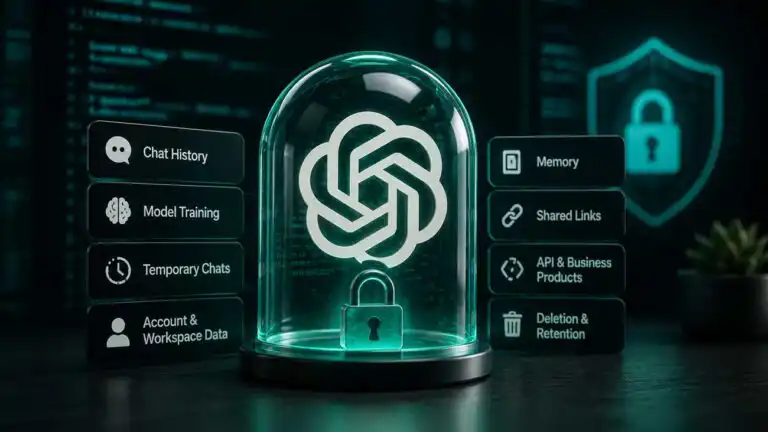
ChatGPT is not private in the same way as an offline notebook or a document stored only on your computer. Your prompts, replies, uploads and account activity are processed on OpenAI’s systems. Depending on your plan and settings, conversations may remain in your history, influence memory or be eligible for model improvement.
That does not mean your chats are public by default. It means ChatGPT privacy depends on several separate controls that are easy to confuse. This guide explains what normal chats store, what the training toggle changes, how Temporary Chat and Memory work, what workspace administrators may see, and which information should never be pasted into a consumer AI account.
Quick answer: ChatGPT can be used reasonably privately for low-sensitivity work if you switch off model improvement, review Memory, secure your account and avoid shared links. It should not be treated as a confidential vault, an encrypted messenger or a safe place for raw secrets.
What ChatGPT stores depends on six different layers
Most privacy confusion starts because people treat “stored”, “remembered” and “used for training” as the same thing. They are not. A conversation can remain visible in your account without being used to improve models. A saved memory can survive after its original chat is deleted. A temporary conversation can disappear from your sidebar while still being retained for a limited safety window.
| Privacy layer | What it controls | What it does not control |
|---|---|---|
| Conversation history | Whether a normal chat remains in your account | Whether it is used for model improvement |
| Model-improvement setting | Whether new consumer chats may be used to improve OpenAI models | Whether chats remain visible in history |
| Temporary Chat | History, memory and model-improvement use for that conversation | Immediate deletion or zero-retention processing |
| Memory | What ChatGPT can carry into later conversations | The underlying chat record or mentions in old chats |
| Shared links | Who can open a shared snapshot using its URL | Copies another person has imported into their own account |
| Workspace policy | Admin access, retention and business data controls | The privacy rules of a separate personal workspace |
Does ChatGPT save conversations?
Yes. Normal ChatGPT conversations are saved to your account until you delete them. Archiving a chat only removes it from the main sidebar. It does not delete the conversation or shorten its retention period.
When you delete a chat, it disappears from your account immediately and is scheduled for permanent deletion from OpenAI’s systems within 30 days. OpenAI lists exceptions where content has already been de-identified and separated from your account, or where longer retention is required for legal or security reasons. Deleted chats cannot be restored through the interface or support.
Uploads need an extra check. On accounts with ChatGPT Library, a file saved to the Library can be managed separately from the conversation that originally used it. Deleting the chat may not delete that Library file. Files attached to custom GPTs or projects can also remain until the GPT or project is deleted.
Turning off model training does not turn off chat history
Personal ChatGPT users can open Settings > Data Controls and switch off Improve the model for everyone. Once disabled, new conversations should not be used to train or improve OpenAI’s general models. The setting applies across the account rather than only to the device where you changed it.
Your chats can still remain in the sidebar. This is useful if you want searchable history without contributing new conversations to model improvement. It also means the toggle is not a deletion control and does not make existing content disappear.
There is a less obvious exception: if you deliberately submit product feedback on a response, OpenAI says the conversation associated with that feedback may be used for model improvement even when you have otherwise opted out. Avoid rating a sensitive conversation unless you are comfortable sharing the whole exchange for that purpose. OpenAI explains this distinction in its model-improvement data guide.
Temporary Chat is more private, but it is not zero retention
Temporary Chat is the best consumer setting for a one-off conversation you do not want added to history or memory. Temporary chats are not used to train OpenAI’s models, do not appear in normal chat history, and do not use or create ChatGPT memories.
The name can create false confidence. Temporary chats are retained for up to 30 days and may be reviewed for abuse monitoring. Treat the feature as a cleaner, lower-retention mode, not as an incognito channel that leaves no server-side record.
A useful decision rule is simple: use Temporary Chat for disposable context, awkward personal questions or work that you do not need to revisit. Do not use it for passwords, unreleased commercial information, identifiable medical records or anything that requires contractual zero retention.
ChatGPT Memory is separate from the chat that created it
Memory allows ChatGPT to personalise later replies using information from earlier interactions. Depending on your plan and the version of Memory available to your account, this can include explicitly saved details and useful context drawn from previous chats.
The deletion trap is important: removing a conversation does not necessarily remove a saved memory created from it. Saved memories are stored separately from chat history. The reverse is also true. Deleting a memory does not erase the original sentence from an old conversation.
To remove a personal detail properly, delete the relevant saved memory in Settings > Personalisation > Memory and delete the chat where the information appeared. Turning Memory off stops future use, but it is worth reviewing and clearing existing memories rather than assuming the switch erases them.
This is one of the most common real-world privacy mistakes: people clear a chat, then are surprised when a detail still influences a later response. The safer habit is to ask ChatGPT what it remembers, inspect the memory controls, and remove both the memory and its source conversation where needed.
Shared links can expose more of a conversation than expected
A ChatGPT shared link creates a viewable snapshot. Anyone who obtains the link can open the shared content, and consumer shared links do not provide granular viewer permissions or an automatic expiry date.
Before sharing, check how much of the conversation is included. A link created from the chat-level share control can contain the full visible exchange up to that point, not just the final answer you intended to show. Names are not automatically attached to the shared page, but the conversation itself may contain identifying details.
Deleting the original chat or unsharing the link makes the link unavailable. It cannot remove a copy that another person has already imported into their own chat history. Shared links should therefore be treated like unlisted web pages, not access-controlled documents.
Personal accounts and workspaces have different privacy boundaries
ChatGPT Free, Go, Plus and Pro are consumer products. Their privacy depends mainly on your account settings, the features you use and what you submit. ChatGPT Business, Enterprise and Edu operate under business data terms and do not use workspace inputs and outputs for model training by default.
Business products add administrative control, not personal secrecy from your employer. Workspace administrators may be able to control retention, export data, delete conversations or access audit and compliance records. A work account should be treated as an organisation-managed system, even if your chats are not visible to ordinary colleagues.
Keep personal conversations in a personal workspace and work material in the approved business workspace. Mixing the two creates avoidable problems when employment ends, an administrator changes retention settings, or the organisation needs to investigate an incident.
The ChatGPT API is not the same as consumer ChatGPT
Data sent through the OpenAI API is not used to train OpenAI’s models by default. That makes the API a better foundation for controlled business workflows than copying confidential data into a personal ChatGPT account.
It is still incorrect to describe the standard API as automatically zero retention. OpenAI may retain abuse-monitoring logs containing prompts, responses and related metadata for up to 30 days. Qualifying customers can apply for stricter controls such as Modified Abuse Monitoring or Zero Data Retention, but eligibility and endpoint behaviour matter.
The application around the API creates its own privacy surface as well. A developer can store prompts in a database, log requests, send them to analytics tools or expose them through weak access controls. The API’s policy is only one part of the full data path.
ChatGPT security and ChatGPT privacy are different problems
Security protects your account and data from unauthorised access. Privacy controls how information is collected, retained, remembered and reused. Strong encryption does not stop a legitimate account holder, workspace administrator or shared-link viewer from seeing information they are authorised to access.
OpenAI states that content is encrypted at rest and in transit. Users should still enable multi-factor authentication or a passkey, review active sessions, sign out of unfamiliar devices and use a unique password. Account takeover is a more immediate risk than model training for many users because an intruder can read visible history, saved files and memories in one place.
For a broader assessment of features, limitations and account options, see our full ChatGPT review.
Information you should not submit to consumer ChatGPT
The safest privacy control is data minimisation. Do not paste information merely because a setting makes its use less likely. Remove anything the task does not need.
- Passwords, authentication codes, recovery keys, private API keys or cryptographic secrets
- Full card details, bank credentials, tax identifiers or identity-document numbers
- Identifiable medical records, legal advice files or counselling notes
- Unreleased source code, client data, internal financials or documents covered by an NDA
- Personal data about employees, customers, pupils, patients or other third parties
- Private email threads containing names, signatures, addresses or commercially sensitive attachments
For many tasks, redaction preserves most of the value. Replace names with roles, remove contact details, round financial figures, strip document metadata and submit only the paragraph or function needed for the question. When automating emails with ChatGPT, keep credentials in the automation platform’s secret store and send the model only the minimum message content required for classification or drafting.
See more of our reporting in Google Top Stories, AI Overviews and AI Mode.
A practical five-minute ChatGPT privacy setup
- Disable model improvement: open Settings, select Data Controls and switch off Improve the model for everyone.
- Audit Memory: review saved memories and any setting that lets ChatGPT reference past chats. Delete information you no longer want reused.
- Review shared links: remove old links, especially those created from long conversations.
- Check chats and files separately: delete sensitive conversations, then inspect Library, projects and custom GPTs for retained uploads.
- Secure the account: enable MFA or a passkey, review active sessions and sign out devices you do not recognise.
- Use the right product: move confidential organisational work to an approved Business or Enterprise workspace, a properly configured API workflow, or private and self-hosted LLMs running offline.
This setup reduces ordinary privacy risk, but it does not convert consumer ChatGPT into a regulated records system. Organisations still need a data classification policy, approved-use rules and a clear decision about which categories of information may be sent to any external AI provider.
How ChatGPT privacy compares with Claude, Gemini and Copilot
The main consumer AI assistants now offer some combination of training controls, conversation deletion and temporary or incognito modes. Their defaults, retention periods and account structures differ enough that one provider’s setting should never be assumed to work like another’s.
| Assistant | Main consumer privacy controls | Practical caution |
|---|---|---|
| ChatGPT | Model-improvement toggle, Temporary Chat, Memory controls and shared-link management | Temporary chats still have a limited retention window, and Memory is separate from history |
| Claude | Model-improvement control and Incognito chats | Consumer and work accounts follow different data rules |
| Gemini | Gemini Apps Activity and related Google Account controls | Human-reviewed data can follow different retention rules from ordinary activity |
| Copilot | Training and personalisation controls with deletable conversation history | Consumer conversations are retained for a defined history period unless deleted |
None should receive secrets simply because it has an incognito-style button. The provider, account type, retention policy, connected apps and your own device security all affect the real privacy outcome.
Is ChatGPT private enough for everyday use?
For brainstorming, rewriting public information, learning and low-risk personal organisation, ChatGPT can be private enough when its controls are configured carefully. The risk rises sharply when prompts contain identifiers, confidential documents, credentials or information belonging to someone else.
The strictest practical rule is to assume every submitted prompt is data being handed to an external service. Use privacy settings to reduce retention and reuse, but use redaction, product selection and restraint to control what leaves your device in the first place.
ChatGPT privacy FAQs
Can other ChatGPT users see my conversations?
Not by default. Other users can see a conversation if you create a shared link, publish content, share your account or work inside a collaborative feature that exposes it to them. Anyone with a consumer shared-link URL can view the shared snapshot.
Can OpenAI staff read ChatGPT conversations?
Authorised access can occur for limited purposes such as support, abuse investigation, security and legal compliance. Temporary chats may also be reviewed for abuse monitoring. This is another reason not to submit raw secrets.
Does deleting a ChatGPT conversation delete it immediately?
It is removed from your account view immediately and scheduled for deletion from OpenAI’s systems within 30 days, subject to stated legal, security and de-identification exceptions.
Does deleting a chat remove ChatGPT Memory?
No. Saved memories are stored separately. Delete the memory and the original chat if you want to remove both the reusable detail and the conversation where it appeared.
Is Temporary Chat completely private?
No. It is more private than a normal consumer chat because it avoids history, memory and model improvement, but OpenAI retains it for up to 30 days and may review it for abuse monitoring.
Can my employer see my ChatGPT conversations?
If you use an organisation-managed ChatGPT workspace, administrators may have retention, export, deletion or compliance access. A personal account has a different boundary, although activity on an employer-managed device or network may still be monitored separately.
You Might Also Like:

AI Agent Security

Private Llm

Local Llm
