
Best AI Solar Design Software in 2026: Residential, Commercial and Utility Tools
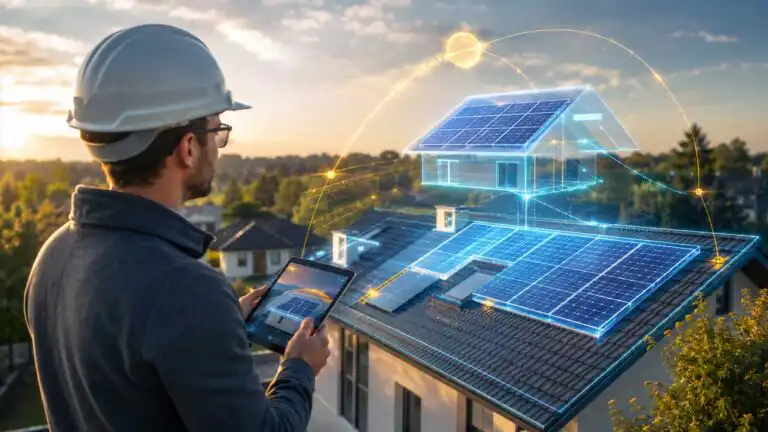
The best AI solar design software depends on the type of project being designed. Aurora Solar is the strongest overall option for high-volume residential design and sales. OpenSolar is the best free end-to-end platform, Easy-PV is the most practical choice for many UK installers, and HelioScope is better suited to commercial and industrial systems.
Utility-scale developers need a different class of software. PVcase and RatedPower focus on site feasibility, terrain-aware layouts, electrical design and repeatable engineering, while PVsyst remains an important simulation benchmark even though it is not an AI-first platform. This comparison separates genuine design automation from marketing claims and examines roof modelling, obstruction detection, shading, yield estimation, electrical design, proposals, UK workflow support, and pricing.
The key limitation applies to every product here: automation can create a fast first design, but it cannot confirm roof condition, structural capacity, cable routes, fire access, grid constraints or the current height of a tree captured in old imagery. The best platform is the one that reduces repetitive work without encouraging the designer to trust unverified inputs.
Best AI solar design tools at a glance
| Software | Best for | AI or automation strength | Published pricing | Editorial rating |
|---|---|---|---|---|
| Aurora Solar | Residential design and sales | Fast roof modelling, obstruction detection, panel placement and stringing | From $159 per user per month, or $135 per month billed annually | 4.8/5 |
| HelioScope | Commercial and industrial PV | AI obstruction detection, LiDAR-assisted modelling and rapid design iteration | From $159 per licence per month | 4.7/5 |
| PVcase | Construction-ready C&I and utility design | Automated layout, stringing, cable routing and terrain-aware engineering | Quote-based | 4.6/5 |
| OpenSolar | Free residential design and proposals | Automated layouts, 3D design, consumption modelling and workflow automation | Core platform is free; API access and connectors may cost extra | 4.5/5 |
| Easy-PV | UK residential installers | Guided roof design, electrical checks, schematics and document automation | Free entry option, with paid Pro and Enterprise features | 4.5/5 |
| RatedPower | Utility-scale feasibility and optimisation | Automated plant configurations, yield estimates, BoM, CAPEX and LCOE comparisons | Quote-based | 4.5/5 |
| PVsyst | Detailed energy simulation and validation | Limited AI, but deep physics-based modelling and repeatable simulations | CHF 700 per year for PVsyst 8 Professional | 4.4/5 |
| SolarEdge Designer | SolarEdge-based residential systems | AI-assisted 3D modelling, roof detection and equipment-specific design | Free within the SolarEdge ecosystem | 4.2/5 |
Pricing was checked in June 2026. Quote-based plans, regional availability, and optional imagery, engineering, or integration charges can affect the actual cost. These are editorial category-fit ratings based on documented capability, project coverage, workflow depth, value and practical limitations. They are not scores from an existing DIY AI engineering dataset.
How we compared the software
Solar software should not be ranked solely on the speed of its roof animation or the polish of its customer proposal. A useful comparison has to follow the design from the site input to a reviewable output.
- Site modelling: roof geometry, terrain, LiDAR, imagery quality, setbacks and obstruction handling.
- Layout automation: panel placement, row spacing, orientation, stringing and equipment rules.
- Simulation: shading, irradiance, losses, weather data, consumption matching and storage behaviour.
- Engineering depth: electrical checks, cable routing, schematics, bills of materials and construction outputs.
- Workflow: proposals, pricing, CRM connections, APIs, project handover and team controls.
- Market fit: whether the platform suits UK residential work, C&I design or utility-scale development.
- Value: the cost relative to project volume and the amount of separate software it can replace.
AI receives credit where it removes a genuine manual step, such as detecting roof faces or generating a viable first layout. It receives less credit where the label is attached to conventional rules-based automation. A system that produces a fast answer from poor imagery is not more accurate simply because the process used machine learning.
What AI actually does in solar design software
Most current solar design platforms use AI in a narrow, useful layer rather than allowing a general-purpose model to engineer the complete system. Computer vision can identify roof planes, ridges, vents and nearby obstructions. Optimisation algorithms can test panel placements, orientations, row spacing or equipment combinations against a target capacity or energy offset. Some tools also flag conflicts, infer roof pitch, automate stringing or recommend battery capacity. When confirming the exact number of panels required, use a helpful tool, such as this solar panel sizing calculator.
The underlying yield model is usually a separate calculation engine. It combines weather data, irradiance, component specifications, shading, temperature losses, inverter behaviour and system assumptions. For larger projects, the serious work also includes topography, earthworks, cable runs, tracker geometry, grid connection and financial sensitivity.
This creates an important buying distinction. Residential sales teams often need a credible design and proposal in minutes. Engineers working on a 5 MW commercial array or a 100 MW solar farm need controlled assumptions, traceable revisions and outputs that can survive technical review. Faster roof detection does not close that gap.
Aurora Solar: best overall for residential solar design
Rating: 4.8/5
Aurora Solar offers the strongest combination of remote site modelling, automated residential design, shade analysis, battery modelling and proposal tools. Its AI-assisted roof modelling can quickly generate a 3D site model when suitable imagery and LiDAR are available. AutoDesigner can then place panels against energy targets and equipment rules, while automated stringing and obstruction handling cut more repetitive work.
The platform makes the most sense for installers producing enough residential proposals to justify a per-user subscription. Basic pricing starts at $159 per user per month, with an annual equivalent of $135 per month. Premium rises to $259 per month, or $220 per month when billed annually, adding LiDAR-assisted modelling, shade reports, and battery modelling. AI-assisted site models, APIs and more advanced controls sit higher in the product structure.
Aurora is less convincing as a universal engineering platform. Its residential workflow and US market depth are major strengths, but larger flat-roof, ground-mounted, and complex electrical projects may be a better fit for HelioScope, PVcase, or RatedPower. UK teams should also check which imagery, local proposal features and compliance workflows apply in their region rather than assuming every US feature transfers directly.
| Pros | Cons |
|---|---|
| Very fast residential roof and array modelling.Strong shade, storage and proposal workflow.Useful automation for panel placement and stringing. | Per-user cost can be high for small installers. Best features sit above the entry plan. Not the first choice for complex utility engineering. |
HelioScope: best for commercial and industrial PV
Rating: 4.7/5
HelioScope is built for C&I designers who need to move beyond a residential sales layout without adopting a heavy utility-scale CAD workflow. It handles rooftop, carport and ground-mount designs, produces detailed simulations, supports CAD exports and generates single-line diagrams. The Pro plan adds LiDAR-assisted modelling, AI-based obstruction detection, financial modelling and probabilistic P90, P95 and P99 outputs.
The Basic plan costs $159 per licence per month and supports designs up to 1.25 MW DC, with ten projects per month. Pro costs $259 per licence per month and raises the design ceiling to 5 MW DC. Enterprise supports larger designs, trackers, PVsyst export, APIs and custom project pricing.
HelioScope is particularly useful when rapid iteration matters. A designer can compare module orientation, row spacing, inverter loading and shading decisions without rebuilding the entire project. Its weakness is that it still requires engineering judgement. AI can identify an obstruction in the site data, but it cannot determine whether the source data is current or whether a roof can support the proposed loading.
| Pros | Cons |
|---|---|
| Well matched to C&I rooftop and carport work.Strong simulation and design iteration.Clear upgrade path from small to larger projects. | Project limits apply to individual licences. Advanced AI and financial features require Pro. Does not replace structural or electrical sign-off. |
PVcase: best for detailed CAD-based solar engineering
Rating: 4.6/5
PVcase is the better fit when the output needs to progress towards construction rather than stop at a sales proposal. Its product range covers prospecting, ground-mount design, roof-mount design and yield analysis. The AutoCAD-based workflow is familiar to engineering teams and can automate layout generation, string sizing, cable routing, equipment placement and terrain-aware design work.
For commercial rooftops, PVcase can work with detailed digital site models and drone-derived data. For ground-mount projects, it helps designers adapt rows to terrain and test buildable configurations without manually redrawing every iteration. That makes it more suitable than Aurora or OpenSolar for EPCs and engineering firms already working in CAD.
The trade-off is complexity and price transparency. Plans are quote-based, and the platform is excessive for an installer who only needs to design a domestic roof and send a proposal. Its automation also assumes that the team understands the engineering rules being encoded. A bad constraint can be repeated at high speed across an entire site.
| Pros | Cons |
|---|---|
| Strong construction-oriented CAD workflow.Useful automation for layout, stringing and cabling.Suitable for complex C&I and utility projects. | Quote-based pricing reduces buying transparency. Requires stronger CAD and engineering skills.Unnecessarily heavy for basic residential proposals. |
OpenSolar: best free end-to-end solar platform
Rating: 4.5/5
OpenSolar remains the most capable free starting point for residential solar professionals. The core platform covers site design, energy modelling, hardware selection, pricing, proposals, payments and project management. This makes it attractive to new installers and smaller teams that cannot justify separate subscriptions for design, CRM and proposal software.
The core app remains free in 2026. From 16 April 2026, OpenSolar introduced charges for API access and supported connectors that move data between the platform and external systems. A team that keeps its workflow within OpenSolar can still use the core product without a subscription, while a business with a custom CRM, accounting system, or reporting stack needs to assess integration costs.
The practical compromise is control. OpenSolar can produce a design quickly, but installer discussions often describe it as less polished or more manual than Aurora. Its partner-funded model also means hardware and finance integrations form part of the product ecosystem. That is not inherently a problem, but teams should confirm that the available products and assumptions align with what they actually sell.
| Pros | Cons |
|---|---|
| Excellent value for small and growing installers.Combines design, proposals and project management. Core workflow remains free. | Use of external APIs and connectors may add cost. The design workflow can feel less refined than Aurora’s. Inputs still need careful manual verification. |
Easy-PV: best solar design software for UK installers
Rating: 4.5/5
Easy-PV deserves a higher position for UK residential work than it receives in many global software comparisons. It combines roof layout, inverter string configuration, DC and AC checks, performance estimates, consumption modelling, schematics, quotations and handover reports. It can also support G98 and G99 DNO applications, which are more immediately useful to a UK installer than a large database of US permitting authorities.
The guided workflow makes Easy-PV accessible to smaller firms, while its integration with Midsummer can help turn a design into an equipment order. A free account is available, with Pro and Enterprise options for more advanced or multi-user workflows.
Easy-PV is not the most advanced AI platform in this comparison. Its strength is practical workflow coverage rather than dramatic machine-learning claims. That can be the better trade-off. For many installers, automatic documentation, electrical checks and local process support save more time than shaving a few seconds from roof detection.
| Pros | Cons |
|---|---|
| Strong fit for UK domestic solar workflows.Includes electrical checks and useful documentation. Free entry point lowers adoption risk. | Less AI-led than Aurora or HelioScope.Not designed for utility-scale engineering. Equipment purchasing is closely tied to its ecosystem. |
RatedPower: best for utility-scale feasibility studies
Rating: 4.5/5
RatedPower is designed for developers, EPCs and engineering teams evaluating large ground-mounted PV and storage projects. It can generate and compare plant layouts, model energy yield, estimate quantities, produce a bill of materials and test CAPEX or LCOE assumptions. Its greatest value appears early in development, when a team needs to compare several viable configurations before committing expensive engineering time. Portfolio teams may still need separate AI data analytics tools to compare pipelines, risks and actual performance across projects.
All published plans include unlimited users, projects and designs, but pricing is supplied by sales. The Basic plan focuses on feasibility, PV layout, storage and interconnection. Advanced adds detailed engineering and greater layout editability, while Enterprise extends into site analysis, team controls, SSO and consulting support.
RatedPower is not a domestic rooftop tool. It is also not a substitute for final civil, geotechnical, electrical or grid studies. Its automation helps a skilled team explore the design space faster. It does not remove the need to challenge the data behind the selected configuration.
| Pros | Cons |
|---|---|
| Fast comparison of utility-scale configurations.Combines technical and financial design variables.Unlimited users and projects on published plans. | No public subscription price.Too specialised for residential installers. Early-stage output still needs detailed engineering. |
See more of our reporting in Google Top Stories, AI Overviews and AI Mode.
PVsyst: best for detailed simulation and independent validation
Rating: 4.4/5
PVsyst is included because serious solar design cannot be judged only by how much AI it contains. PVsyst 8 is widely used for detailed simulation of grid-connected, standalone and pumping systems. It gives experienced users deep control over weather data, orientations, near shading, system losses, component behaviour and reporting.
PVsyst 8 Professional costs CHF 700 per year and includes a one-month trial. It is less intuitive than the browser-based sales platforms and does not generate a polished residential proposal workflow. Its role is different: validating performance assumptions, investigating loss factors and producing a simulation that technical stakeholders can inspect.
Many larger teams use PVsyst alongside a layout platform rather than choosing between them. PVcase, HelioScope and RatedPower all recognise the importance of PVsyst-compatible or aligned workflows. For projects where yield accuracy affects financing, that second layer of verification can be more valuable than another AI-generated layout.
| Pros | Cons |
|---|---|
| Deep control over performance assumptions.Suitable for technical validation and loss analysis.Relatively transparent annual pricing. | Steeper learning curve than sales-led tools.Limited AI and workflow automation.Not an end-to-end proposal or CRM platform. |
SolarEdge Designer: best free option for SolarEdge systems
Rating: 4.2/5
SolarEdge Designer is a free option for professionals designing around SolarEdge inverters, power optimisers and batteries. It includes satellite imagery, AI-assisted 3D modelling, roof detection and equipment-specific production estimates. The direct connection to SolarEdge hardware reduces the risk of choosing incompatible components and can simplify the path from design to commissioning.
The limitation is obvious: this is an ecosystem tool, not a neutral multi-manufacturer design platform. It is useful when the equipment decision has already been made. It is much less useful when the designer needs to compare inverter architectures, model several competing product families or build a vendor-independent procurement process.
| Pros | Cons |
|---|---|
| Free for SolarEdge-focused professionals. AI-assisted roof and 3D site modelling.Good equipment compatibility controls. | Centred on the SolarEdge hardware ecosystem.Limited value for vendor-neutral comparisons.Not suitable for broad utility-scale design. |
Best solar design software by project type
| Project or workflow | Best choice | Why |
|---|---|---|
| High-volume residential proposals | Aurora Solar | Fast remote modelling, automated layouts, shade analysis and polished sales workflow. |
| Free residential design | OpenSolar | Core design, proposal and project workflow without a standard subscription. |
| UK domestic installation workflow | Easy-PV | Useful electrical checks, schematics, handover reports and G98/G99 support. |
| Commercial rooftop and carport systems | HelioScope | Good balance of design speed, simulation depth and C&I project handling. |
| Construction-oriented CAD workflow | PVcase | Automated engineering within a controlled AutoCAD-based environment. |
| Utility-scale feasibility | RatedPower | Rapid comparison of layouts, storage, energy yield, quantities and project economics. |
| Independent yield simulation | PVsyst | Detailed loss modelling and technically reviewable performance assumptions. |
| SolarEdge hardware design | SolarEdge Designer | Free, equipment-aware design inside the SolarEdge ecosystem. |
The biggest solar design accuracy problem is usually the input
Installer discussions about design accuracy repeatedly return to the same practical problem: two platforms can produce very different annual generation figures because one model includes trees, roof obstructions, and realistic losses, while the other does not. The software may perform its calculation correctly and still produce a poor answer.
Satellite imagery may be old. LiDAR coverage may be unavailable. A tree may have been removed, grown significantly or lost its leaves when the image was captured. Electricity consumption may be driven by one atypical month. A sales representative may set system losses too low to make the payback look better. None of those problems is solved by a faster AI model.
The value of AI solar design software becomes clearer when its layout assumptions are checked against the labour, scaffolding, electrical and MCS items that shape a real UK installation quote. A design that ignores access or creates awkward panel groups across several roof faces may be technically drawable but unnecessarily expensive to install.
What UK solar installers should check before buying
- Imagery coverage: confirm the quality, age and cost of aerial imagery and LiDAR for the actual postcodes you serve.
- UK electrical workflow: look for relevant DC and AC checks, inverter sizing, schematics, and export-limitation support.
- DNO documentation: check whether G98 or G99 data can be generated or transferred without retyping the project.
- MCS handover: confirm which documents have been produced and which still require manual completion.
- Tariffs and VAT: test import rates, export rates, time-of-use tariffs, battery charging and current VAT treatment.
- Storage modelling: make sure the model distinguishes between backup, self-consumption, and tariff arbitrage rather than showing a single generic battery saving.
- Data portability: inspect API, CRM, accounting and export charges before building the business around a free core product. Custom integrations may also require one of the best AI coding tools, but generated integration code still needs security and data-quality review.
- Site verification: define the point at which remote design is replaced or confirmed by measurements, photographs, drone data or a physical survey.
Generic creative AI should remain outside the engineering chain. The DIY AI Studio can help produce campaign visuals or supporting media for a solar business, but generated imagery is not evidence of roof geometry, panel clearance or installability. Keep marketing assets and technical design files clearly separated.
Common mistakes when choosing solar PV design software
Choosing one platform for every project size
A residential proposal tool and a utility engineering platform solve different problems. Forcing both workflows into one product usually creates either unnecessary complexity for the sales team or insufficient control for the engineers.
Buying AI instead of checking simulation depth
Roof detection is visible and easy to demonstrate. Loss assumptions, weather data, clipping, mismatch, degradation and shading methodology are less exciting but have more influence on the credibility of an energy estimate.
Ignoring the cost of integrations
A free design tool can become expensive when the business needs paid imagery, API access, accounting connectors, finance integrations or manual administration between systems. Map the entire lead-to-install workflow before comparing licence prices. Teams still relying on workbooks can also compare AI tools for Excel and Google Sheets automation before paying for a custom connector.
Allowing sales designs to become final designs
A preliminary layout is designed to qualify a project and support a quote. The final design needs verified dimensions, equipment choices, cable routes, structural checks, electrical review and local compliance. Software should make that handover explicit rather than hiding it.
AI solar design software FAQs
What is the best AI solar design software?
Aurora Solar is the best overall AI solar design platform for high-volume residential installers because it combines rapid roof modelling, automated panel placement, shade analysis, storage modelling, and proposal generation. HelioScope is better for C&I systems, while PVcase and RatedPower are stronger for larger engineering and utility workflows.
What is the best free solar design software?
OpenSolar is the best free end-to-end option for most solar professionals. Its core platform remains free and includes design, proposals and project management. Easy-PV is a particularly useful free starting point for UK installers, while SolarEdge Designer is free for teams committed to SolarEdge equipment.
Can AI design a complete solar panel system?
AI can generate a preliminary roof model, detect some obstructions, place panels and automate parts of the electrical layout. It cannot independently verify roof condition, structural loading, cable routes, site access, current shading, DNO requirements or installation quality. A qualified person must review the final design.
Is Aurora Solar available in the UK?
Aurora markets its platform in Europe and the UK, but feature coverage, imagery, local workflow support and pricing should be confirmed for the intended region. UK installers should compare it directly with Easy-PV and OpenSolar using real local projects before committing.
Is PVsyst an AI solar design tool?
No. PVsyst is primarily a detailed photovoltaic simulation platform rather than an AI-led design assistant. It remains relevant because technical control and credible yield modelling can matter more than automated roof generation, especially on commercial and utility projects.
Do I still need a site survey after using solar design software?
Yes. Remote software is useful for qualification, initial layout, and quoting, but a survey should confirm roof dimensions, condition, obstructions, shading, access, cable routes, consumer unit details, and other site-specific constraints before installation.
Verdict: Choose the project workflow before the AI features
Aurora Solar is the strongest choice for residential companies that value proposal speed and can justify the subscription. OpenSolar is the sensible free starting point, while Easy-PV is particularly well aligned with UK domestic installation work. HelioScope is the better bridge into commercial projects.
For utility and engineering teams, PVcase and RatedPower offer the deeper layout and feasibility workflows that residential platforms lack. PVsyst remains valuable as a simulation and verification layer. The most reliable setup may therefore use more than one tool: fast automation for the first design, controlled engineering for the final layout, and an independent simulation when project risk warrants it.
Do not choose based on the quickest demo. Run the same awkward project through each shortlisted platform. Include multiple roof faces, real consumption data, partial shading, battery operation and a difficult cable route. The tool that exposes those complications clearly is more useful than the one that hides them behind a polished annual savings figure.
You Might Also Like:

AI Home Energy Management Tools
