
Best AI Tools for Google Search Console Data Analysis
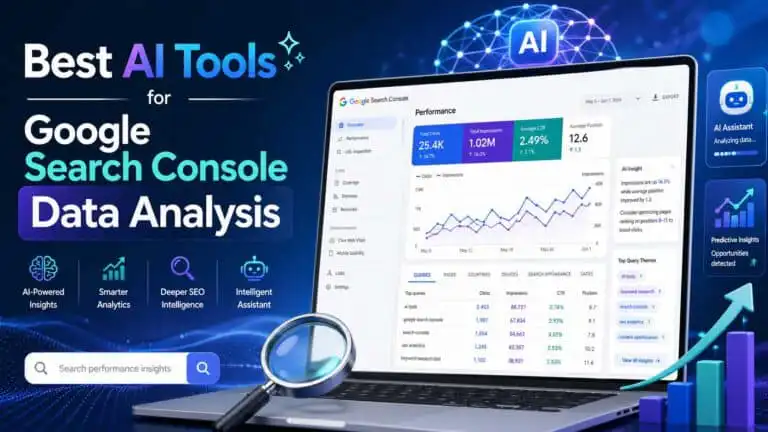
Quick answer: the best AI tools for Google Search Console data analysis are Looker Studio + Gemini for dashboards, Claude or ChatGPT for CSV analysis and content refresh planning, BigQuery + Gemini for large sites, Power BI Copilot for stakeholder reporting, and Semrush or Ahrefs when you need competitive SEO context alongside your own GSC data.
If you only want one practical setup, use this: export GSC data by page and query, segment it by page type, then use AI to identify decaying pages, high-impression low-CTR keywords, cannibalisation, internal linking gaps and pages that deserve a content refresh. For a broader tool stack, see our guide to the best AI data analysis tools.
Best AI tools for Google Search Console data analysis at a glance
| Tool | Best GSC use case | Dataset category | Score | Rating | Main trade-off |
|---|---|---|---|---|---|
| Looker Studio + Gemini | Dashboards, trend summaries and Google-native reporting | Data & Analytics AI | 8.0/10 | 4.0/5 stars | Good for visibility, less strong for deep diagnosis without clean data modelling |
| Claude | Long-form SEO analysis, refresh briefs and query clustering | Text Generation AI | 9.0/10 | 4.5/5 stars | Excellent reasoning, but you still need to verify calculations |
| Google Gemini | Google ecosystem workflows, Sheets analysis and BigQuery-assisted exploration | Text Generation AI | 8.8/10 | 4.4/5 stars | Best when your data already lives inside Google tools |
| ChatGPT | Ad hoc CSV analysis, prompt-led SEO diagnosis and action lists | Text Generation AI | 8.6/10 | 4.3/5 stars | Flexible, but needs precise prompts and clean exports |
| Power BI Copilot | Executive dashboards, recurring reports and Microsoft-heavy teams | Data & Analytics AI | 8.2/10 | 4.1/5 stars | Powerful, but requires a well-prepared semantic model |
| Hex | SQL, Python notebooks, deeper analysis and reusable SEO data apps | Data & Analytics AI | 8.1/10 | 4.1/5 stars | Excellent for data teams, too technical for casual users |
| Semrush | Adding competitive keyword, SERP and content context to GSC findings | SEO & Marketing AI | 8.7/10 | 4.4/5 stars | Strong external data, but not a replacement for your own GSC truth |
| Ahrefs | Backlink, SERP and keyword opportunity validation | SEO & Marketing AI | 8.5/10 | 4.3/5 stars | Excellent discovery data, but GSC should remain the source of performance truth |
| Akkio | No-code modelling, forecasting and opportunity scoring | Data & Analytics AI | 8.3/10 | 4.2/5 stars | Useful for scoring, less SEO-native than specialist platforms |
What AI should actually do with Google Search Console data
The value is not “summarise my dashboard”. Search Console already shows clicks, impressions, CTR and average position. The real value comes from using AI to connect patterns that are easy to miss when you are staring at rows of queries.
A good AI-assisted GSC workflow should help you answer questions like:
- Which pages are losing clicks despite stable or rising impressions?
- Which pages rank in positions 4 to 12 and need a content or internal link push?
- Which queries have high impressions but weak CTR?
- Which URLs are cannibalising the same keyword cluster?
- Which content updates should be prioritised by likely traffic upside?
- Which page types are declining: reviews, comparisons, tutorials, category pages or blog posts?
- Which keywords suggest the page no longer satisfies search intent?
- Which pages need better titles, stronger intros, FAQs or clearer topical coverage?
In practice, AI works best as a second analyst. It can spot patterns, group queries, generate hypotheses and turn raw exports into actions. It should not be treated as the final source of truth. I still verify every recommendation against the underlying GSC rows before changing titles, refreshing content or redirecting pages.
Best overall workflow: GSC export plus AI analysis
The strongest setup depends on site size.
For small and medium sites, export data from Search Console into CSV or Google Sheets. Pull page-level and query-level reports separately, then compare recent performance against a previous period. A simple 28-day versus previous 28-day comparison is enough to find most issues.
For large sites, especially publishers, ecommerce stores and programmatic SEO projects, move beyond manual exports. Use the Search Console API or Search Console bulk data export into BigQuery. Once the data is in BigQuery, AI can help write SQL, cluster URLs, explain anomalies and create recurring reporting workflows.
The key is structure. AI performs badly when you upload a messy export and ask “what should I do?” It performs much better when your data contains clear columns: date, page, query, clicks, impressions, CTR, average position, country, device and search appearance.
Looker Studio + Gemini: best for Google-native GSC dashboards
Rating: 4.0/5 stars
Internal dataset score: 8.0/10
Best for: SEO dashboards, client reporting and Google-native teams
Looker Studio is the easiest place to start if you want a visual dashboard from Google Search Console data. It connects naturally to GSC, works well with GA4, and can be extended with calculated fields, filters and blended data. When Gemini is layered into the workflow, it becomes more useful for explaining trends and creating narrative summaries.
The best use case is not deep forensic SEO. It is fast visibility. You can build dashboards for declining pages, query movement, device-level differences, country changes and CTR opportunities. For agencies, this is often enough to create a reliable monthly reporting system.
Pros
- Excellent fit for Google Search Console and GA4 workflows
- Strong visual reporting for non-technical stakeholders
- Useful for recurring SEO dashboards
- Low barrier to entry compared with BI platforms
Cons
- Can become slow or messy with complex blended data
- AI summaries are only as useful as the dashboard structure
- Not ideal for advanced query clustering or large-scale content audits
Claude: best for long-form SEO diagnosis from GSC exports
Rating: 4.5/5 stars
Internal dataset score: 9.0/10
Best for: content decay analysis, refresh planning and query intent interpretation
Claude is one of the strongest options when you want to turn Search Console exports into editorial decisions. Its strength is reasoning over long context. That matters when you are comparing page titles, query groups, intent shifts and historical performance.
I would use Claude for tasks such as grouping queries by intent, identifying why a page is losing clicks, building content refresh briefs and spotting cannibalisation between similar URLs. It is particularly good when you provide the page title, current URL, query export and a short explanation of the page’s purpose.
Pros
- Strong at interpreting long exports and page-level context
- Good for turning data into content briefs
- Useful for cannibalisation and intent analysis
- Clear explanations rather than shallow dashboard commentary
Cons
- Not a BI tool or live dashboard
- Calculations should still be checked
- Needs well-prepared exports for best results
ChatGPT: best flexible AI analyst for CSV-based GSC work
Rating: 4.3/5 stars
Internal dataset score: 8.6/10
Best for: fast analysis, prioritisation and SEO action lists
ChatGPT is the most flexible option for everyday GSC analysis. Upload a clean CSV, define the business goal, and ask for a ranked list of actions. It works well for finding low-CTR opportunities, pages in striking distance, keyword groups that deserve new content, and URLs where performance has declined.
The mistake is asking broad questions. “Analyse this Search Console export” usually produces generic output. A better prompt is: “Find pages where impressions increased by at least 20% but clicks declined. Group by URL, explain the likely cause and recommend title or content changes.”
Pros
- Very flexible for one-off analysis
- Good at turning rows into prioritised SEO actions
- Useful for title rewrites, brief generation and query clustering
- Easy for non-technical SEOs to use
Cons
- Not a permanent reporting system on its own
- Can overstate confidence if the prompt is vague
- Needs manual verification before implementation
Google Gemini: best for Search Console teams already using Google Workspace
Rating: 4.4/5 stars
Internal dataset score: 8.8/10
Best for: Sheets workflows, Google-native teams and BigQuery-assisted analysis
Gemini is a strong fit when your SEO reporting already happens in Google Sheets, Looker Studio or BigQuery. For small teams, Gemini can help explain spreadsheets, draft formulas and summarise changes. For larger teams, Gemini inside BigQuery is more interesting because it can help generate SQL and explore large Search Console datasets.
The practical advantage is ecosystem fit. If your data pipeline is Google Search Console to BigQuery to Looker Studio, Gemini sits naturally inside that workflow. That makes it less clunky than exporting everything into separate AI tools.
Pros
- Good fit for Google Search Console, Sheets, BigQuery and Looker Studio workflows
- Useful for SQL assistance and data exploration
- Strong option for Google Workspace-heavy teams
- Works well for recurring SEO reporting systems
Cons
- Less useful if your team does not use Google’s data stack
- Still needs clean schemas and clear metric definitions
- Not a specialist SEO platform by itself
Power BI Copilot: best for executive SEO reporting
Rating: 4.1/5 stars
Internal dataset score: 8.2/10
Best for: Microsoft-based teams, BI reporting and stakeholder summaries
Power BI Copilot is a good option when Search Console data needs to sit beside revenue, lead, CRM or product data. That is where GSC becomes more powerful. Clicks are useful, but clicks tied to conversions, pipeline or assisted revenue are much more useful.
For example, you can use Power BI to show which organic landing pages gained impressions, which gained clicks, and which actually contributed to leads or sales. Copilot can then help stakeholders ask natural-language questions about the report.
Pros
- Strong for business-level SEO reporting
- Works well when GSC data is combined with CRM or revenue data
- Good governance for larger organisations
- Useful for recurring board or management dashboards
Cons
- More setup than Looker Studio
- Requires a clean data model
- Overkill for simple blog or affiliate sites
Hex: best for technical SEO teams using SQL and Python
Rating: 4.1/5 stars
Internal dataset score: 8.1/10
Best for: analysts, technical SEOs and reusable internal tools
Hex is best when your SEO analysis needs to go beyond dashboards. If you want notebooks, SQL, Python, charts and lightweight internal apps in one place, it is a strong option. For Search Console data, that means you can build repeatable workflows for content decay, keyword clustering, redirect monitoring, indexation checks and opportunity scoring.
This is not the best first tool for a solo blogger. It is better for teams that already have a warehouse or database and want analysts and SEOs working in the same environment.
Pros
- Excellent for SQL and Python-based GSC analysis
- Good for repeatable internal SEO tools
- Supports deeper analysis than simple dashboards
- Useful collaboration features for data teams
Cons
- Too technical for many content teams
- Requires a proper data setup
- Not an SEO platform out of the box
Semrush: best for adding competitive context to GSC data
Rating: 4.4/5 stars
Internal dataset score: 8.7/10
Best for: keyword validation, SERP context and competitor comparison
Semrush should not replace Google Search Console. GSC tells you what Google is actually showing and rewarding on your own site. Semrush is useful because it adds the wider market view: competitor rankings, keyword difficulty, SERP features, content gaps and topic opportunities.
The best workflow is to find an opportunity in GSC first, then validate it in Semrush. For example, if GSC shows a page with rising impressions but low CTR, Semrush can help you inspect the SERP, identify competing pages and decide whether the fix is a title change, content expansion or a new supporting article.
Pros
- Strong keyword and SERP intelligence
- Useful for competitor validation
- Good reporting and workflow features
- Helps turn GSC findings into market-aware SEO actions
Cons
- Third-party keyword data will never be as direct as GSC data
- Can encourage chasing volume instead of fixing proven opportunities
- Full suite pricing can be high for small sites
Ahrefs: best for backlink and SERP validation
Rating: 4.3/5 stars
Internal dataset score: 8.5/10
Best for: backlink analysis, ranking validation and content gap discovery
Ahrefs is especially useful when Search Console shows ranking potential but you need to know why you are stuck. If a page has impressions, sits around positions 5 to 12, and has weaker links than the pages above it, Ahrefs can help identify whether the problem is authority, topical depth or SERP intent.
It is also useful for internal link planning. If a GSC export shows a page is close to page-one gains, Ahrefs can help you find stronger pages on your own site that could link to it.
Pros
- Excellent backlink and discovery data
- Useful for validating why a GSC opportunity is not moving
- Strong for competitor and content gap research
- Helpful for internal link planning
Cons
- Not a native GSC analysis tool
- Keyword estimates can differ from actual GSC impressions
- Best used as supporting context, not the primary dataset
Akkio: best no-code AI scoring for SEO opportunities
Rating: 4.2/5 stars
Internal dataset score: 8.3/10
Best for: no-code prediction, prioritisation and opportunity scoring
Akkio is not a classic SEO tool, but it can be useful when you want to score GSC opportunities. For example, you could build a dataset containing clicks, impressions, CTR, position change, content age, word count, backlinks and conversion data, then use AI-assisted modelling to prioritise pages for updates.
This is most useful when your site has hundreds or thousands of URLs. For small sites, manual judgement is usually faster.
Pros
- Good no-code option for predictive scoring
- Useful for prioritising large URL sets
- Accessible for marketing and operations teams
- Can combine GSC data with business metrics
Cons
- Not SEO-native
- Requires enough data to make modelling worthwhile
- Recommendations still need SEO interpretation
Prompt templates for analysing Google Search Console data with AI
Use specific prompts. The more precise the question, the more useful the output.
Content decay prompt
Analyse this Google Search Console export. Compare the latest 28 days with the previous 28 days. Find pages where clicks dropped by more than 20% but impressions stayed flat or increased. Group by URL, explain the likely cause, and recommend a specific content refresh action for each page.
Low CTR prompt
Find queries with more than 500 impressions, average position between 1 and 8, and CTR below the site average. Group them by page. Suggest title tag improvements, but do not invent benefits that are not supported by the query intent.
Cannibalisation prompt
Group queries by semantic intent. Identify cases where multiple URLs receive impressions for the same intent cluster. Flag likely cannibalisation only where two or more pages compete for the same query group and neither page is clearly dominant.
See more of our reporting in Google Top Stories, AI Overviews and AI Mode.
Striking distance prompt
Find URLs with queries ranking between positions 4 and 12. Prioritise by impressions, current CTR, position movement and topical relevance. Recommend whether each page needs internal links, title changes, content expansion or a new supporting article.
Content brief prompt
Using this page-level and query-level GSC data, create a content refresh brief. Include the primary intent, missing subtopics suggested by queries, title recommendations, FAQ opportunities, internal link targets and risks to avoid.
Common mistakes when using AI with Search Console data
Using GSC average position too literally
Average position is useful, but it can be misleading. It blends countries, devices, query variations and SERP layouts. A page with an average position of 8 may rank 3 for one query and 40 for another. AI should segment the data before making recommendations.
Mixing branded and non-branded queries
Branded queries behave differently. They often have higher CTR and different intent. If you mix branded and non-branded data, AI may recommend the wrong title changes or overestimate opportunity size.
Ignoring page type
A product review, glossary page, comparison article and tutorial should not be judged the same way. Segment URLs by template or content type before asking AI to prioritise updates.
Letting AI rewrite titles without SERP context
Low CTR does not always mean the title is bad. It may mean the SERP has ads, AI answers, video results, shopping modules or a dominant brand. Check the live SERP before changing a title that already ranks well.
Confusing correlation with cause
If clicks dropped after a content update, the update may be responsible. Or the SERP may have changed. Or seasonality may be involved. Treat AI analysis as a hypothesis generator, not a verdict machine.
Buying guide: how to choose the right AI tool for GSC analysis
Choose Looker Studio + Gemini if you need simple dashboards, monthly reporting and Google-native workflows.
Choose Claude if you want deeper written analysis, content refresh briefs and better interpretation of query intent.
Choose ChatGPT if you want a flexible day-to-day analyst for CSV exports, prioritisation and quick SEO action lists.
Choose Gemini if you already work heavily in Google Sheets, BigQuery and Looker Studio.
Choose Power BI Copilot if SEO performance needs to be connected to business data, sales data or stakeholder dashboards.
Choose Hex if your team has analysts who want to build reusable SEO notebooks and data apps.
Choose Semrush or Ahrefs if you need to validate GSC opportunities against competitors, backlinks and SERP difficulty.
Verdict: the best AI tool depends on your GSC problem
For most SEO teams, the best AI tool for Google Search Console data analysis is not a single platform. It is a workflow.
Use Search Console as the source of truth. Use Looker Studio + Gemini for reporting. Use Claude or ChatGPT for analysis and content recommendations. Use BigQuery + Gemini when the dataset becomes too large for manual exports. Use Semrush or Ahrefs only after GSC has shown there is a real opportunity worth validating.
The biggest mistake is starting with the tool instead of the question. Ask what you need to know first: why clicks dropped, why CTR is weak, which pages are close to growth, which content is cannibalising, or which updates will produce the highest return. Then choose the AI tool that answers that question with the least friction.
FAQs
Yes. AI can analyse Search Console exports, group queries by intent, detect content decay, find low-CTR opportunities, identify cannibalisation and turn raw data into SEO recommendations. The data still needs to be cleaned and checked before acting on it.
For most users, ChatGPT or Claude is best for ad hoc CSV analysis, while Looker Studio + Gemini is better for dashboards. For large sites, BigQuery + Gemini is the strongest long-term setup.
Google Search Console is essential, but it is not enough on its own. It shows your actual search performance, but it does not fully explain competitor strength, backlink gaps, SERP features or commercial value. That is why pairing GSC with AI and SEO tools is more effective.
Yes. AI can compare time periods and find pages where clicks, CTR or positions are declining. The best decay analysis separates pages where impressions fell from pages where impressions stayed stable but clicks dropped, because those usually require different fixes.
Manual exports are fine for small sites and one-off analysis. Use the Search Console API or bulk export when you need recurring reports, larger datasets, historical tracking or analysis across many page types.
AI can suggest better titles and meta descriptions, but it cannot guarantee higher CTR. You still need to check the live SERP, query intent, brand competition and whether Google is rewriting your title.
Yes, but it needs query-level and URL-level data. The safest approach is to group queries by intent, then look for multiple URLs receiving impressions for the same cluster. Do not assume every shared query is cannibalisation.
Export queries, pages, clicks, impressions, CTR, average position, date, country, device and search appearance where available. For deeper work, compare two time periods and add URL type, publish date, last updated date and conversion data.
You Might Also Like:

Best AI Data Analytics Tools 2026

Best AI Tools For Excel And Google Sheets Automation

Best AI Sql Generator

great roundup of AI tools. Thanks!