
Zorq AI Review 2026: Models, Credits, Pricing and Limits
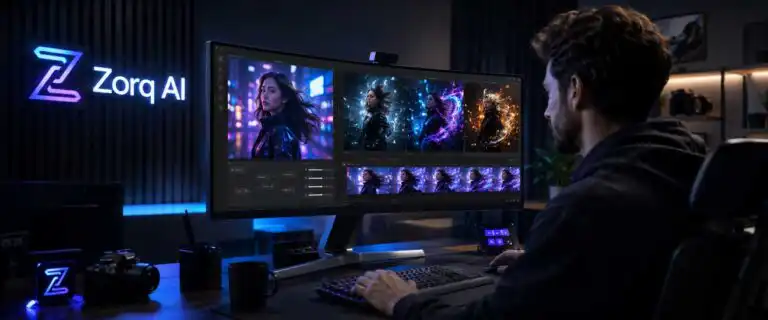
Zorq AI is a browser-based image and video generation platform that bundles several third-party models under a single credit balance. Its current toolset covers text-to-image, text-to-video, image-to-video, lip-sync, motion control, voice features, and bulk variation generation. The appeal is obvious: one account can replace several separate model dashboards.
This Zorq AI review examines the factors that determine whether that convenience is worth paying for: the models actually listed, the cost and ambiguity of its credits, the controls available before generation, queue predictability, commercial-use wording, and the editing work still required afterwards. Pricing and model availability were checked on 10 July 2026, but both are changing quickly enough that the live checkout should be treated as the final figure.
Our verdict: Zorq AI is most convincing as a model-switching and experimentation layer. It suits creators who want to compare different image and video engines without maintaining several subscriptions. It is less attractive for teams that need fixed production costs, guaranteed render times, detailed collaboration controls or a complete video editor.
Zorq AI at a glance
| Category | What Zorq AI currently offers |
|---|---|
| Core product | Multi-model AI image and video generation in one web interface |
| Main workflows | Text-to-image, text-to-video, image-to-video, motion control, lip sync, video editing and audio generation |
| Best suited to | Rapid concepting, short clips, ad variations, social assets and comparing model behaviour |
| Less suited to | Long-form editing, predictable high-volume production, formal approval workflows and teams needing service guarantees |
| Billing | Monthly or annual subscriptions with model-dependent credit use |
| Starting monthly price | $14.99 for 200 credits at the time of review |
| Commercial use | Permitted under the platform terms, subject to applicable law and rights in the source material |
| Biggest advantage | Access to different model families without repeatedly moving prompts and reference assets between services |
| Biggest limitation | A credit total does not tell you how many useful videos you will finish |
What Zorq AI is really selling
Zorq AI should not be judged as if it were a single image or video model. The underlying engines do most of the generative work. Zorq supplies the access layer: model selection, a shared balance, prompt assistance, reference uploads, generation controls, project history and specialist workflows such as MultiGen and motion transfer.
That changes the buying decision. A direct subscription to one model can offer deeper native controls or better value when most of your work uses that model. Zorq earns its place when you regularly switch engines because one handles motion better, another follows a reference image more faithfully, and a third is cheaper for early drafts.
The hidden compromise is control parity. Multi-model platforms rarely expose every setting available in each provider’s native interface, and supported versions can be added, replaced or temporarily unavailable. Before moving a repeatable client workflow into Zorq, confirm that the exact model, duration, resolution, audio, and reference controls you need are available within Zorq rather than only from the model developer.
Which image and video models are available?
Zorq’s public model list and community gallery currently show a broad catalogue rather than one default generator. Video options include versions from the Seedance, Kling, Sora, Veo and WAN families. Image generation includes Seedream and Nano Banana variants. The precise inventory is likely to move faster than this review, so model access should be verified on the generation screen before subscribing to a named engine.
| Model group | Models currently presented by Zorq | Practical role in a workflow |
|---|---|---|
| General video generation | Seedance 2.0, Seedance 2.0 Fast, Seedance 1.5 Pro, WAN 2.6, Kling 2.6 Pro, Kling 3.0, Sora 2, Sora 2 Pro and Google Veo 3.1 | Generate short scenes from text or still images, then compare motion, realism, prompt adherence and cost |
| Motion and video manipulation | Kling motion-control variants, WAN Animate, video editing tools and video recreation workflows | Transfer movement, direct character action or modify an existing clip rather than starting from text alone |
| Lip sync | Kling lip-sync workflow | Match supplied speech to a face or character after the visual identity has been established |
| Image generation | Seedream 4.0, Seedream 4.5, Seedream 5 Lite, Nano Banana 2 and Nano Banana Pro | Create reference frames, product concepts, characters, thumbnails and starting images for animation |
A long model list is useful only when it improves selection. The sensible approach is to assign models to stages. Use a faster or cheaper model to explore composition; then move to a stronger image model for the approved reference frame; only after the subject, camera direction, and aspect ratio are settled, spend premium video credits.
DIY AI’s best AI video tools comparison is a better starting point for comparing dedicated platforms and aggregators. For still-image work, the best AI image generators guide covers tools with deeper image-specific workflows.
The controls are useful, but they do not replace pre-production
The standard Zorq generation flow lets you choose a model, enter a prompt, upload a reference where supported, select an aspect ratio and adjust model-dependent options such as duration or resolution. More specialised modes add lip-syncing, motion control, animation, and video editing. MultiGen can generate multiple variations from a single idea, which is valuable for ad testing and visual development.
MultiGen also exposes the main economic risk. Generating four versions is faster than submitting four jobs manually, but it can still consume four sets of credits. Bulk generation should therefore be used to answer a specific question, such as which camera angle works, rather than to compensate for an unresolved prompt.
A reliable workflow separates cheap decisions from expensive ones:
- Define the final aspect ratio, clip length and editing destination before generating.
- Use image generation to settle the subject, styling and framing.
- Test motion with a low-cost or fast model.
- Move the strongest reference into the premium video model.
- Generate only the variations that answer a clear creative question.
- Finish pacing, sound, captions, transitions and brand elements in a separate editor.
This reduces the number of premium video retries. It also makes model comparison fairer because each engine receives the same approved starting frame and a prompt written for the same shot.
Zorq AI pricing and the real cost of its credits
Zorq currently offers three subscription tiers: Starter, Creator and Unlimited. Monthly prices start at $14.99, but annual plans substantially reduce the effective cost per credit. The prices below were verified against Zorq’s live pricing page and should still be treated as a snapshot because plans and discounts can change.
| Plan | Monthly billing | Annual billing | Included credits | Monthly cost per credit | Annual cost per credit |
|---|---|---|---|---|---|
| Starter | $14.99/month | $108/year | 200/month | 7.50 cents | 4.50 cents |
| Creator | $49/month | $294/year | 800/month | 6.13 cents | 3.06 cents |
| Unlimited | $249.99/month | $990/year | 5,000/month | 5.00 cents | 1.65 cents |
The more revealing comparison is not simply which plan has the lowest subscription price. On monthly billing, moving from Starter to Unlimited reduces the nominal credit cost from about 7.5 cents to 5 cents. Annual billing has a much larger effect: Starter falls to about 4.5 cents per credit, Creator to 3.06 cents and Unlimited to roughly 1.65 cents.
Zorq displays the annual plans as approximately $9, $25 and $83 per month, respectively, but these require annual payments of $108, $294 and $990. Using the actual amount billed gives a clearer picture of the real unit cost.
There is also an important limitation hidden by the plan naming. Unlimited is not unlimited generation. It includes 5,000 credits per month, so expensive video models can still exhaust the allocation. The plan makes the most financial sense for creators who will consistently use a large proportion of those credits, rather than choosing it solely for the “Unlimited” label.
Why a credit cannot be converted into a fixed number of videos
Credit use varies by model and settings. Resolution, duration, quality mode, native audio, motion control, reference inputs and batch size can all change the charge. An image may cost a fraction of a premium video render, while two video models can consume very different amounts of resources for clips that appear equivalent in the interface.
The only useful cost estimate is based on a repeatable job. Record the displayed credit quote for your normal model, resolution and duration, then divide the plan allowance by that figure. After that, reduce the theoretical total by your observed retry rate. A plan that appears to cover 50 generations may fund only 15 approved clips, since each usable result requires several attempts.
There is also a wording problem worth checking before payment. Zorq’s pricing page says credits refresh each month, while its terms say credits do not expire as long as an account remains active. Those statements may refer to different credit types, such as subscription allocations and purchased top-ups, but the wording in the public documentation does not make the distinction sufficiently clear. Ask support how unused subscription credits and one-time credits behave on your specific plan.
Queue times are a purchasing risk, not a footnote
Zorq does not publish a meaningful service-level guarantee for generation time. A single claim that a clip took one or two minutes is not useful without the model, duration, resolution, queue priority and time of day. Multi-model platforms also inherit capacity issues from upstream providers, so one model can remain quick while another slows down or becomes temporarily unavailable.
For paid production, test queue behaviour rather than relying on a homepage speed claim. Run the same short prompt five times on the intended model during your normal working hours. Log submission time, completion time, failures and whether failed jobs restore credits. Repeat the test on a second day. The median result is more useful than the fastest result, and the slowest successful render tells you whether the tool can meet a deadline.
Community discussion around Zorq follows a familiar pattern: users value rapid iteration and having several models in one place, but cite anxiety and specialist modes that fail validation as disruptions to the flow. Motion-control inputs deserve particular testing because clip length, movement continuity and source formatting can trigger errors before a useful render is produced.
Commercial use is allowed, but source rights still sit with you
Zorq’s paid plans advertise commercial use, and the Zorq AI terms of service state that generated output may be used for personal and commercial purposes, subject to the terms and applicable law. That is a useful baseline. It is not guaranteed that every output is safe to publish, trademark, sell, or use in an advertisement.
You remain responsible for the material you upload as input. Client photos, music, celebrity likenesses, brand assets and motion-reference clips need appropriate permission. Outputs can also resemble protected characters, logos or living people even when the prompt did not request them. Commercial teams should retain the prompt, source files, model name, generation date and final human edits for important assets.
The refund policy is also strict enough to affect how you use the service during the trial. The first subscription is eligible for a refund within 7 days only if no credits have been used, while top-up purchases and recurring renewals are generally final. In practical terms, spending credits to evaluate quality may remove the easiest refund route. Start with the smallest plan that can run a representative test rather than buying a large allowance based on the model list alone.
Zorq AI is a generator, not a finished video workspace
Zorq can create the raw ingredients for a video, but it does not replace a mature timeline editor. Short generated clips still need to be selected, trimmed, sequenced, colour-matched, audio-balanced, titled, captioned, cleared for music, and exported with checks. Character continuity can also drift between shots, especially when different models are mixed in the same sequence.
This is where some reviews overstate the all-in-one claim. Putting image, video, lip-sync, and audio generation into a single dashboard eliminates the need to switch accounts. It does not remove post-production. A realistic Zorq workflow ends with an export to Premiere Pro, DaVinci Resolve, Final Cut Pro, CapCut or another editor.
For teams, the missing layer goes beyond editing. Public product information does not show the depth of role permissions, shared asset libraries, comments, approvals, version control or audit history expected in a formal studio workflow. A solo creator can work around that. An agency handling several brands may find the operational gap more expensive than the subscription.
See more of our reporting in Google Top Stories, AI Overviews and AI Mode.
Zorq AI pros and cons
| Pros | Cons |
|---|---|
| Several current image and video model families under one account | Credits are difficult to translate into an honest cost per finished clip |
| Useful mix of text, image, motion-control and lip-sync workflows | Model availability and controls can change as provider integrations change |
| MultiGen supports rapid variation and creative comparison | Bulk generation can multiply credit use before the creative direction is settled |
| Commercial use is addressed in the platform terms | Users still carry responsibility for input rights and output review |
| Higher tiers substantially reduce nominal cost per credit | The cheapest credit is poor value when allocations go unused |
| One interface reduces repeated uploads and account switching | No complete editing timeline or clearly documented enterprise approval layer |
Who should subscribe to Zorq AI?
Zorq AI makes sense for: solo creators, marketers and small production teams that generate short-form visual assets, compare model outputs frequently, and already have an editing tool. It is especially useful when the cost of maintaining several lightly used subscriptions exceeds the convenience premium of a shared platform.
A direct model subscription may be better for: users who rely on one engine for most paid work, need its newest native controls immediately or can buy a larger model-specific allowance at a lower effective rate.
A different category of product is better for: teams producing complete marketing videos, courses, presentations or long-form narratives. Those workflows need scene assembly, narration management, captions, music, templates, collaboration, and editing, rather than a broader menu of short-clip models.
How to test Zorq AI without wasting the first credit allowance
Do not begin with unrelated showcase prompts. Use one small project that resembles the work you intend to sell or publish. The following evaluation produces a much clearer buying signal:
- Create one approved still image and reuse it across every compatible video model.
- Fix the aspect ratio, duration and target resolution.
- Record the quoted credit cost before each generation.
- Generate three runs per model with the same core prompt.
- Log queue time, failures, refunded credits and download resolution.
- Score identity retention, unwanted motion, anatomy, text accuracy, camera behaviour and prompt adherence.
- Complete one clip in your normal editor to expose the real post-production burden.
- Calculate cost per approved clip, not cost per render.
This method also exposes whether the multi-model catalogue is genuinely useful to you. If one model wins nearly every test, the direct provider deserves a price comparison. If different engines win different shot types, Zorq’s shared workflow has a stronger case.
Frequently asked questions
Is Zorq AI free?
Zorq’s public pages focus on paid monthly and annual plans, while older listings and third-party pages describe different trial arrangements. Do not assume a meaningful free trial is available. Check the live account screen for any introductory credits and whether they are sufficient for the model you want to test.
Do Zorq AI credits roll over?
The public wording is unclear. The pricing page says credits refresh monthly, while the terms say credits do not expire as long as the account is active. These statements may apply to different credit types. Confirm how subscription credits and purchased top-ups are treated before choosing a larger plan.
Can Zorq AI videos be used commercially?
Yes, the platform terms permit personal and commercial use of generated output, subject to the terms and applicable law. You still need rights to uploaded assets and must review outputs for protected brands, characters, music and likenesses.
Does Zorq AI include Sora, Kling and Veo?
Zorq’s current public model catalogue lists Sora, Kling and Google Veo variants alongside Seedance, WAN, Seedream and Nano Banana models. Specific versions and controls can change, so verify the required engine inside the app before paying.
Is Zorq AI better than subscribing directly to a model?
It is better for comparison and mixed-model workflows. A direct subscription can be better for high-volume use of a single model, earlier access to new controls, and simpler cost forecasting. The deciding metric is cost per approved output after retries.
Zorq AI review verdict
Zorq AI solves a real problem: creators increasingly need multiple generative models, but separate subscriptions and disconnected project histories create friction. Its combination of image generation, short-form video, lip-sync, motion control, and bulk variations makes it a credible creative workbench.
The platform is easiest to recommend to disciplined experimenters. Settle the concept cheaply, reserve premium credits for approved shots and finish the work elsewhere. Users who enter without a credit budget or a defined production process may find that model choice encourages more generation than completed content.
Start on the smallest plan that can reproduce one real project. Measure queue time, retry rate and cost per approved clip. Zorq is worth keeping when model switching improves the finished work often enough to outweigh the lost native controls and the uncertainty of a shared credit system.
You Might Also Like:

Best AI Video Generators

Best Image To Video AI

Best Free AI Video Generators 2026
